
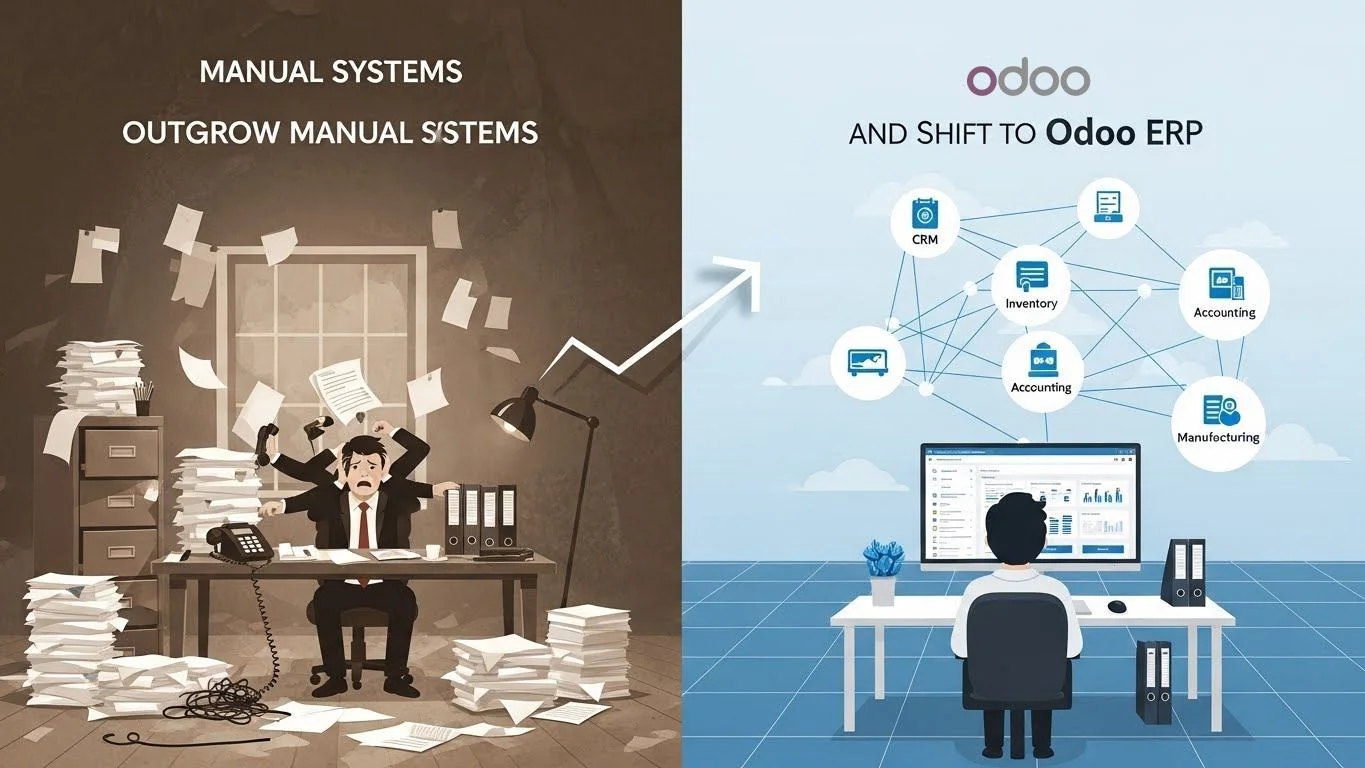
Every growing business starts with simple tools. A small team can manage daily work using spreadsheets, paper files, or basic software. But as the business grows, the same tools that once seemed enough begin slowing everything down. Mistakes become more common, communication becomes scattered, and leaders lose visibility into how work actually flows. This is the point where most organisations realise they have outgrown manual systems.
This article explains why this shift happens, what problems appear when a business scales, and how a modern system like Odoo ERP helps organisations replace manual work with automation, accuracy, and control. Whether you run a service company, retail store, manufacturing unit, or distribution network, you will see the same pattern: manual tools stop supporting growth at a certain stage. Understanding why this happens is the first step toward building a stronger future.
Definitions & Basic Explanation
What are manual systems?
Manual systems refer to workflows handled using spreadsheets, paper, email, basic accounting tools, or disconnected software. These tools do not talk to each other, so teams enter the same information again and again.
What does “outgrowing manual systems” mean?
It means the business has reached a stage where manual work creates delays, errors, and inefficiency. The business needs structured, integrated workflows instead of scattered tools.
What is Odoo ERP?
Odoo ERP is an all-in-one business management platform that connects sales, accounting, inventory, HR, operations, purchasing, marketing, and more in one unified system. Instead of manual entries, Odoo automates the flow of information across all departments.
Deep Topic Breakdown: Why Manual Systems Fail as Companies Grow
Manual systems work only when:
- The team size is small
- Order volume is low
- Departments are limited
- Customer expectations are simple
- Business processes are not complex
But as soon as growth begins, manual systems show serious cracks. These cracks include errors, delays, miscommunication, data duplication, loss of control, and lack of real-time visibility.
Below are the major industry-proven reasons why businesses eventually outgrow manual workflows.
1. Information is scattered across too many places
Sales teams keep records in spreadsheets. Accounting uses another file. Inventory staff maintains their own sheets. HR stores information separately. None of these tools sync with each other. This causes duplication and outdated data.
2. Human error becomes unavoidable
According to general industry research, human-entered data has some of the highest error rates. Even a single digit mistake in quantity, price, or inventory can cause financial loss. Manual systems increase this risk because people must enter the same data repeatedly.
3. Teams struggle to collaborate
Email threads, WhatsApp messages, and voice communication make it impossible to track work. There is no central dashboard showing what is happening in the company. As teams grow, collaboration becomes chaotic.
4. Leaders lose visibility into business performance
Manual systems cannot generate real-time reports. Managers depend on outdated files and assumptions. They cannot see inventory movement, sales pipelines, or cash flow in real time.
5. Compliance and audit become difficult
Manual entries leave no clear audit trail. Approvals are unclear. Record-keeping becomes scattered. Meeting industry standards becomes harder without structured digital workflows.
6. Customer demands shift faster than manual processes can support
Response time becomes slow. Customer service becomes inconsistent. Delivery mistakes increase. Customers expect faster service today, and manual tools cannot handle that demand.
7. Business processes become too complex for spreadsheets
Workflows such as inventory forecasting, procurement planning, production scheduling, job costing, project control, and financial reporting need automated systems.
For these reasons, manual systems limit business growth. Once the company crosses a certain level, it must adopt a structured ERP like Odoo to stay competitive.
Step-by-Step: How Odoo Replaces Manual Systems with Automated Workflows
Below is a clear, expert-level breakdown showing how Odoo handles the same tasks that manual systems fail at.
1. Centralising All Departments into One System
Odoo replaces scattered spreadsheets by bringing every department into a single, connected platform. Sales, CRM, inventory, accounting, HR, purchasing, projects, manufacturing, field service, and marketing automation all operate from one shared database. Because every module is linked, any update made in one place reflects instantly across the entire system. This removes duplicated work, reduces confusion, and ensures all teams rely on the same real-time information.
2. Automating the Flow of Information
A major advantage of Odoo is its automated data movement. When a quotation becomes a sale order, the system automatically updates stock levels, ledgers, delivery orders, invoices, and work orders if manufacturing is involved. Manual re-entry disappears. Automation ensures higher accuracy, faster processing times, and fewer operational delays.
3. Controlling Approvals Across Business Processes
Manual systems often lack clear oversight, but Odoo introduces defined approval workflows for purchases, expenses, leaves, invoices, projects, and budgets. These approval steps create accountability and prevent unauthorized or incorrect actions. Every decision becomes traceable, which strengthens financial control and operational governance.
4. Streamlining Internal Communication
Communication becomes organised and structured once teams adopt Odoo. Instead of WhatsApp messages, long email threads, or scattered verbal instructions, Odoo provides built-in activity scheduling, internal chat, document storage, task notes, and real-time notifications. This centralised approach keeps conversations attached to the right records, making collaboration simple and transparent.
5. Improving Forecasting and Planning
Odoo offers advanced planning tools that manual systems cannot support. Features like inventory forecasting, demand planning, manufacturing routing, capacity planning, purchase recommendations, and sales predictions help businesses plan for the future. Teams can respond to demand changes early, avoid stockouts, and manage resources more effectively.
6. Building Real-Time Dashboards for Better Decisions
One of Odoo’s most powerful benefits is its real-time dashboards. Managers gain instant visibility into sales performance, cash flow, inventory status, project timelines, employee activity, and vendor performance. Instead of relying on outdated spreadsheets or manually prepared reports, leaders make decisions using live data. This leads to faster responses, clearer strategy, and stronger business control.
Tools, Modules, and Integrations Used in Odoo
For companies outgrowing manual systems, these Odoo modules play a major role:
Core Modules
- CRM
- Sales
- Accounting
- Inventory
- Purchase
- HR
- Manufacturing (if needed)
- Projects
- Documents
Automation Tools
- Marketing automation
- Email integration
- SMS automation
- Barcode scanning
- Automated reordering
- Automated accounting reconciliations
Integrations
- Payment gateways
- Shipping carriers
- E-commerce platforms
- POS systems
- External warehouses
- BI tools
These tools replace manual tasks with smart automation.
Benefits & Importance of Moving to Odoo ERP
1. Faster operations
Odoo removes repeated steps, eliminating slow manual work.
2. Higher accuracy
One entry updates all places. This reduces calculation errors and misreports.
3. Better customer service
Orders are processed faster, inventory is accurate, and communication is structured.
4. Improved accountability
Every action is recorded with time, user, and approval.
5. Stronger financial control
Automated journals, reconciliations, and real-time financial reports help manage cash flow.
6. Scalable workflows
Odoo grows with the business. New modules can be added anytime without breaking the system.
7. Better decision-making
With real-time dashboards, leaders can make informed decisions instantly.
Common Problems With Manual Systems & How Odoo Solves Them
Problem 1: Data duplication
Teams enter the same information many times.
Odoo Solution: One entry updates the entire workflow.
Problem 2: Inventory mistakes
Stock levels are rarely accurate.
Odoo Solution: Real-time stock movement, barcode scanning, automatic reordering.
Problem 3: Slow invoicing
Manual invoicing leads to late payments.
Odoo Solution: Automatic invoice generation from sales and delivery orders.
Problem 4: Lack of accountability
No clear audit trail.
Odoo Solution: User logs, approvals, and role-based access.
Problem 5: Scattered communication
Teams use many tools.
Odoo Solution: All communication happens inside the system.
Safety, Risk & Governance Notes
Shifting from manual processes to Odoo requires careful planning around several risk and governance areas. The accuracy of data migration is essential because incorrect or incomplete records can affect every module connected to the system. User access control must be defined clearly so each employee sees only what they are responsible for. A reliable backup strategy is necessary to protect business information, while security settings must be configured to prevent unauthorized actions. Odoo’s audit trails help track every change, which is important for internal and external reviews. The system must also align with local accounting standards to ensure financial compliance. Finally, document management governance should be established so files, approvals, and records remain organised and easy to retrieve. When these areas are handled correctly, the implementation becomes secure, compliant, and capable of supporting long-term growth.
Cost & Pricing Factors
Odoo implementation cost depends on:
- Number of users
- Number of modules
- Customisation needs
- Integration requirements
- Data migration complexity
- Training and ongoing support
Costs vary because every business has different workflows and needs.
Best Practices When Moving Away From Manual Systems
- Map workflows before implementation
- Clean existing data
- Avoid unnecessary customisations
- Train teams early
- Start with essential modules
- Create clear approval rules
- Use dashboards for decision-making
- Review processes every quarter
These steps ensure a smooth digital transformation.
FAQS
Q1: When should a business stop using spreadsheets?
A business should stop using spreadsheets when errors, delays, or data duplication start affecting performance.
Q2: Why do manual systems fail during growth?
Because teams cannot manage rising volume, complexity, and communication through scattered tools.
Q3: How does Odoo reduce mistakes?
By integrating all departments so data is entered once and updates everywhere.
Q4: Is Odoo suitable for small businesses?
Yes. Even small teams benefit from automation, organised workflows, and centralised data.
Q5: What is the most common problem with manual processes?
Lack of accuracy and loss of real-time visibility.
Q6: How long does it take to implement Odoo?
It depends on modules, users, and data migration. Simple setups are faster; complex workflows take longer.
Q7: Can Odoo help with audit compliance?
Yes. It provides clear logs, approvals, and structured record-keeping.
Q8: Does Odoo support manufacturing workflows?
Yes. Odoo includes routing, work orders, planning, and costing tools.
Q9: What is the biggest benefit of Odoo over spreadsheets?
Real-time automation and integrated workflows.
Q10: Can a business scale without ERP?
Only to a limited point. After that, manual tools become a bottleneck.
Expert Summary
Most businesses outgrow manual systems not because these tools are bad, but because they are not designed for growth. As customer expectations increase and operations expand, spreadsheets and paper-based workflows create gaps that slow the entire company down. Odoo ERP fills this gap by centralising information, automating work, improving accuracy, and giving leaders real-time control. For any business moving into its next stage of growth, Odoo becomes the foundation for scalable, predictable, and efficient operations.



