
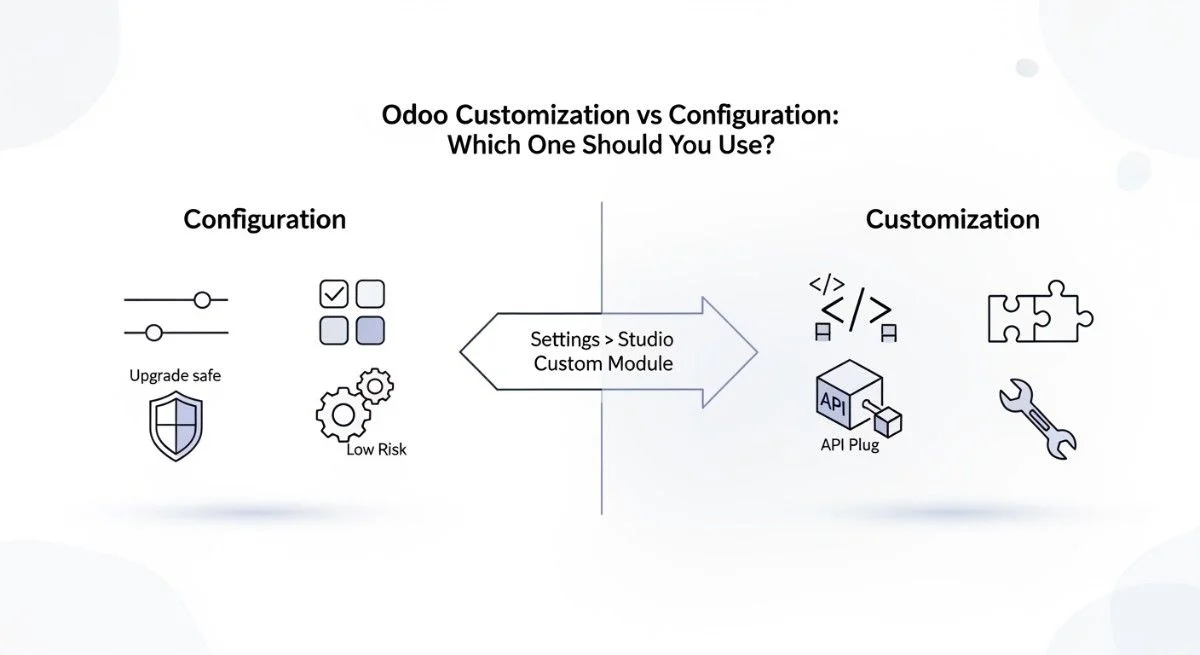
You should choose Odoo configuration first because it uses built-in settings and stays safer during upgrades. Use Odoo Studio when you need small UI changes like adding fields or moving form sections. Build a custom module only when configuration and Studio cannot meet a critical need, such as new business logic or an integration, and avoid editing core code to reduce long-term cost and risk.
What you will learn in this guide
- You will learn what “configuration” means in Odoo with real examples.
- You will learn what “customization” means and what it changes.
- You will see where Odoo Studio fits and where it becomes risky.
- You will get a simple decision tree you can use in meetings.
- You will get a 1 to 5 scoring matrix to pick the safest option.
- You will see real scenarios with “best option” labels and next steps.
- You will get an upgrade and migration checklist you can copy.
Decision principle: Choose the safest option that solves the real business problem today and still works after your next upgrade.
Who this is for: This is for business owners, ops leads, and ERP managers who want Odoo to match their workflows without creating avoidable cost, upgrade pain, or technical debt.
If you are still deciding whether you even need an ERP change right now, start with 10 signs your business needs Odoo ERP
Definitions that remove confusion of odoo customization and configuration
What configuration means in Odoo
Configuration means you use Odoo’s built-in settings to match your process without changing code. Configuration lives inside menus like Settings, app options, and access controls, so it usually stays upgrade-safe and easier to support.
Taxes and fiscal rules belong in configuration because Odoo already expects them to change by setup, not by code. You set tax rules, fiscal positions, and accounting mappings to fit your business, and you keep the logic inside standard features.
Currencies and price behavior belong in configuration because Odoo already supports multi-currency and pricing controls. You turn on currencies, set rate behavior, and use price lists instead of writing logic for every price change.
User roles belong in configuration because access rights, security groups, and record rules exist for this job. You define who can see, create, edit, and approve, and you reduce the risk of “hidden permission” bugs later.
Approvals often belong in configuration because many flows can work with standard stages and rules. You can use workflows, approval steps, and clear handoffs before you even think about custom code.
Multi-company belongs in configuration because Odoo already supports it as a standard model. You can separate data, users, and documents by company with built-in settings instead of building parallel systems.
Email templates belong in configuration because templates should change fast without deployments. You update messaging, signatures, and triggers without waiting for a developer release.
What customization means in Odoo
Customization means you change or extend Odoo with code so it can do something it cannot do out of the box. In my 10 years implementing Odoo, I have seen teams win big with customization when they used it for true competitive needs, not for preferences.
Custom modules are the safest kind of customization because they keep changes isolated and easier to upgrade. Odoo itself runs on modules, so adding your logic as a module matches the platform’s design.
Python logic changes behavior, so you should reserve it for real rules that settings cannot express. You use Python when you must add business logic, validations, calculations, or automation that cannot live in built-in options.
XML views change how screens look, so they fit UI improvements when Studio cannot handle the details. You use XML when you need precise layouts, view inheritance, or advanced UI control.
Reports and dashboards can need customization when standard reporting cannot answer the question. You build custom reports when you need new KPIs, special layouts, or strict formatting that standard tools cannot produce.
Integrations often require customization because external systems speak through APIs, not checkboxes. You usually need custom connectors when you sync orders, stock, payments, or shipping through an API.
If you want a simple explanation with real use cases, read What Is Odoo Customization? Real Business Examples
Where Odoo Studio fits
Odoo Studio is the “small change” layer when you need UI edits without heavy logic. Studio commonly helps you add fields, rearrange forms, and create simple rules without programming.
Studio works best when the change stays inside the database and stays simple. You can add a custom field, show it on the form, and use it in filters or basic automation.
Studio becomes risky when you try to force deep logic that belongs in code. Some field behavior and many “real logic” changes still require Python, so pushing Studio too far can create workarounds that break in upgrades or confuse users.
For a practical setup walkthrough that explains modules, views, and inheritance in simple steps, see How to Do Customization in Odoo: Step-by-Step Overview
The decision framework: choose the safest option that solves the problem
You should decide in this order because it reduces cost, risk, and upgrade pain. I use this same order in projects because it protects TCO and reduces technical debt.
Simple decision tree
Use this tree when stakeholders disagree because it makes the trade-off clear.
- Can Settings solve it? If yes, configure.
- Is it mostly UI and simple rules? If yes, use Studio.
- Does it need new logic, integration, or new objects? If yes, build a custom module.
If you want a broader strategy view that includes costs, risks, and planning, read the Complete Guide to Odoo Customization
Scoring matrix (1 to 5)
Score your request so you can choose the option with the best ROI and lowest long-term risk. Use 1 as low impact and 5 as high impact.
| Factor | What “5” means | What to do when score is high |
| Upgrade frequency | You upgrade often, or must stay current | Prefer configuration, keep custom minimal |
| Compliance risk | Audits, strict controls, separation of duties | Prefer configuration, design RBAC carefully |
| Performance risk | Large data, heavy automation, many users | Avoid hacks, use proper modules and testing |
| Time-to-value | You need value fast | Prefer configuration or Studio first |
| Long-term maintenance | Many changes expected over years | Reduce customization, document everything |
| Competitive advantage | This feature is truly unique and critical | Customize with a clean module and roadmap |
If you remember one thing, remember this: configure for stability, use Studio for small UI, and build modules only for real gaps.
Pros and cons that matter in real business
Configuration usually wins because it stays upgrade-safe and cheaper to operate. You get faster delivery, lower risk, and easier vendor support when you stay inside standard features.
Customization usually wins only when it creates real business value that configuration cannot provide. You gain flexibility and unique workflows, but you also accept higher maintenance, upgrade testing, and technical debt.
Hidden cost is real because ERP cost continues after go-live. Every custom rule adds future testing, documentation updates, and change management, so the true TCO often shows up during upgrades and new feature rollouts.
For clean, scalable work that reduces technical debt and upgrade pain, follow Odoo Development Best Practices for Scalable Business Systems
Real scenarios: what to configure vs what to customize
These scenarios show how to pick the best option without guessing. Each one starts with the verdict, then gives you the why, risk, and next step.
1) Sales approvals by amount and role
Best option: Configuration first.
- Why: You can often model approvals with roles, stages, and access rights.
- Risk: Poor role setup can block work or allow wrong approvals.
- Next step: Review security groups and record rules before coding.
2) Add a few new fields to CRM and show them on forms
Best option: Odoo Studio.
- Why: Studio fits UI and simple data capture changes.
- Risk: Too many Studio changes can become hard to govern.
- Next step: Track changes and plan export if you later move to modules.
3) Complex multi-level approval matrix with exceptions
Best option: Custom module.
- Why: Deep approval logic often needs Python logic and clear tests.
- Risk: Poor logic design breaks upgrades and creates user distrust.
- Next step: Build a module with inheritance and automated tests.
4) Warehouse routes and replenishment rules
Best option: Configuration first.
- Why: Inventory routes and rules are designed for setup.
- Risk: Wrong configuration causes stock issues fast.
- Next step: Validate in a staging environment with real sample orders.
5) Chart of accounts and tax mapping
Best option: Configuration first.
- Why: Accounting setups belong in settings, not code.
- Risk: Bad mapping creates reporting errors and audit pain.
- Next step: Document rules and run parallel checks during rollout.
6) Manufacturing steps that match standard work centers
Best option: Configuration first, then small Studio fields if needed.
- Why: Many flows fit standard routing with minor UI capture needs.
- Risk: Over-customization can slow production screens.
- Next step: Start standard, measure pain points, then extend.
7) Custom reporting layout for a strict document format
Best option: Custom module.
- Why: Advanced report templates often need QWeb and controlled logic.
- Risk: Report code can break during version upgrades.
- Next step: Keep reports modular and test on upgrade branches.
8) Payment or logistics integration with an external provider
Best option: Custom module.
- Why: Integrations rely on API calls, retries, and error handling.
- Risk: Weak integration design causes silent failures and data drift.
- Next step: Define sync rules, logs, and monitoring from day one.
9) Permission model for separating sales and finance duties
Best option: Configuration first.
- Why: RBAC belongs to security groups and record rules.
- Risk: Misconfigured rules can expose sensitive data.
- Next step: Test “real user” scenarios with least privilege.
For integration decisions and what to connect first, see Top Odoo Integrations for Productivity.
Upgrade and migration reality: what breaks and how to prevent it
Core edits are risky because upgrades overwrite or conflict with them. I have seen upgrades fail when teams changed core code directly, then discovered the new version expects different logic and data flow.
Upgrade-safe customization uses modules and inheritance so your changes extend Odoo instead of fighting it. Odoo’s platform expects change through modules, and that pattern reduces breakage during version jumps.
Hosting choice matters because some plans restrict server-side custom modules. Odoo’s pricing and hosting options explain that the Standard plan runs without custom modules, while other options support custom code paths like Odoo.sh.
Copyable upgrade checklist
Use this checklist before you say yes to customization.
- Write the requirement in one sentence.
- Try configuration first and document what fails.
- Try Studio for UI changes and keep a change log.
- If you need code, build a custom module and avoid core edits.
- Use inheritance for views and logic where possible.
- Create a staging environment and test with real data samples.
- Add automated tests for critical logic and approvals.
- Document every change and link it to a business owner.
- Plan migration steps and data cleanup before upgrade day.
- Run UAT scripts and performance checks before go-live.
Security, roles, and compliance angle
Role-based access control protects your business by limiting what each person can do. RBAC is a simple idea: you give permissions to roles, then assign roles to people, so you reduce mistakes and fraud risk. Use this reference when you design permissions: NIST role-based access control (RBAC)
Odoo supports RBAC through access rights, security groups, and record rules. You can control who can see records, edit fields, or approve documents without writing heavy code.
Separation of duties can often work without customization when you plan roles well. You can let sales create quotes and orders, and let finance confirm invoices and payments, by using groups and record rules instead of hard-coded checks.
Implementation approach that reduces regret
A good process lowers cost because it prevents rework and surprise failures. I use this approach because it keeps change management simple and keeps the upgrade path clean.
Discovery
Discovery works when you label each need as configure, Studio, or custom. Map workflows, approvals, roles, and reports, then decide what type of change each item needs.
Build
Build works when you ship small increments with version control and reviews. Use short releases, document decisions, and keep custom modules clean and modular.
Validate
Validation works when you test like real users, not like developers. Run UAT scripts, check performance, and test integrations with failure cases.
Operate
Operations stay smooth when you document and train. Use Odoo training servicesto help teams adopt changes without creating “shadow processes.”
Wrap-up: what you should do next
You should start with configuration because it gives you the safest and fastest path to value. Use our Odoo services to structure your implementation around stability and ROI.
Your 3-step next action plan
- List your top 10 requirements and label each one: configure, Studio, or custom.
- Estimate TCO, not just build cost, then pick the lowest-risk option that still solves the problem.
- If you need modules, plan your upgrade path, testing, and documentation from day one.
FAQs(Frequently Asked Questions)
1) What’s the difference between Odoo customization and configuration?
Configuration changes settings, while customization changes code or adds modules. Configuration uses built-in options, so it usually stays safer for upgrades and costs less to maintain.
Customization becomes important when the business requirement is real and cannot fit settings. You should treat customization like building a product feature, not like changing a preference.
2) What is Odoo customization?
Odoo customization means extending Odoo with code, usually through a custom module. A module can add new models, fields, logic, reports, and integrations.
Customization works best when you isolate changes and document them. You reduce future upgrade risk when you keep logic inside a module and avoid editing core code.
3) Why should Odoo customization follow best practices?
Best practices protect upgrades, performance, and user trust. When you design clean modules and use inheritance, you avoid conflicts with future versions.
Best practices also protect ROI because they reduce long-term rework. A cheaper shortcut today often becomes a bigger cost during the next migration.
4) What is upgrade-safe customization in Odoo?
Upgrade-safe customization means your changes still work after a version upgrade with minimal fixes. You get there by avoiding core edits, using inheritance, and writing tests for critical logic.
Upgrade-safe also means you plan your hosting and deployment path early. Some hosting setups restrict custom server-side modules, so you must match the plan to your needs.
5) How can I make my Odoo customization upgrade-safe?
You make customization upgrade-safe by building custom modules and testing on staging. Put logic in modules, keep changes modular, and validate behavior before upgrades.
You also make it safer by investing in documentation and change logs. Clear documentation reduces dependency on one developer and speeds up future maintenance.
6) When should you customize Odoo ERP?
You should customize Odoo when configuration and Studio cannot meet a critical requirement. Examples include unique approval logic, strict reporting formats, or complex integrations.
You should also customize when it protects revenue or compliance. If the feature creates real competitive advantage, a clean module can be worth the cost.
7) Can I use custom modules in the Odoo Standard plan?
Standard plan hosting typically does not support custom server-side modules, so you cannot rely on Python-based modules there. Odoo’s plan notes explain that Standard runs without custom modules, while other options support custom development paths.
You can still do many changes with configuration and Studio, so Standard can fit many teams. If you truly need custom modules, plan for a hosting option that supports them.
8) Should I use Odoo Studio or build a custom module?
Use Studio for small UI and data capture changes, and use a module for new logic. Studio helps when the requirement is “add a field and show it,” while a module helps when the requirement is “change how the system decides.”
Choose the option that lowers long-term maintenance. A clean module with tests often beats a complex Studio workaround when logic gets deep.
9) Do I need Odoo.sh to add new functionality or custom modules?
You need a setup that supports custom code when you want Python-based modules, and Odoo.sh is one common path for that. Odoo’s materials describe Odoo.sh as a platform that supports development, staging, and production branches for module work.
You should choose hosting based on your upgrade path and release discipline. If you want controlled releases and staging tests, Odoo.sh can support that workflow.
10) How do I migrate Odoo Studio fields into a custom module?
You migrate Studio changes by documenting fields and rebuilding them cleanly inside a module when the logic grows. Start by listing each Studio field, its model, and how users use it, then implement it as module fields and views.
You should test migration in staging before you move production. A staging environment helps you validate data mapping, views, and access rights before you cut over.



