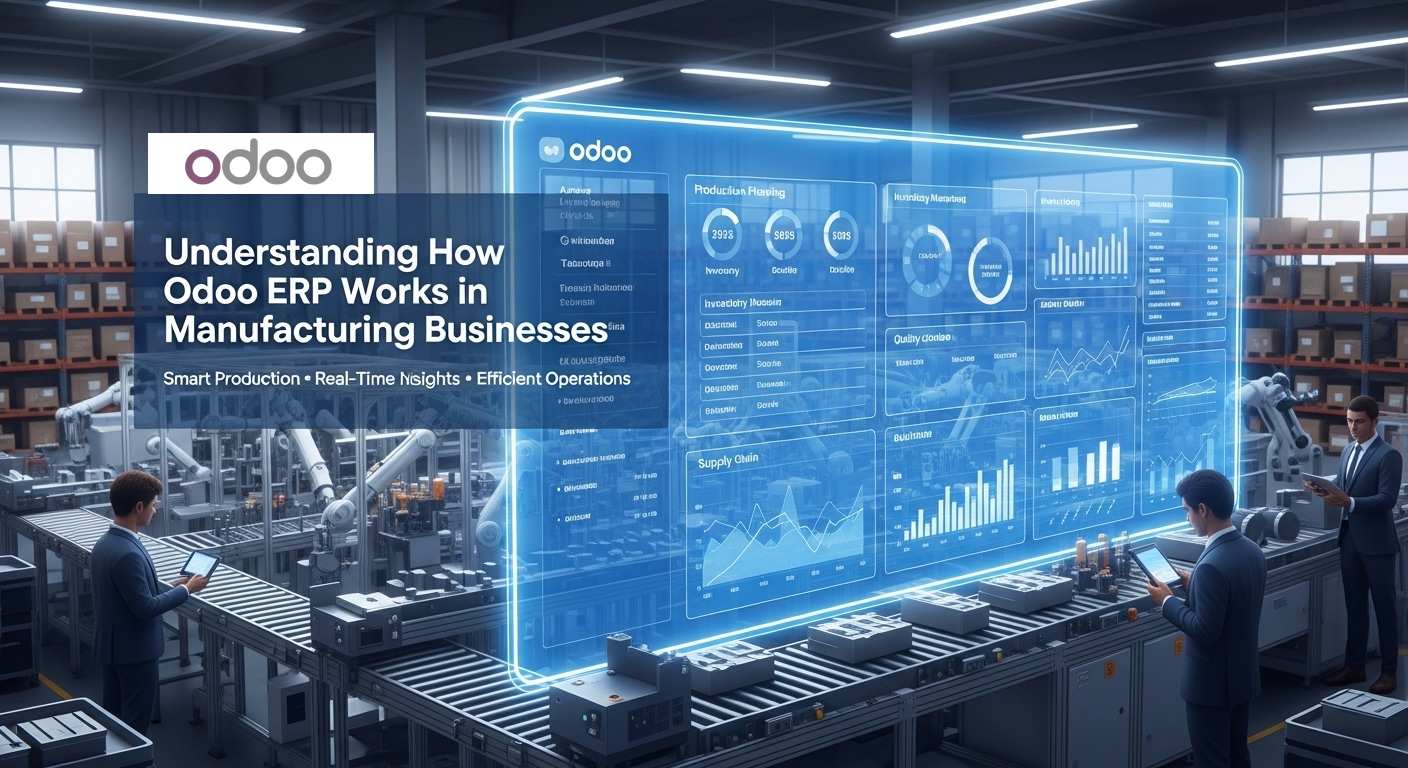
Every manufacturing business reaches a point where spreadsheets, manual stock checks, and disconnected software start slowing everything down. Orders arrive faster, production gets more complex, raw materials move across multiple warehouses, and suddenly no one is fully sure what is happening in real time. This is exactly where many factories begin looking toward Odoo as their central system.
But here’s the real question most companies ask before implementation:
How does Odoo ERP actually work inside a manufacturing business on a day-to-day basis?
Not the sales brochure version — the real workflow version, from the moment a customer places an order to the moment the finished product reaches the warehouse.
In manufacturing, success depends on timing, material availability, machine capacity, workforce coordination, and cost control. If even one of these moves out of sync, production delays, shortages, and unexpected expenses can follow. Odoo ERP is designed to connect all these moving parts into one unified platform so that sales, inventory, purchasing, production, quality, and maintenance operate as one continuous system instead of separate departments.
What makes Odoo especially interesting for manufacturing businesses is that it does not just record what already happened — it actively drives what should happen next. A confirmed sales order can automatically trigger production. A shortage of raw material can automatically create a purchase request. A machine scheduled for production can also be scheduled for preventive maintenance. Everything inside the system is linked.
This guide will walk you through how Odoo ERP works specifically for manufacturing companies, step by step, using real production logic instead of technical jargon. You’ll see how manufacturing orders are created, how bills of materials control production, how shop-floor operations are scheduled, how inventory updates in real time, and how the system calculates the true production cost.
By the end of this article, you won’t just know what Odoo ERP is — you’ll understand how it actually runs a manufacturing business from the inside.
What Is Odoo ERP and Why Manufacturing Companies Use It
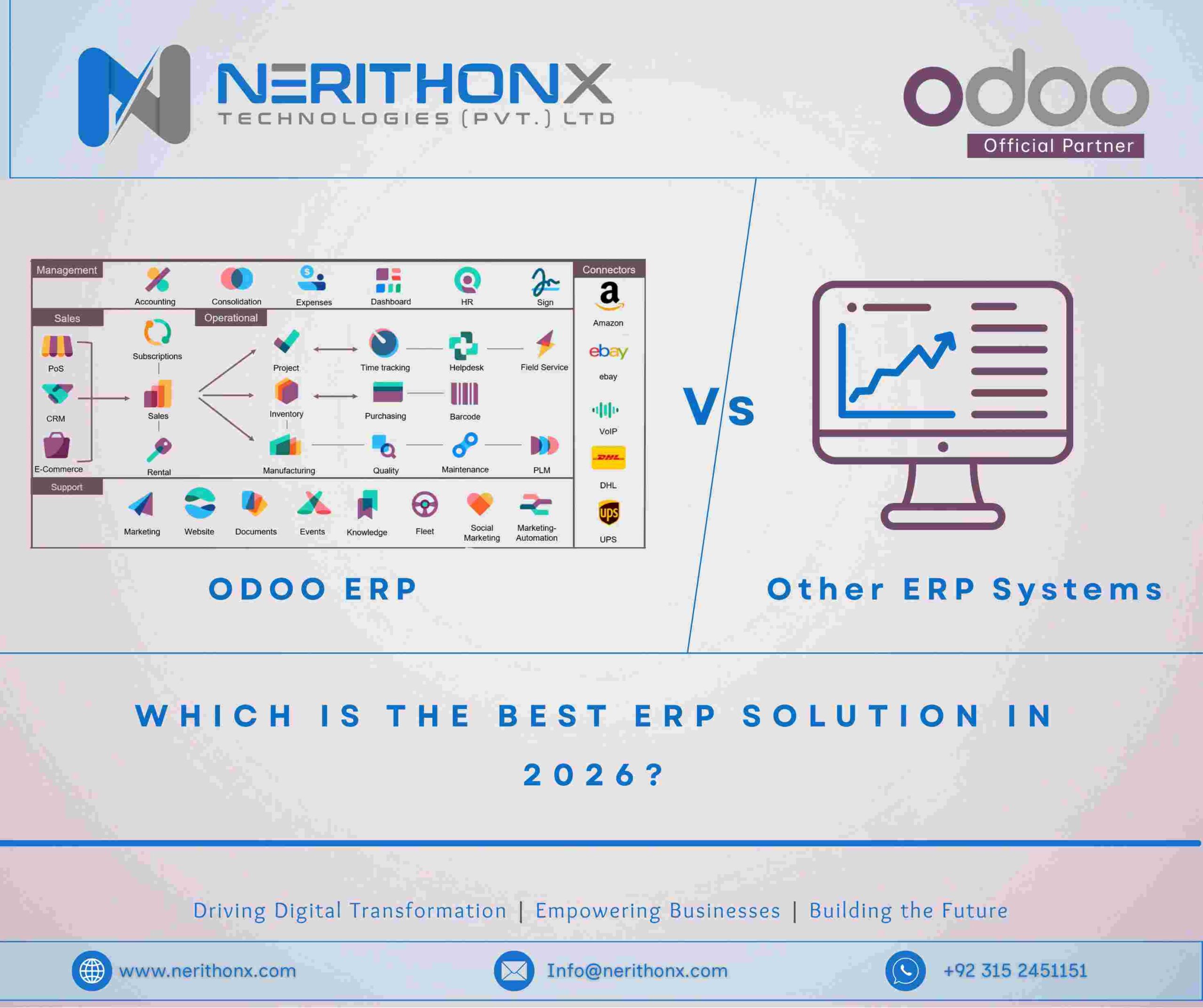
Odoo is an integrated business management system that helps manufacturing companies manage their entire operation from one platform. Instead of using separate software for sales, inventory, purchasing, production, and accounting, Odoo ERP connects everything into one system, so information flows automatically between departments.
For manufacturing businesses, this means production planning becomes more accurate, stock shortages are detected earlier, purchasing becomes predictable, and managers can track real costs and delivery timelines in real time. Odoo ERP is especially popular with small and mid-size factories because it is modular, scalable, and can be customized as production processes grow more complex.
How Odoo ERP Connects Inventory, Purchase, Sales, and Manufacturing Modules
In Odoo ERP, all core manufacturing operations are linked together.
- The Sales module confirms customer demand
- The Inventory module checks available raw materials and finished stock
- The Manufacturing (MRP) module creates production orders when items must be produced
- The Purchase module automatically orders missing materials based on procurement rules
Because these modules share the same database, teams don’t need to manually update each other. Once a sales order is confirmed, Odoo automatically triggers the next required action.
Core Role of Odoo Manufacturing Module (MRP System)
The Odoo Manufacturing module (MRP) acts as the central production engine inside the ERP. It manages:
- Bills of Materials (BoM)
- Manufacturing Orders
- Work Orders and production steps
- Work centers and routing
- Raw material consumption and finished goods creation
This module ensures every production job follows a structured process instead of manual coordination, helping factories maintain consistency and traceability.
How ERP Automation Improves Factory Production Control
Automation in Odoo ERP reduces manual decision-making and improves production control. The system can:
- automatically create manufacturing orders from sales
- reserve raw materials before production starts
- trigger purchase orders when stock is low
- schedule work orders based on machine availability
- update inventory instantly when production finishes
This level of automation helps manufacturing companies reduce delays, avoid material shortages, and maintain better visibility across the entire production cycle.
How Odoo Manufacturing Workflow Starts From Sales Order
In many manufacturing businesses, production usually begins when a customer confirms an order. Inside Odoo ERP, this process is automated so that a confirmed sales order immediately becomes the starting point for the entire manufacturing workflow. Instead of relying on manual emails, phone calls, or internal instructions, the system connects the sales department directly with inventory, purchasing, and production. This ensures that manufacturing decisions are based on real customer demand and accurate system data.
Sales Order Automatically Triggers Manufacturing Order
When a sales order is confirmed in Odoo, the ERP checks how the product is configured. If the product is set to be manufactured or follows a make-to-order route, the system automatically generates a manufacturing order linked to that customer request. This manufacturing order already contains the required quantity, delivery deadline, and production reference, so the factory can begin planning immediately. Because the process is system-driven, production teams do not need to wait for manual instructions from the sales team, which reduces delays and communication errors.
How Odoo Checks Stock Availability in Inventory Module
Before production starts, Odoo ERP automatically evaluates whether the required raw materials are available in the inventory. The system looks at the current stock levels, already reserved materials for other production jobs, and any incoming deliveries from suppliers. By calculating forecasted stock availability, Odoo can determine whether production can begin immediately or whether materials will be available only after scheduled deliveries arrive. This real-time visibility helps manufacturing businesses avoid starting jobs that later stop due to hidden shortages.
Procurement Rules Create Purchase Orders for Missing Raw Materials
If the system detects that some materials are missing, Odoo ERP activates its procurement logic to resolve the shortage. Based on configured supplier settings, lead times, and purchasing rules, the ERP can automatically generate purchase orders for the exact quantity needed and schedule them according to the planned production date. This ensures purchasing decisions are triggered early and aligned with manufacturing timelines, allowing factories to avoid urgent last-minute buying and unexpected production delays.
How Bill of Materials (BoM) Controls Production in Odoo
In manufacturing businesses, production cannot be managed properly unless the system clearly defines what materials are required and how the product should be built. Inside Odoo ERP, this role is handled by the Bill of Materials (BoM), which acts as the production blueprint. Whenever a manufacturing order is created, Odoo reads the BoM to determine the needed components, quantities, and production structure. Because of this, the BoM becomes the core control point that connects production planning, inventory usage, and costing inside the ERP.
What Bill of Materials Means in Manufacturing ERP
In Odoo, a Bill of Materials defines the finished product along with all the raw materials and subcomponents required to produce it. It ensures that every production order follows the same structure so the factory does not rely on manual instructions or estimates. With a properly configured BoM, manufacturing businesses maintain consistent quality and reduce material mistakes.
How Odoo Calculates Raw Material Requirements
When a manufacturing order is confirmed, Odoo ERP automatically calculates the total material required based on the BoM and production quantity. The system adjusts the quantities, checks available stock, and reserves materials if they exist. If some components are missing, the ERP can trigger procurement so production planning remains accurate and uninterrupted.
Multi-Level BoM Structure for Complex Manufacturing
For complex products, Odoo supports multi-level BoMs where a finished product may include subassemblies that must be produced first. In such cases, the ERP automatically creates linked manufacturing orders for those internal components and schedules them in sequence. This allows manufacturing businesses with layered production processes to keep their workflow organized and scalable.
How Work Centers and Routing Manage Shop Floor Operations
In manufacturing businesses, production does not only depend on materials; it also depends on machines, workers, and the correct sequence of operations. Inside Odoo ERP, shop floor control is managed through Work Centers and Routing. These two elements help the system understand where production happens, how long each step takes, and in what order the work should be completed. By defining this structure, Odoo allows manufacturing companies to move from manual scheduling to a controlled, system-driven production flow.
Work Center Defines Machines and Labor Capacity
In Odoo, a Work Center represents the physical location where production work is performed, such as a machine, production line, or assembly station. It also stores information about capacity, working hours, and operational cost. Because of this, the ERP knows how much work each center can handle and how long tasks may take. This helps manufacturing businesses prevent overloading machines and maintain a realistic production schedule.
Routing Defines Production Steps and Time Planning
Routing in Odoo ERP defines the sequence of production operations required to manufacture a product. It connects each step to a specific work center and sets the expected processing time. This ensures that production follows a fixed path instead of relying on verbal instructions or changing workflows. With routing properly configured, factories maintain consistent production timing and smoother coordination between departments.
How Odoo Schedules Production Automatically
Once work centers and routing are configured, Odoo can automatically schedule production based on available capacity, working calendars, and delivery deadlines. The ERP calculates when each operation should start and finish so the final product is ready on time. This automated scheduling allows manufacturing businesses to improve planning accuracy, reduce idle time, and gain better visibility over the entire shop floor workload.
How Manufacturing Orders Move Through Production Stages
In manufacturing businesses, every production job must move through a clear process from planning to completion. Inside Odoo ERP, this process is managed through the Manufacturing Order, which tracks the entire production lifecycle. The system ensures materials are prepared, operations follow the correct sequence, and finished goods are recorded properly so the factory always has accurate production visibility.
Draft Manufacturing Order Creation
A Manufacturing Order in Odoo usually begins in draft status, either created automatically from a sales order or manually by a planner. At this stage, the system links the product, Bill of Materials, and planned quantity so the production team can review the details before confirming the job.
Reservation of Raw Materials From Warehouse
After confirmation, Odoo ERP reserves the required raw materials from inventory for that specific order. This allocation ensures the materials remain available for production and prevents shortages during the manufacturing process.
Work Orders Generated for Each Production Step
If routing is defined, Odoo automatically generates work orders for each operation and assigns them to the correct work centers. This guides operators through the proper production steps and keeps the workflow structured inside the system.
Recording Production and Marking Finished Goods
Once production is completed, the finished quantity is recorded in Odoo ERP, which automatically deducts the consumed materials and adds the finished product to warehouse stock. This keeps inventory and production records updated in real time.
How Inventory Integration Keeps Stock Updated in Real Time
For manufacturing businesses, accurate stock information is critical because production depends on knowing exactly what materials are available and where they are stored. Inside Odoo ERP, the Manufacturing and Inventory modules are fully integrated, so every production action automatically updates stock levels. This real-time connection helps factories avoid manual adjustments, hidden shortages, and incorrect warehouse records.
Raw Material Consumption Automatically Updates Stock
When production starts in Odoo, the system records the consumption of raw materials linked to the manufacturing order. As components are used, inventory quantities are reduced automatically, ensuring the warehouse always reflects the true available stock without manual entry.
Finished Product Added to Warehouse Location
After production is completed, Odoo ERP immediately adds the finished goods to the configured warehouse location. This allows the products to become available for delivery, internal transfer, or future sales while keeping inventory balances accurate across all locations.
Barcode Scanning and Lot Tracking in Odoo Inventory
To improve accuracy further, Odoo supports barcode scanning and lot or serial number tracking within its inventory system. This allows manufacturing businesses to record product movements quickly and maintain full traceability of materials and finished items, which is especially important for quality control and compliance.
How Odoo Handles Quality Control in Manufacturing
For manufacturing businesses, maintaining product quality is just as important as finishing production on time. Inside Odoo ERP, the Quality module connects directly with manufacturing so inspections can be performed at the right production stages. This ensures defects are detected early, production standards remain consistent, and companies maintain better control over their output.
Quality Checkpoints During Production Process
In Odoo, quality checkpoints can be configured to trigger automatically during specific manufacturing steps, such as before production starts, during an operation, or after completion. These checkpoints guide operators to perform inspections so that problems can be identified before the product moves to the next stage.
Quality Alerts and Inspection Failures
If an inspection fails, Odoo ERP allows teams to create quality alerts directly from the manufacturing workflow. These alerts help track the issue, assign responsibility, and ensure corrective action is taken before production continues, preventing defective items from reaching customers.
Traceability Using Serial Numbers and Batch Numbers
To maintain full traceability, Odoo supports serial and batch number tracking for both raw materials and finished products. This allows manufacturing businesses to trace exactly which materials were used in each production run and quickly identify affected items if a quality issue is discovered later.
How Maintenance Module Prevents Machine Downtime
In manufacturing businesses, machine downtime can delay production, increase costs, and affect delivery schedules. Inside Odoo ERP, the Maintenance module connects with manufacturing operations so companies can plan servicing, monitor equipment condition, and react quickly to breakdowns. This helps factories move from reactive repairs to planned maintenance, improving overall production reliability.
Preventive Maintenance Scheduling
In Odoo, preventive maintenance tasks can be scheduled based on time intervals, usage hours, or production cycles. The ERP automatically reminds maintenance teams when servicing is due, allowing machines to be inspected and repaired before failures occur. This reduces unexpected stoppages and keeps production running smoothly.
Machine Breakdown Reporting Inside ERP
If a machine fails during production, operators can report the issue directly inside Odoo ERP. The system records the breakdown, assigns the repair request, and tracks the maintenance activity so the production team knows the equipment status. This centralized reporting ensures that problems are handled faster and documented for future analysis.
Integration Between Maintenance and Work Centers
Because maintenance is linked with work centers in Odoo, the ERP understands which machines are used for specific production steps. When maintenance is scheduled or a breakdown occurs, the system can reflect this in production planning, helping manufacturing businesses avoid assigning work to unavailable equipment.
How Odoo Calculates Manufacturing Cost and Profitability
For manufacturing businesses, knowing the true production cost is essential for setting prices and maintaining profit margins. Inside Odoo ERP, manufacturing costs are calculated automatically by combining material usage, work center time, and operational expenses. Because production, inventory, and accounting are connected, the system provides a more accurate picture of how much each product really costs to produce.
Raw Material Cost Calculation
When production is recorded in Odoo, the ERP automatically calculates the cost of consumed raw materials based on their inventory valuation. As materials are deducted from stock, their value is assigned to the manufacturing order, ensuring the product cost reflects the actual material usage.
Labor and Work Center Cost Tracking
Odoo ERP also tracks production time spent at each work center. Based on configured hourly rates and operational settings, the system calculates labor and machine costs associated with each manufacturing step. This allows factories to understand how production time directly affects overall product cost.
Production Order Profit Analysis
After the manufacturing order is completed, Odoo combines material, labor, and operational costs to determine the total production expense. This information can then be compared with the product’s sales price, helping manufacturing businesses evaluate profitability, identify cost-heavy processes, and improve pricing decisions.
How Odoo Manufacturing Supports Multi-Warehouse and Supply Chain
Manufacturing businesses often manage multiple warehouses, storage zones, or external suppliers, which makes supply chain coordination more complex. Inside Odoo ERP, the manufacturing, inventory, and purchasing modules work together to manage stock movement across locations and suppliers in one connected system. This allows companies to maintain accurate stock visibility, plan production across warehouses, and control material flow throughout the entire supply chain.
Internal Transfers Between Warehouse Locations
In Odoo, products and raw materials can be transferred between warehouse locations using internal transfer operations. The ERP tracks these movements in real time, ensuring that production orders always pull materials from the correct location and that stock balances remain accurate across all warehouses.
Dropshipping and Subcontracting Manufacturing
Odoo ERP also supports advanced supply methods such as dropshipping and subcontracting. With subcontracting, part of the production process can be assigned to an external manufacturer while Odoo still tracks the supplied materials and received finished goods. This allows manufacturing businesses to extend their production capacity without losing visibility or control inside the ERP.
Procurement Planning Using Reordering Rules
To maintain continuous supply, Odoo uses reordering rules that automatically trigger procurement when stock falls below defined levels. These rules consider lead times and demand forecasts so materials can be replenished before shortages affect production. This helps manufacturing companies keep their supply chain stable and production schedules uninterrupted.
Benefits of Using Odoo ERP for Manufacturing Businesses
For manufacturing businesses, the biggest advantage of using Odoo ERP is that it connects production, inventory, purchasing, and sales into one unified system. Instead of relying on disconnected tools and manual coordination, companies gain a structured workflow where production planning, stock control, and cost tracking all update automatically. This improves operational clarity, reduces delays, and helps management make faster decisions based on real-time data.
Faster Production Planning
Because Odoo links sales demand directly with manufacturing and inventory, production orders can be generated and scheduled quickly. The ERP calculates material availability, machine capacity, and delivery deadlines automatically, allowing planners to prepare production schedules with greater speed and accuracy.
Reduced Manual Errors
By automating stock reservations, procurement triggers, and production tracking, Odoo ERP minimizes the need for manual entries and spreadsheets. This reduces common manufacturing mistakes such as wrong material usage, missed purchase requests, or incorrect production quantities.
Better Supply Chain Visibility
With all warehouse movements, procurement activities, and production stages recorded inside Odoo, manufacturing businesses gain full visibility of their supply chain. Managers can see stock levels, incoming materials, and production progress in real time, helping them respond quickly to shortages or delays.
Scalable ERP From Small Factory to Enterprise
One of the key strengths of Odoo is its scalability. Manufacturing companies can start with basic modules and expand the system as operations grow, adding advanced planning, quality control, or automation features without changing platforms. This makes Odoo ERP suitable for both small factories and large manufacturing enterprises.
Common Mistakes Companies Make When Implementing Odoo Manufacturing
While Odoo ERP provides powerful tools for manufacturing businesses, the success of the system depends heavily on proper configuration. Many production issues during implementation are not caused by the software itself but by incorrect setup of production data, inventory structure, or operational planning. Understanding these common mistakes helps companies ensure their Odoo manufacturing system runs smoothly from the start.
Wrong Bill of Materials Configuration
One of the most frequent problems in Odoo implementation is an incorrect Bill of Materials. If component quantities, units, or subassemblies are defined wrongly, manufacturing orders will calculate incorrect material requirements. This can lead to shortages, overconsumption, or inaccurate production costing, making the BoM one of the most critical elements to configure carefully.
Ignoring Work Center Capacity Planning
Another common issue occurs when manufacturing businesses set up work centers in Odoo ERP without defining realistic capacity or processing time. Without accurate timing data, the system cannot schedule production correctly, which may result in overloaded machines, unrealistic deadlines, or production bottlenecks.
Poor Inventory Location Setup
Improper warehouse and location configuration can also create major operational confusion inside Odoo. If raw materials, work-in-progress items, and finished goods are not assigned to clear storage locations, stock reservations and transfers may become inaccurate. A well-structured inventory layout ensures that production pulls materials from the correct place and keeps stock tracking reliable.
When Manufacturing Businesses Should Upgrade to Latest Odoo Versions (11 → 19)
For manufacturing businesses using older versions of Odoo ERP, upgrading to a newer release can significantly improve production control, usability, and automation. As Odoo evolves, each version introduces better manufacturing workflows, improved shop floor tools, and stronger integration between inventory, purchasing, and production. Companies still running older versions like Odoo 11 or 12 often face limitations in reporting, scheduling, and interface performance, which newer versions are designed to resolve.
Major Improvements in Odoo Manufacturing Over Versions
Across recent releases, Odoo has enhanced its manufacturing module with more accurate scheduling, improved work order tracking, and better integration with inventory and accounting. Performance optimizations and cleaner workflow logic allow manufacturing businesses to manage larger production volumes with fewer manual adjustments.
New Features in Modern Odoo Shop Floor Interface
Modern versions of Odoo ERP include an updated shop floor interface designed for operators and supervisors. The interface makes it easier to track work orders, record production progress, and monitor machine usage directly from the production screen, helping factories maintain clearer visibility of ongoing operations.
Automation Improvements in Latest Odoo Releases
Newer Odoo versions also introduce stronger automation features, including smarter procurement triggers, improved barcode workflows, and more reliable production scheduling. These improvements help manufacturing businesses reduce manual coordination and run production with greater efficiency and accuracy.
Conclusion
Managing production becomes much easier when every department works inside one connected system. Odoo ERP helps manufacturing businesses link sales, inventory, purchasing, production, quality, and maintenance so that each step of the workflow updates automatically in real time. Instead of relying on manual coordination, factories gain clearer production planning, better stock control, and more accurate cost tracking.
By using Odoo as the central platform, manufacturing companies can reduce operational confusion, improve delivery reliability, and scale their processes as the business grows. Whether a factory is starting with basic production control or moving toward fully automated manufacturing, Odoo ERP provides the structure needed to manage the entire production lifecycle efficiently.
If your business is planning to implement or upgrade Odoo for manufacturing, working with an experienced implementation partner like NerithonX Technologies (Pvt.) Ltd can help ensure the system is configured correctly, aligned with your production workflow, and optimized for long-term scalability.
FAQS :
1. How does Odoo ERP help manufacturing businesses?
Odoo ERP helps manufacturing businesses manage production, inventory, purchasing, and sales in one system. It automates workflows so production planning, stock updates, and costing happen in real time.
2. Can Odoo automatically create manufacturing orders from sales orders?
Yes. In Odoo, a confirmed sales order can automatically generate a manufacturing order if the product is configured for production, linking customer demand directly to factory workflow.
3. What is the role of the BoM in Odoo manufacturing?
The Bill of Materials in Odoo defines the raw materials, quantities, and production structure needed to build a product. It controls material calculation, inventory consumption, and production planning.
4. Does Odoo track raw materials and finished goods automatically?
Yes. Odoo ERP updates inventory automatically when raw materials are consumed and when finished goods are produced, keeping warehouse stock accurate in real time.
5. Can Odoo schedule production based on machine capacity?
Yes. Odoo uses work centers and routing to schedule production according to machine availability, working hours, and operation time, helping factories avoid overload and delays.
6. How does Odoo handle quality control in manufacturing?
Odoo allows quality checkpoints during production, records inspection results, and tracks products using serial or batch numbers to maintain traceability and prevent defective output.
Does Odoo support multiple warehouses for manufacturing?
Yes. Odoo ERP supports multiple warehouses and internal transfers, allowing manufacturing businesses to manage stock across locations while keeping production planning accurate.
8. Can Odoo calculate manufacturing cost automatically?
Yes. Odoo calculates production cost by combining raw material value, work center time, and operational expenses, giving businesses a clear view of product profitability.
9. Is Odoo suitable for small manufacturing companies?
Yes. Odoo is scalable and modular, making it suitable for small factories as well as large enterprises that need advanced production planning and automation.
10. Who should implement Odoo for manufacturing businesses?
Manufacturing companies should work with experienced Odoo implementation partners like Nerithonx to ensure correct configuration of BoM, inventory, routing, and automation for reliable production workflows.