Choosing the right ERP system is an important decision for any business. Platforms like Odoo, developed by Odoo S.A., help companies manage operations through integrated applications such as CRM, Accounting, Inventory, Sales, Manufacturing (MRP), and Website Builder. With every new release, Odoo introduces improvements in automation, performance, and usability to support modern business needs.
As we move into 2026, many businesses are wondering: Should you stay with Odoo 18, or upgrade to Odoo 19? While both versions share the same modular ERP structure, Odoo 19 brings several updates in automation, user experience, performance optimization, and business workflows. These improvements can significantly impact how efficiently teams manage daily operations.
However, upgrading an ERP system is not always a simple decision. Some organizations may benefit from the stability of Odoo 18, while others may gain a competitive advantage by adopting the new capabilities introduced in Odoo 19.
In this guide, we will explore the complete feature comparison between Odoo 18 and Odoo 19, covering key areas like core modules, system performance, automation tools, customization options, and deployment models. By the end, you will clearly understand the differences and be able to decide which Odoo version is the right choice for your business in 2026.
What Is Odoo ERP and Why Businesses Use It for Digital Transformation
Modern businesses rely on technology to manage operations, improve efficiency, and stay competitive. This shift toward technology-driven business management is known as digital transformation. One platform that plays a major role in this transformation is Odoo ERP, developed by Odoo S.A.. Odoo is an integrated business management system that helps companies manage multiple operations, such as sales, accounting, inventory, and customer relationships,from a single platform.
Unlike traditional software that handles only one function, Odoo ERP connects different business departments in one system. This integration allows businesses to automate processes, reduce manual work, and access real-time business data. As a result, organizations can make faster decisions, improve productivity, and manage operations more efficiently.
Overview of the Odoo ERP Platform
Odoo ERP is an open-source enterprise resource planning platform designed to manage key business processes through a unified system. It offers a wide range of applications that work together seamlessly, allowing companies to control operations such as sales, finance, inventory, and manufacturing from one dashboard.
One of the biggest advantages of Odoo is its flexibility. Businesses can start with a few essential modules and gradually add more applications as their operations grow. This scalability makes Odoo suitable for both small businesses and large enterprises.
Core Business Applications in the Odoo Ecosystem
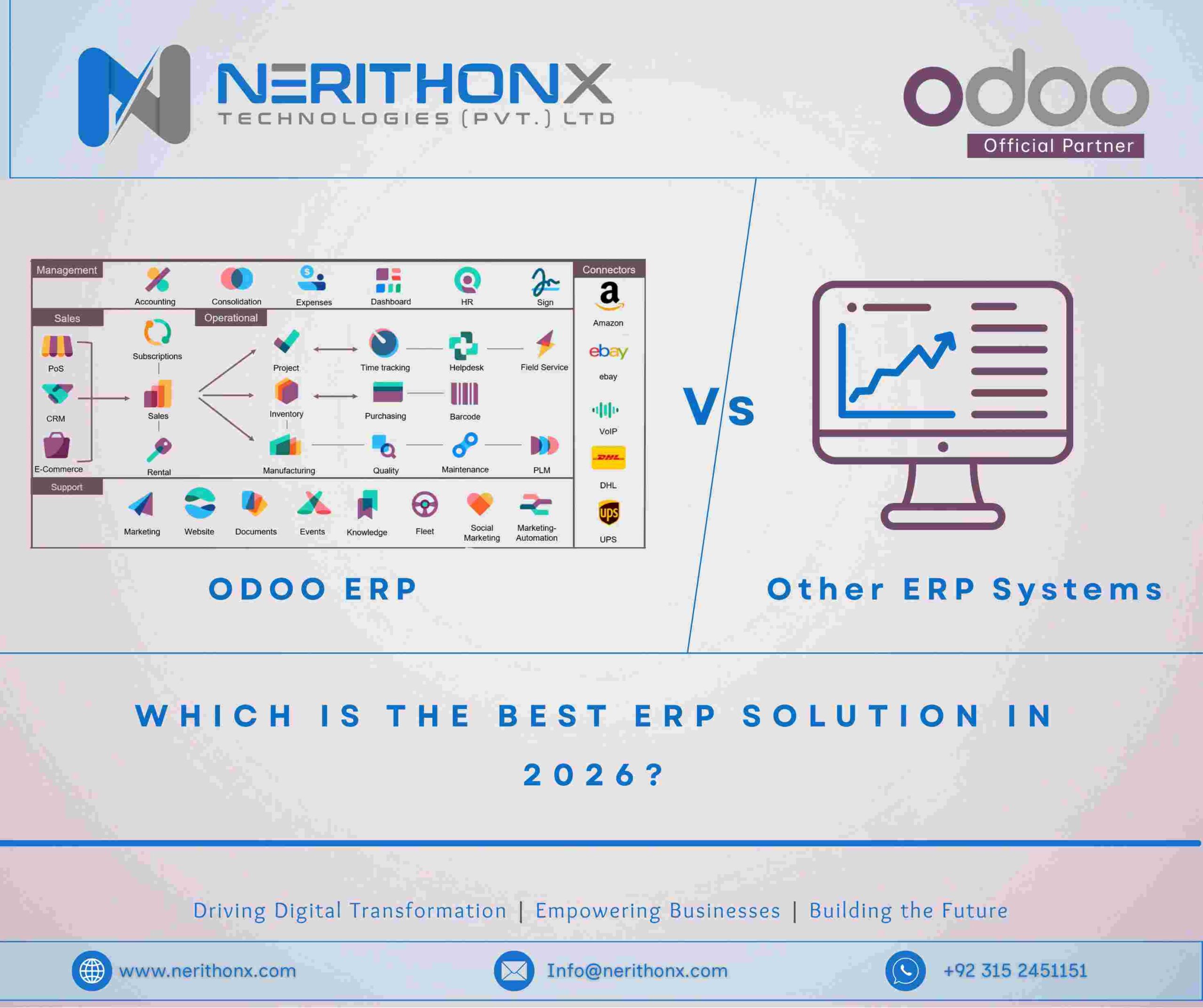
The Odoo ecosystem includes many integrated applications that support different business functions. These applications share the same database, which ensures smooth communication between departments.
Odoo CRM
The Odoo CRM module helps businesses manage customer relationships and track sales opportunities. Sales teams can manage leads, schedule follow-ups, and monitor the entire sales pipeline from one interface.
Odoo Accounting
The Odoo Accounting module automates financial processes such as invoicing, expense tracking, and financial reporting. Because it integrates with sales and inventory modules, financial data updates automatically whenever transactions occur.
Odoo Inventory
The Odoo Inventory module allows businesses to manage stock levels, warehouse operations, and product movements. Features like barcode scanning and automated replenishment help companies maintain accurate inventory control.
Odoo Manufacturing (MRP)
The Manufacturing Resource Planning (MRP) module helps manufacturers manage production operations. It supports features such as bill of materials, work orders, and production scheduling to streamline manufacturing workflows.
Odoo Website & eCommerce
The Odoo Website and eCommerce module enables businesses to build websites and manage online stores directly within the ERP system. It integrates with sales and inventory modules, making it easier to manage online and offline sales in one platform.
How the Odoo Modular System Works
One of the key strengths of Odoo is its modular system. Businesses can install only the applications they need, and each module connects with others through a shared database. For example, when a sale is recorded, inventory levels update automatically and the accounting module generates the invoice.
This modular approach allows companies to customize their ERP system and expand it as their business grows.
Why Businesses Upgrade to New Odoo Versions
Odoo releases new versions regularly to introduce improvements in performance, automation, security, and user experience. Businesses upgrade to benefit from faster systems, better integrations, and new features that simplify business processes.
Upgrading also ensures compatibility with modern technologies and keeps the ERP system secure and future-ready. Understanding these benefits helps businesses better evaluate the differences between Odoo 18 and Odoo 19, which we will explore in the next section.
What Is Odoo 18 and What New Features It Introduced
Odoo 18 is one of the major releases of the Odoo ERP platform, designed to improve business management through better automation, faster system performance, and enhanced user experience. Like previous versions, Odoo 18 continues the platform’s vision of providing an all-in-one business management system that integrates multiple business operations such as sales, accounting, inventory, manufacturing, and eCommerce within a single platform.
This version focuses heavily on usability, workflow automation, and application performance. Many of the improvements were designed to make everyday business tasks easier and faster for employees. Companies using Odoo 18 benefit from a more responsive interface, improved module integrations, and enhanced tools that help manage operations more efficiently.
Overview of the Odoo 18 Release
The release of Odoo 18 brought several upgrades across the entire ERP ecosystem. The goal of this version was to improve the way businesses interact with the system while strengthening the integration between different modules.
Odoo 18 introduced better dashboard navigation, improved reporting tools, and smoother module communication. These improvements help teams access important business data quickly and manage tasks with fewer steps. The update also focused on refining existing applications rather than completely redesigning them, making the system easier for current Odoo users to adopt without a steep learning curve.
Key Improvements in Odoo 18 User Interface and Performance
One of the most noticeable improvements in Odoo 18 is the enhanced user interface. The platform introduced a cleaner layout, smoother navigation, and more responsive dashboards. These changes help users find information faster and complete tasks with less effort.
Performance optimization was another important focus of the Odoo 18 release. The system processes data more efficiently, which improves loading speeds and reduces delays when handling large datasets. Businesses that manage high volumes of transactions, such as inventory updates or accounting records, benefit from these performance improvements.
New Features in Odoo 18 Business Applications
Odoo 18 also introduced updates to several core business modules. These improvements help businesses manage operations more effectively while maintaining seamless integration across departments.
Odoo 18 CRM Enhancements
The CRM module in Odoo 18 received improvements that help sales teams manage leads and opportunities more efficiently. Features such as improved pipeline visualization, smarter activity scheduling, and better sales forecasting tools allow teams to track potential deals more clearly and focus on high-value opportunities.
Odoo 18 Accounting Features
The Accounting module in Odoo 18 includes improvements that simplify financial management. Businesses can generate invoices more efficiently, automate financial reports, and improve reconciliation processes. These updates reduce manual work for accounting teams and help ensure accurate financial records.
Odoo 18 Inventory Management Updates
The Inventory module saw several updates designed to improve warehouse management. Enhanced stock tracking, better warehouse organization tools, and improved inventory reporting allow businesses to maintain accurate stock levels and optimize supply chain operations.
Odoo 18 eCommerce and Website Builder Improvements
Odoo 18 also enhanced the Website and eCommerce modules. Businesses can create more modern websites with improved design tools and easier customization options. The eCommerce system also integrates more smoothly with inventory and sales modules, helping companies manage online orders and product catalogs more efficiently.
Odoo 18 Automation and Workflow Capabilities
Automation is a key strength of Odoo, and version 18 continues to expand this capability. Businesses can automate routine processes such as order confirmations, invoice generation, and task assignments. These automated workflows reduce repetitive work and allow teams to focus on more strategic activities.
By connecting modules such as sales, inventory, and accounting, Odoo 18 enables businesses to create automated workflows that move data across departments without manual input.
Security and System Stability in Odoo 18
Security and reliability are essential for any ERP system. Odoo 18 introduced improvements in data protection, system stability, and access control. These updates help businesses safeguard sensitive data while ensuring that the platform runs smoothly during daily operations.
Improved security measures and system optimization make Odoo 18 a reliable platform for companies that depend on ERP systems to manage critical business processes.
What Is Odoo 19 and What Major Updates It Brings in 2026
Odoo 19 is the latest evolution of the Odoo ERP platform, designed to improve business operations through better automation, performance, and user experience. As businesses continue to rely on digital tools to manage operations, Odoo 19 introduces updates that help organizations streamline workflows, reduce manual work, and gain better insights from their data.
This version builds on the strong foundation of previous releases while introducing improvements in artificial intelligence features, system performance, and module integration. These upgrades help businesses manage sales, finance, inventory, and customer relationships more efficiently.
Overview of the Odoo 19 Release
The Odoo 19 release focuses on making the ERP system smarter and easier to use. It introduces improvements across many core applications while maintaining the modular structure that allows businesses to customize the system based on their needs.
With better workflow management and improved module integration, businesses can handle operations such as sales processing, accounting tasks, and inventory management with fewer manual steps.
Major Improvements in Odoo 19 User Experience and Dashboard
Odoo 19 introduces a cleaner user interface and improved dashboard layout. Navigation is smoother, and users can access important information more quickly. Enhanced data visualization tools also help managers track business performance and monitor key metrics in real time.
New Artificial Intelligence and Automation Features in Odoo 19
One of the notable improvements in Odoo 19 is the addition of AI-powered automation features. These tools help automate routine tasks such as data entry, lead management, and workflow scheduling. By reducing repetitive tasks, businesses can improve productivity and focus on more strategic activities.
Odoo 19 Enhancements Across Business Modules
Odoo 19 also introduces updates across several core business modules to improve functionality and integration.
Odoo 19 CRM Improvements
The CRM module includes better lead tracking, improved pipeline management, and enhanced sales forecasting tools that help sales teams manage opportunities more effectively.
Odoo 19 Accounting Automation
The Accounting module focuses on automation, making tasks such as invoicing, reconciliation, and financial reporting faster and more accurate.
Odoo 19 Inventory and Supply Chain Features
The Inventory module provides improved stock tracking, better warehouse management tools, and enhanced demand forecasting to help businesses maintain efficient supply chain operations.
Odoo 19 Website and eCommerce Upgrades
The Website and eCommerce modules allow businesses to build more responsive websites and manage online stores more efficiently, with smoother integration across sales and inventory systems.
Performance Optimization and System Architecture Changes in Odoo 19
Odoo 19 includes improvements in system performance and backend architecture, allowing the platform to process data faster and handle larger workloads. These updates help businesses run ERP operations more smoothly.
Security, Compliance, and Data Protection Updates in Odoo 19
Security improvements in Odoo 19 strengthen data protection, user access control, and system reliability. These updates ensure that businesses can operate securely while meeting modern compliance requirements.
Odoo 18 vs Odoo 19 Feature Comparison Across Core Business Modules
When comparing Odoo 18 and Odoo 19, the most important differences appear in the core business modules that companies use daily. These modules include CRM, Accounting, Inventory, Manufacturing, Sales, and Website/eCommerce. While Odoo 18 already provides a powerful ERP system, Odoo 19 introduces improvements in automation, usability, and workflow efficiency.
The table below highlights the key differences between the two versions across major modules.
| Core Module | Odoo 18 Features | Odoo 19 Improvements |
| CRM (Customer Relationship Management) | Lead management, sales pipeline tracking, activity scheduling, and basic sales forecasting tools. | Improved lead scoring, better pipeline visibility, smarter automation for follow-ups, and enhanced reporting for sales performance. |
| Accounting | Automated invoicing, expense tracking, financial reporting, and integration with sales and inventory modules. | Faster invoice processing, improved bank reconciliation automation, better financial dashboards, and enhanced reporting accuracy. |
| Inventory & Warehouse Management | Stock tracking, barcode scanning, warehouse operations management, and automated replenishment rules. | Improved demand forecasting, better warehouse organization tools, more detailed inventory reports, and enhanced supply chain visibility. |
| Manufacturing (MRP) | Bill of Materials (BOM), work orders, production scheduling, and integration with inventory and purchasing modules. | Better production planning, improved workflow automation, clearer production tracking, and enhanced integration with supply chain processes. |
| Sales & Purchase Modules | Sales quotations, order confirmations, purchase management, and supplier tracking. | More efficient order processing, improved approval workflows, better sales analytics, and enhanced purchase management tools. |
| Website Builder & eCommerce | Drag-and-drop website builder, online store management, product catalog integration with inventory and sales. | More responsive website designs, improved customization tools, smoother eCommerce integrations, and better user experience for online customers. |
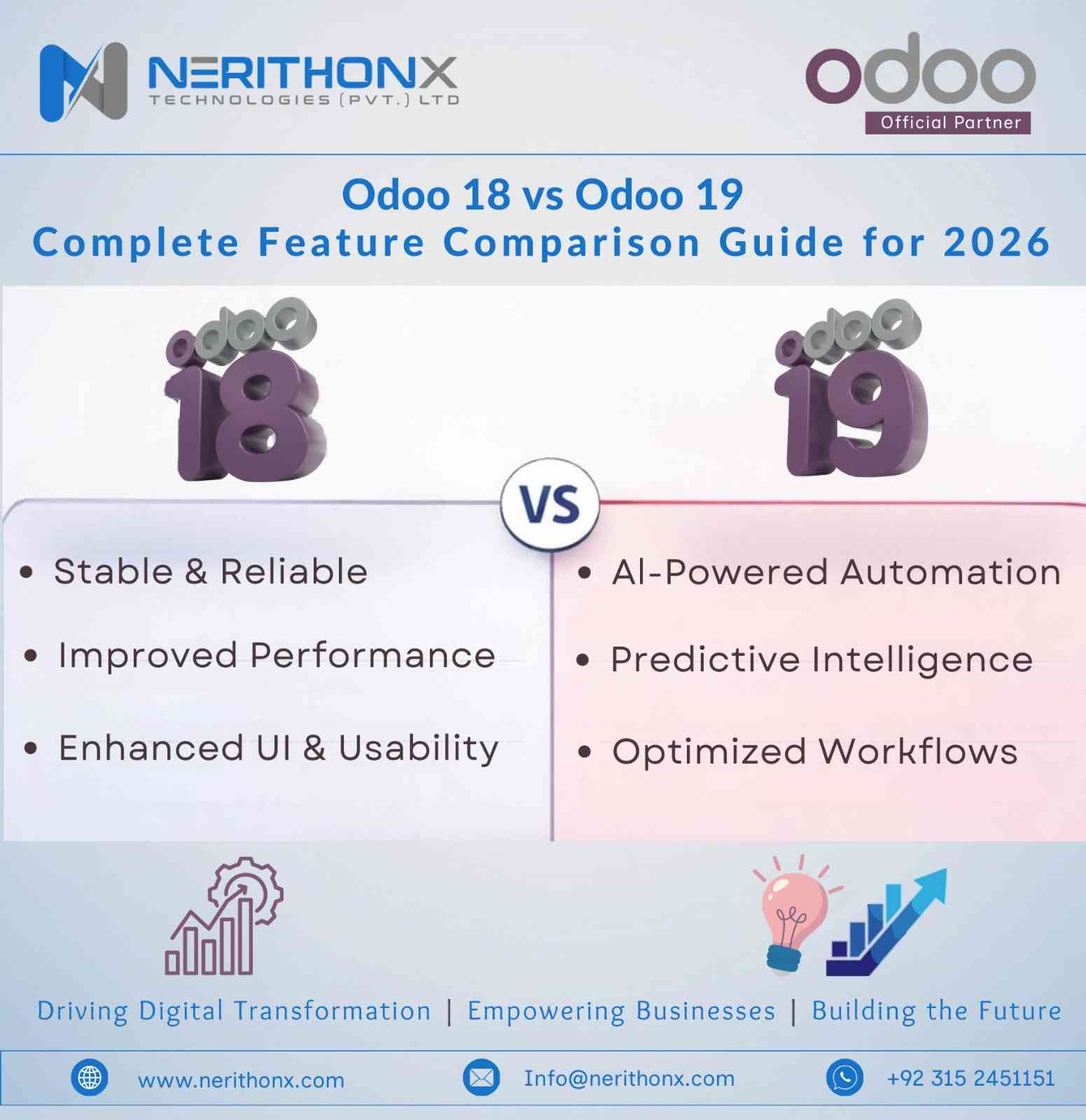
Overall, Odoo 18 provides a stable and feature-rich ERP system, while Odoo 19 focuses on smarter automation, improved workflows, and better system performance. Businesses that rely heavily on automation and advanced reporting may find the new capabilities in Odoo 19 especially beneficial.
User Interface, Performance, and System Architecture Comparison
When comparing Odoo 18 and Odoo 19, it is important to look beyond individual features and evaluate how the system performs overall. The user interface, backend performance, and system architecture directly affect how efficiently teams can use the ERP platform. Improvements in these areas can reduce loading times, simplify navigation, and ensure the system can handle growing business operations.
Odoo 19 introduces several upgrades aimed at improving usability and system efficiency while maintaining the strong foundation already present in Odoo 18.
Odoo 18 vs Odoo 19 Dashboard and Navigation
The dashboard and navigation system play a key role in how users interact with the ERP platform. In Odoo 18, the interface already offers a clean layout with organized menus and customizable dashboards that allow users to access key applications quickly.
Odoo 19 further improves the user experience with a more refined interface and smoother navigation. The dashboard provides better data visualization and faster access to important modules. Users can move between applications more easily, which helps reduce the time required to complete routine tasks.
Backend Performance and Database Optimization
System performance is critical for businesses that process large volumes of data. Odoo 18 introduced improvements in backend processing and database management, helping the system handle transactions more efficiently.
In Odoo 19, performance optimization goes even further. The platform includes enhanced database queries and better resource management, which helps reduce system delays and improve response times. These improvements are especially beneficial for companies managing large inventories, high sales volumes, or complex financial data.
Cloud Deployment and Odoo.sh Improvements
Many businesses deploy Odoo through cloud hosting or the official Odoo.sh platform, which provides tools for development, testing, and deployment. Odoo 18 supports cloud deployment and allows businesses to manage updates and custom modules through Odoo.sh.
Odoo 19 improves this experience by offering better deployment stability and smoother development workflows. Developers can manage updates more efficiently, test custom modules more easily, and maintain system reliability during upgrades.
Mobile Experience and Cross-Platform Compatibility
Modern businesses often rely on mobile devices to manage operations remotely. Odoo 18 already supports mobile access through responsive web design and mobile applications, allowing users to manage tasks from smartphones and tablets.
With Odoo 19, the mobile experience becomes more responsive and optimized for different screen sizes. Improved cross-platform compatibility ensures that users can access the system smoothly across desktop, tablet, and mobile devices, helping teams stay connected and productive regardless of where they work.
Automation, Artificial Intelligence, and Workflow Improvements
Automation is a major advantage of modern ERP systems. Businesses need software that can reduce manual work, automate repetitive tasks, and improve efficiency across departments. Both Odoo 18 and Odoo 19 provide strong automation tools, but Odoo 19 introduces improvements that make workflows smarter and easier to manage.
Odoo Studio Customization in Odoo 18 vs Odoo 19
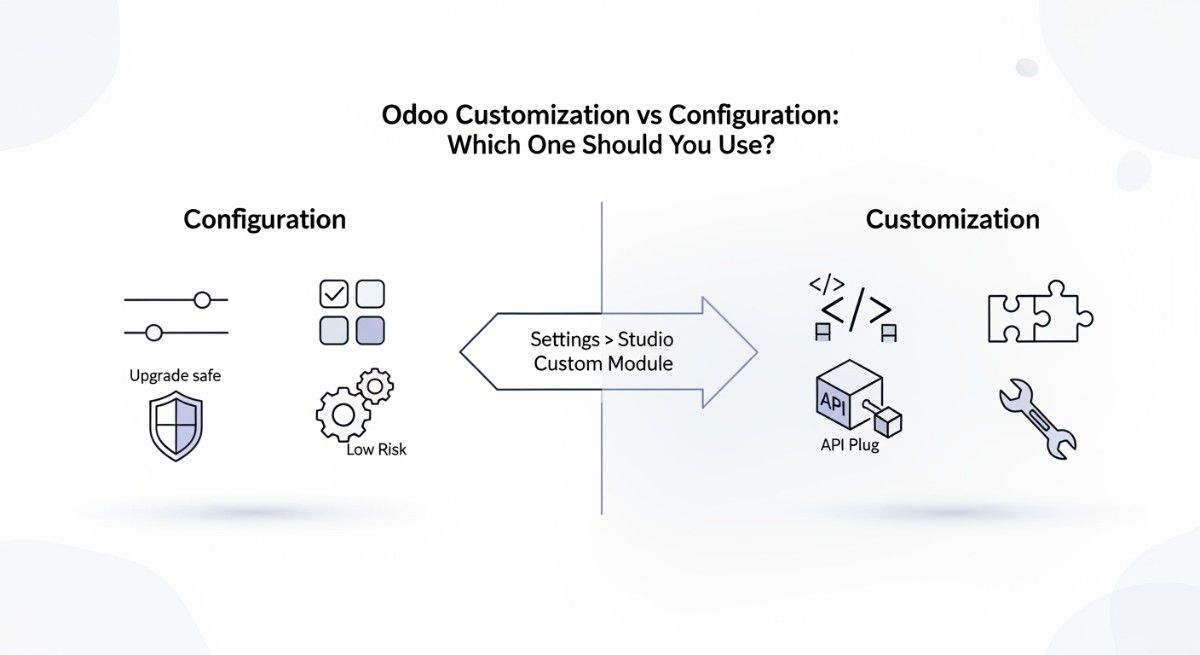
Odoo Studio allows businesses to customize their ERP system without advanced coding. In Odoo 18, users can create custom fields, modify forms, and automate workflows to match their business processes.
In Odoo 19, Odoo Studio becomes more user-friendly with improved drag-and-drop tools and better workflow configuration. These improvements make odoo customization faster and reduce the need for complex development.
Automated Workflows and Business Process Automation
Both versions support automated workflows that connect different modules. For example, when a sales order is confirmed, the system can automatically update inventory and generate an invoice.
Odoo 19 improves this process with more flexible automation rules and better workflow triggers, allowing businesses to automate more complex operations.
AI-Powered Features Introduced in Odoo 19
Odoo 19 introduces AI-powered tools that help businesses manage tasks more intelligently. These features assist with activities like lead prioritization, automated suggestions, and improved data analysis, helping teams make faster and better decisions.
Integration Capabilities with Third-Party Tools
Both Odoo versions support integration with third-party tools such as payment gateways, marketing platforms, and logistics services. Odoo 19 improves API performance and system connectivity, making it easier for businesses to integrate external applications with their ERP system.
Customization, Development, and Technical Improvements
For businesses that rely on customized ERP systems, development flexibility and technical improvements are very important. Both Odoo 18 and Odoo 19 provide strong development capabilities for developers who build custom modules, integrations, and workflows. However, Odoo 19 introduces several improvements that make development faster, more efficient, and easier to maintain.
Changes in Odoo Framework and Python Development
Odoo is built on the Python programming language, and developers often customize the system by modifying the Odoo framework. In Odoo 18, the framework already provides a stable environment for building custom applications and extending existing modules.
With Odoo 19, the framework includes several refinements that improve code efficiency and system performance. These updates help developers create modules that run faster and integrate more smoothly with the core system.
API Improvements and External System Integrations
APIs play an important role in connecting Odoo with other business systems such as payment gateways, CRM platforms, and external applications. Odoo 18 supports API-based integrations that allow businesses to exchange data between different platforms.
In Odoo 19, API performance and reliability are improved. These upgrades make it easier for developers to connect external systems with Odoo while maintaining faster and more stable data synchronization.
Odoo Module Development Changes in Version 19
Custom modules allow businesses to extend the functionality of Odoo according to their operational needs. While Odoo 18 already supports extensive module development, Odoo 19 introduces improvements that simplify the development process.
Developers can build and update modules more efficiently, and the system provides better compatibility between modules and the core platform. This reduces development complexity and helps maintain long-term system stability.
Developer Tools and Debugging Enhancements
Odoo also provides several developer tools that help programmers test and debug their applications. In Odoo 18, developers can use built-in debugging tools to identify errors and optimize system performance.
Odoo 19 enhances these tools by providing improved debugging options and development utilities. These improvements help developers detect issues faster and maintain better system reliability during customization and upgrades.
Pricing, Licensing, and Deployment Differences
When evaluating Odoo 18 vs Odoo 19, businesses should also consider differences in pricing models, licensing options, and deployment methods. Odoo offers flexible choices through its Community and Enterprise editions, along with multiple hosting options such as cloud, on-premise, and the Odoo.sh development platform.
The table below highlights the key differences.
| Category | Odoo 18 | Odoo 19 |
| Community vs Enterprise Editions | Available in Community (free, open-source) and Enterprise (paid subscription) editions with core modules like CRM, Sales, and Inventory in Community. | Same edition structure. Enterprise version includes newer features, improved automation, and updated enterprise tools. |
| Subscription Pricing Model | Enterprise pricing based on number of users and selected applications. Pricing depends on hosting and additional services. | Similar pricing structure, but may include updated feature bundles and enterprise capabilities introduced in the new version. |
| Cloud Hosting | Supports cloud deployment through Odoo Online or third-party hosting providers. Easy setup with minimal server management. | Same cloud options with improved performance and better system optimization for cloud environments. |
| On-Premise Deployment | Businesses can install Odoo on their own servers, allowing full control over data and system configuration. | On-premise deployment remains available with better system efficiency and scalability improvements. |
| Odoo.sh Platform | Supports development, testing, and deployment of custom modules on the Odoo.sh cloud platform. | Improved development workflow, faster deployments, and better integration tools on Odoo.sh. |
Overall, both Odoo 18 and Odoo 19 offer flexible pricing and deployment options, but Odoo 19 benefits from performance improvements and updated enterprise capabilities that may be valuable for growing businesses.
Advantages and Improvements in Odoo 19
Odoo 19 introduces several improvements that make the ERP platform more efficient, automated, and user-friendly. While Odoo 18 already provides a strong set of business management tools, the newer version focuses on enhancing system performance, improving automation, and simplifying workflows across different modules. These improvements help businesses manage operations more effectively and reduce the time spent on manual tasks.
Major Advantages of Upgrading to Odoo 19
One of the biggest advantages of upgrading to Odoo 19 is access to the latest system improvements and features. The platform offers a more refined user interface, better module integration, and improved reporting tools that help businesses monitor operations more clearly.
Another key benefit is enhanced workflow efficiency. Many processes that previously required manual steps can now be automated, allowing teams to focus on more strategic activities instead of repetitive tasks.
Performance and Automation Benefits
Odoo 19 improves system performance and backend optimization, which allows the platform to process data faster and handle larger workloads. This is particularly useful for businesses managing large inventories, high sales volumes, or complex financial records.
Automation capabilities have also been expanded. Businesses can automate tasks such as order processing, invoicing, inventory updates, and workflow notifications. These automated processes help reduce human errors and improve operational efficiency.
Industries That Benefit Most from Odoo 19
Odoo 19 can support a wide range of industries, but certain sectors benefit the most from its improved automation and system performance. Retail and eCommerce businesses benefit from better inventory tracking and integrated online sales management.
Manufacturing companies gain advantages from improved production planning and supply chain visibility. Meanwhile, service-based businesses can use the CRM, project management, and accounting modules to manage customer relationships and financial operations more effectively.
Because of its flexibility and modular structure, Odoo 19 can adapt to many business models, making it a valuable ERP solution for organizations looking to modernize their operations.
Odoo 18 vs Odoo 19: Which Version Should Your Business Choose
Choosing between Odoo 18 and Odoo 19 depends on several factors, including your business requirements, system customization, and long-term growth plans. Both versions offer powerful ERP capabilities, but the right choice often depends on whether a company prefers system stability or wants to take advantage of the latest features and improvements.
Businesses that are already running Odoo should carefully evaluate their operational needs before deciding to stay with the current version or upgrade to the newer release.
Factors to Consider Before Choosing a Version
Before selecting a version, businesses should consider factors such as system performance, customization requirements, and integration needs. Companies that rely on many custom modules or third-party integrations must ensure that these components are compatible with the newer version.
Other important factors include budget, system maintenance, and future scalability. If a business plans to expand operations or automate more processes, upgrading to a newer version may provide better long-term value.
When Odoo 18 Is the Right Choice
For some businesses, Odoo 18 may still be the best option. Companies that already have a stable system with custom modules and integrations may prefer to continue using Odoo 18 to avoid the time and cost associated with migration.
Odoo 18 can also be suitable for organizations that do not require the latest features and simply need a reliable ERP platform to manage everyday operations.
When Upgrading to Odoo 19 Makes More Sense
Upgrading to Odoo 19 can be beneficial for businesses that want access to improved automation tools, performance optimizations, and user experience enhancements. Companies planning to expand their digital operations or adopt more automated workflows may benefit from the improvements introduced in the newer version.
Businesses starting a new ERP implementation may also find Odoo 19 attractive because it includes the most recent updates and long-term support.
Migration Considerations for Existing Odoo Users
For companies currently using Odoo, migrating to a new version requires careful planning. It is important to test custom modules, review integrations, and create system backups before starting the migration process.
Businesses should also evaluate how the upgrade may affect daily operations and ensure that employees receive proper training after the system update. With proper preparation, upgrading from Odoo 18 to Odoo 19 can be completed smoothly while minimizing disruptions.
How to Upgrade from Odoo 18 to Odoo 19 Safely
Upgrading an ERP system requires careful planning to avoid disruptions in business operations. Moving from Odoo 18 to Odoo 19 can provide access to new features, better automation, and improved system performance, but the process must be handled properly. A well-planned upgrade ensures that business data remains secure, custom modules continue working correctly, and the system runs smoothly after migration.
Following a structured upgrade process helps businesses reduce risks and maintain system stability during the transition.
Preparing Your Odoo Database for Migration
Before starting the upgrade, it is important to review and prepare the Odoo database. Businesses should clean unnecessary or outdated data, update existing modules, and ensure the current system is stable.
It is also recommended to review installed modules and remove unused ones. This step helps reduce complexity during migration and ensures the new system runs more efficiently.
Testing Custom Modules and Integrations
Many companies use custom modules and third-party integrations in their Odoo systems. Before upgrading, these components should be carefully tested to confirm they are compatible with Odoo 19.
Developers may need to update certain modules or adjust code to align with the new framework. Performing these tests in a staging or testing environment helps identify potential issues before applying changes to the live system.
Data Migration and Backup Best Practices
Creating a complete system backup is one of the most important steps before upgrading. This backup should include the database, application files, and custom modules. If any problems occur during migration, the backup allows businesses to restore the previous system quickly.
During the migration process, businesses should verify that all critical data—such as customer records, financial information, and inventory data—transfers correctly to the new version.
Post-Migration System Testing and Optimization
After upgrading to Odoo 19, businesses should perform thorough system testing to confirm that all modules and workflows function correctly. This includes testing sales processes, accounting operations, inventory updates, and integrations with external systems.
Once testing is complete, companies can optimize system performance by adjusting configurations, updating automation rules, and training employees on the new features available in Odoo 19. Proper testing and optimization ensure the upgraded ERP system operates efficiently and supports business growth.
Future of Odoo ERP and What to Expect After Odoo 19
The Odoo ERP platform continues to evolve as businesses demand smarter, faster, and more automated systems. Each new version of Odoo introduces improvements that help organizations manage operations more efficiently. After the release of Odoo 19, the platform is expected to continue focusing on innovation, automation, and better integration with modern technologies.
As digital transformation becomes a priority for businesses worldwide, future versions of Odoo will likely include more intelligent tools, improved system performance, and deeper integration across business applications.
Odoo Roadmap and Innovation Trends
The development roadmap of Odoo typically focuses on improving the user experience, system performance, and application integration. Future updates are expected to refine existing modules such as CRM, Accounting, Inventory, and eCommerce while introducing new features that simplify business management.
Odoo is also likely to continue enhancing its modular architecture, allowing businesses to customize their ERP systems more easily as their operations grow.
Role of AI and Automation in Future Odoo Versions
Artificial intelligence and automation are becoming increasingly important in modern ERP systems. Future versions of Odoo are expected to expand AI-powered capabilities that help businesses analyze data, automate workflows, and improve decision-making.
These features may include smarter sales forecasting, automated financial analysis, predictive inventory management, and more intelligent customer relationship tools.
ERP Trends Shaping Odoo Development
Several industry trends are influencing the development of ERP platforms like Odoo. These include the growing adoption of cloud-based ERP systems, increased demand for mobile-friendly applications, and stronger focus on data analytics and automation.
As these trends continue to shape the ERP industry, Odoo is likely to introduce features that support remote work, real-time data insights, and deeper integration with other digital platforms. This ongoing development ensures that Odoo remains a competitive and adaptable solution for businesses in the future.
Conclusion: Odoo 18 vs Odoo 19 — Which ERP Version Is Better for Your Business in 2026?
Choosing between Odoo 18 and Odoo 19 ultimately depends on your business goals, technical requirements, and long-term digital strategy. Both versions of the Odoo ERP platform provide a powerful set of integrated business applications, including CRM, Accounting, Inventory Management, Manufacturing (MRP), Sales, and eCommerce. These modules allow businesses to manage operations from a single system while improving efficiency and data visibility.
Odoo 18 remains a stable and reliable ERP solution for companies that already have customized modules or established workflows. Businesses that prioritize system stability and minimal migration effort may prefer to continue using this version, especially if their current ERP setup already meets operational needs.
However, Odoo 19 introduces several improvements that make the platform more advanced and automation-focused. The newer version offers enhanced user experience, improved backend performance, stronger workflow automation, and better integration capabilities. These upgrades can help businesses reduce manual tasks, streamline operations, and gain faster access to business insights.
For companies planning digital transformation, ERP modernization, or system expansion, upgrading to Odoo 19 can provide long-term benefits. The improvements in automation, artificial intelligence features, and system architecture allow organizations to manage growing workloads more efficiently while preparing for future technological developments.
In simple terms:
- Choose Odoo 18 if your current system is stable and heavily customized.
- Choose Odoo 19 if you want improved automation, better performance, and access to the latest ERP innovations.
Before making a final decision, businesses should evaluate module compatibility, integration requirements, migration costs, and long-term scalability. With proper planning, both versions can serve as a powerful ERP foundation that supports business growth in 2026 and beyond.