Odoo has become one of the most popular ERP platforms for businesses that want flexibility, control, and long-term scalability. As an open-source enterprise resource planning system, Odoo allows companies to manage accounting, sales, inventory, HR, manufacturing, and customer relationships in one connected platform.
However, many businesses struggle after Odoo implementation because development was done without following proper best practices. Poor Odoo development can lead to slow performance, upgrade issues, security risks, and high maintenance costs.
This guide explains Odoo development best practices for businesses in a clear and practical way. Whether you are a business owner, manager, or technical decision-maker, this article will help you understand how Odoo should be developed correctly from day one.
Understanding Odoo ERP Architecture for Business Development
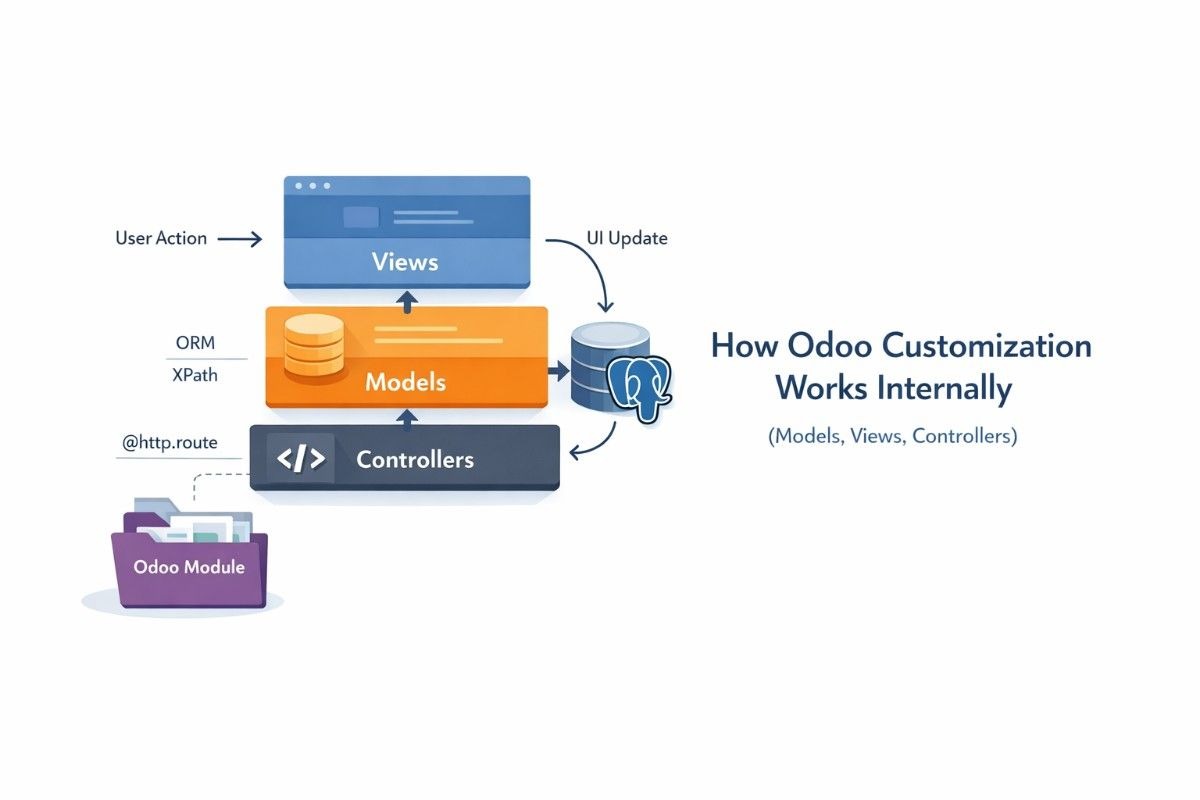
Before writing a single line of code, businesses must understand how Odoo worksinternally. Odoo is not just software; it is amodular ERP framework designed for long-term use.
Odoo Framework and Modular ERP Design
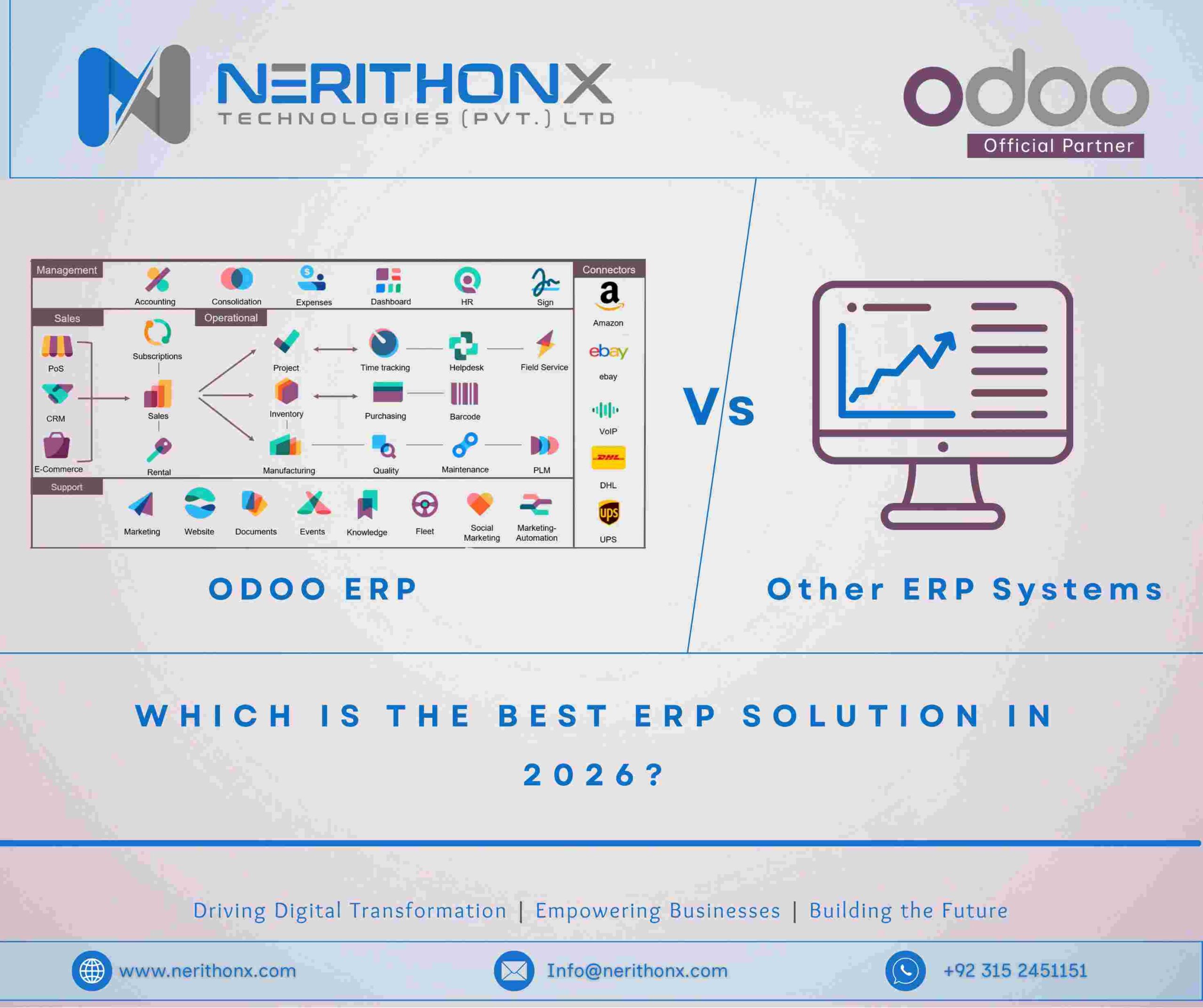
Odoo is built on a modular architecture. Each feature, such as Sales, Accounting, Inventory, or CRM, is a separate module. These modules communicate with each other through the Odoo framework.
For businesses, this modular design is powerful because it allows:
- Adding features only when needed
- Customizing workflows without rewriting the core system
- Scaling the ERP system as the business grows
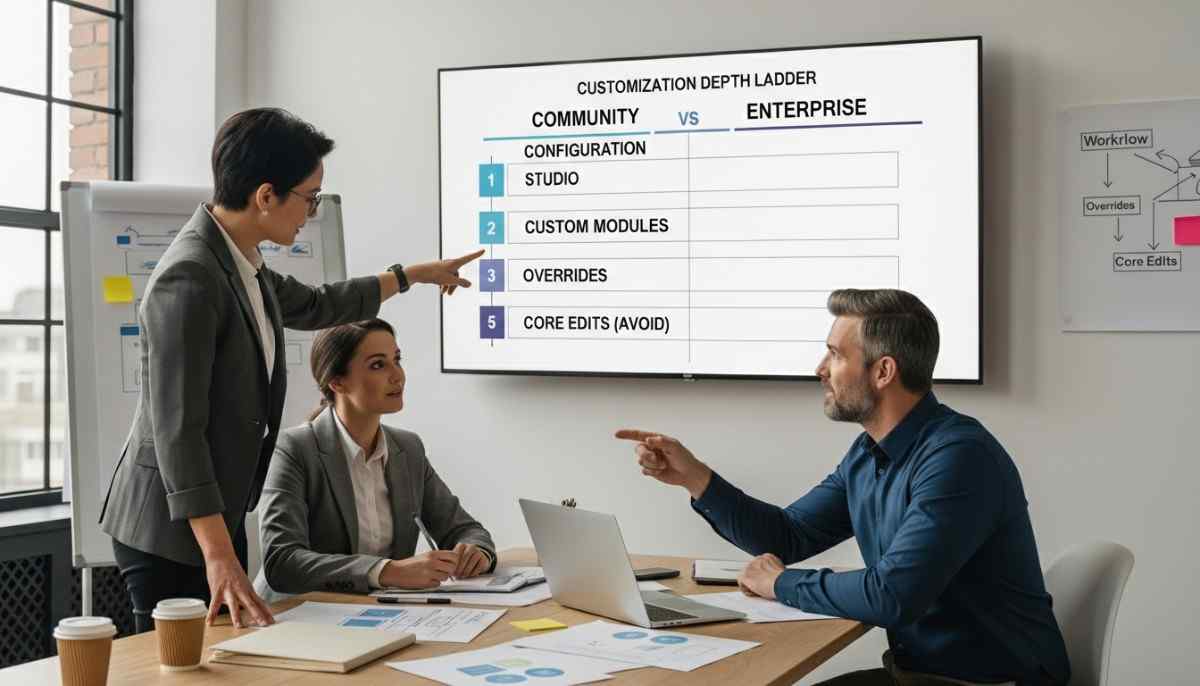
Best practice in Odoo development is never modifying core modules directly. Instead, custom modules should extend existing functionality. This keeps the system stable and upgrade-friendly.
Role of Python, XML, and PostgreSQL in Odoo Development
Odoo development relies on three main technologies:
- Python for business logic
- XML for user interface views and workflows
- PostgreSQL as the database
Understanding how these components work together is essential. Business logic must remain in Python models, user interfaces should stay clean and simple in XML, and data must be handled efficiently using PostgreSQL through Odoo ORM.
Mixing responsibilities or writing logic in the wrong layer often leads to poor performance and maintenance problems.
Aligning Odoo Development with Business Processes
One of the biggest mistakes businesses make is developing Odoo features without fully understanding their own workflows.
Business Process Mapping Before Odoo Customization
Before starting Odoo development, businesses should clearly document:
- Sales workflow
- Purchase and inventory flow
- Accounting and invoicing rules
- Approval processes
- Reporting requirements
This process mapping ensures Odoo development supports real business needs instead of assumptions. Odoo already provides strong default workflows, and best practice is to adapt business processes to Odoo where possible, not the other way around.
Avoiding Over-Customization in Odoo ERP Systems
Over-customization is one of the main reasons Odoo projects fail. Every customization increases:
- Development cost
- Upgrade complexity
- Long-term maintenance effort
Best practice is to:
- Use standard Odoo features first
- Customize only when a real business gap exists
- Avoid changing default behavior without strong justification
Businesses that keep customization minimal enjoy faster upgrades and better system stability.
Best Practices for Odoo Module Development
Custom module development is often required, but it must be done correctly.
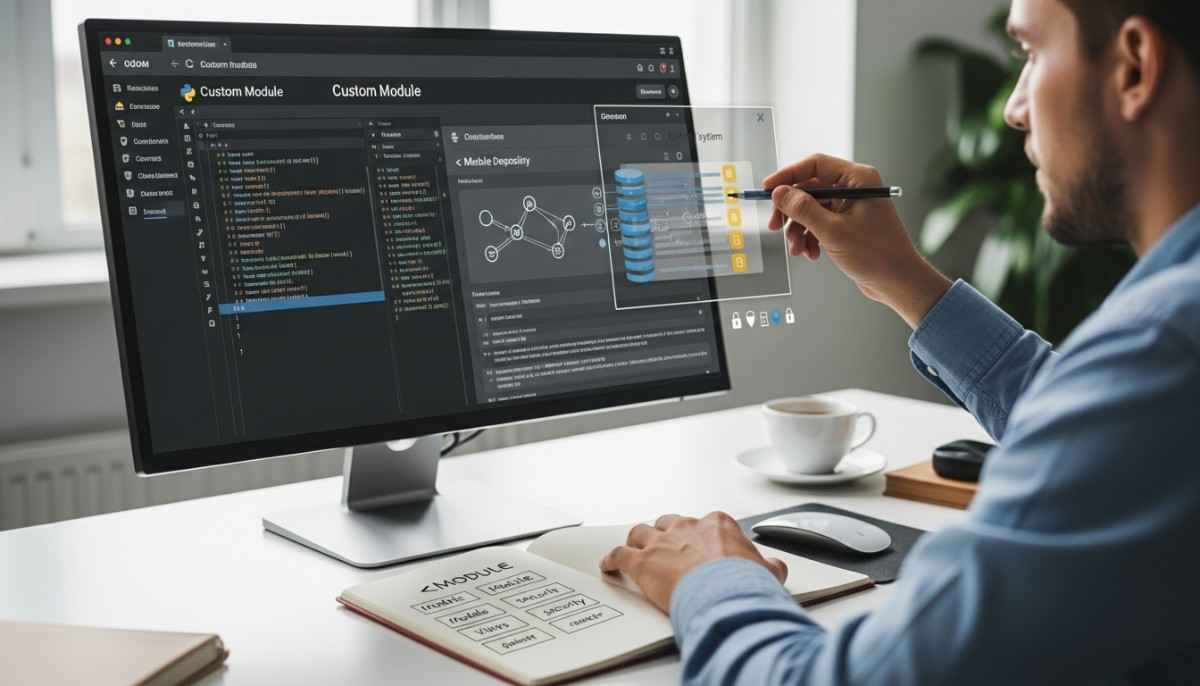
Creating Custom Odoo Modules Using Odoo ORM
Odoo ORM (Object Relational Mapping) is designed to manage database operations safely and efficiently. Best practice is to always use ORM instead of raw SQL, unless there is a strong performance reason.
Good Odoo module development includes:
- Clear module structure
- Proper use of models, fields, and relationships
- Clean separation between logic and views
- Reusable and readable code
Modules should solve one business problem only. Large, all-in-one modules create technical debt and make debugging difficult.
Maintaining Clean Code and Odoo Development Standards
Businesses should ensure developers follow Odoo coding standards:
- Meaningful variable names
- Proper comments and documentation
- Avoid hard-coded values
- Reusable methods
Clean code makes future updates, bug fixes, and onboarding new developers much easier. It also reduces dependency on a single developer or agency.
Odoo Performance Optimization for Growing Businesses
As businesses grow, ERP performance becomes critical.
Database Optimization Using PostgreSQL
PostgreSQL is powerful, but poor design can slow down Odoo. Best practices include:
- Proper indexing
- Avoiding unnecessary computed fields
- Cleaning unused data
- Optimizing large tables
Using ORM efficiently reduces database load and improves response time across the system.
Improving Odoo Backend and Frontend Performance
Backend performance depends on efficient logic, while frontend performance depends on clean views and limited client-side processing.
Best practices include:
- Avoid heavy loops in Python code
- Use scheduled actions for heavy tasks
- Keep views simple and focused
- Reduce unnecessary fields in forms and lists
Performance optimization ensures Odoo remains fast even as users, data, and modules increase.
Security and Access Control in Odoo Development
ERP systems handle sensitive business data, so security must never be ignored.
User Roles, Record Rules, and Access Control Lists
Odoo provides built-in security mechanisms:
- User groups
- Access control lists (ACLs)
- Record rules
Best practice is to:
- Define clear user roles
- Restrict access by job responsibility
- Test permissions carefully
Never give full access unless absolutely required. Poor access control can lead to data leaks and compliance issues.
Data Protection and Secure Odoo Configuration
Security best practices also include:
- HTTPS configuration
- Regular backups
- Secure API access
- Monitoring server logs
Businesses should treat Odoo as critical infrastructure, not just software.
Odoo Upgrade and Long-Term Maintenance Strategy
Odoo releases new versions regularly, and upgrades must be planned carefully.
Planning Odoo Version Upgrades
Best practice is to:
- Stay close to standard Odoo features
- Avoid deep core modifications
- Document custom modules properly
This makes upgrading smoother and less expensive.
Ensuring Scalability and Future-Ready Odoo Systems
A well-developed Odoo system should support:
- Business growth
- New modules
- Increased users
- Integration with third-party tools
Scalability is not achieved through shortcuts but through disciplined development.
Common Odoo Development Mistakes Businesses Should Avoid
Poor Planning and Misaligned Customization
Jumping into development without strategy leads to wasted time and money. Every Odoo project needs a clear roadmap aligned with business goals.
Ignoring Documentation and Technical Debt
Lack of documentation makes future changes risky and expensive. Best practice is to document:
- Custom modules
- Business logic
- Integration points
This protects businesses long-term.
Why Following Odoo Development Best Practices Matters for Businesses
Cost Control, Stability, and Business Growth
Correct Odoo development reduces:
- Downtime
- Upgrade costs
- Support dependency
It also improves user adoption and operational efficiency.
Building a Sustainable ERP System with Odoo
Odoo is not a short-term tool. Businesses that follow best practices build ERP systems that support growth for many years.
Final Thoughts
Odoo development best practices are not optional for businesses that want reliable, scalable, and secure ERP systems. From understanding architecture to planning upgrades, every step matters.
When Odoo is developed correctly, it becomes a powerful foundation for business automation, efficiency, and growth.
FAQS
Is it better to customize Odoo or change our business process to match Odoo?
In most cases, it is better to adapt your business process to Odoo’s standard workflows instead of heavy customization. Odoo is designed around proven business processes. Small adjustments are fine, but deep customization increases costs, upgrade risks, and maintenance problems. Businesses that stay close to standard Odoo usually scale faster and upgrade more easily.
What are the most common mistakes businesses make during Odoo development?
The most common mistakes include over-customization, modifying core Odoo code, skipping process analysis, and not planning for upgrades. Many businesses also ignore proper testing and documentation, which leads to unstable systems and higher long-term costs.
Should we use Odoo Studio or custom Odoo development?
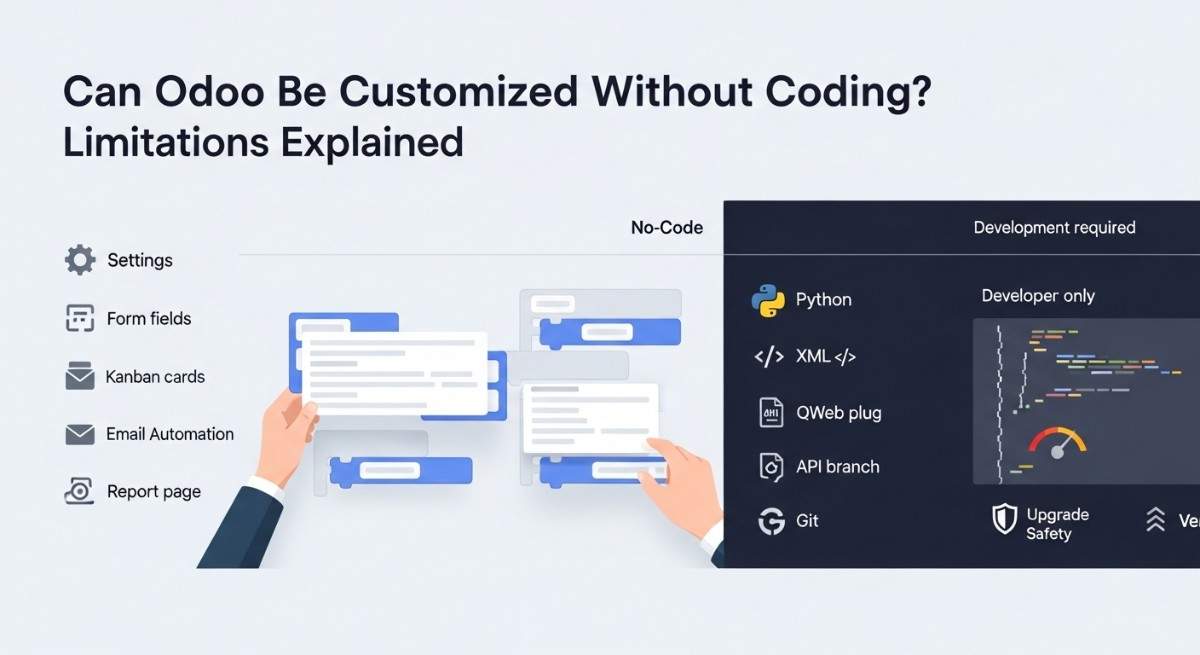
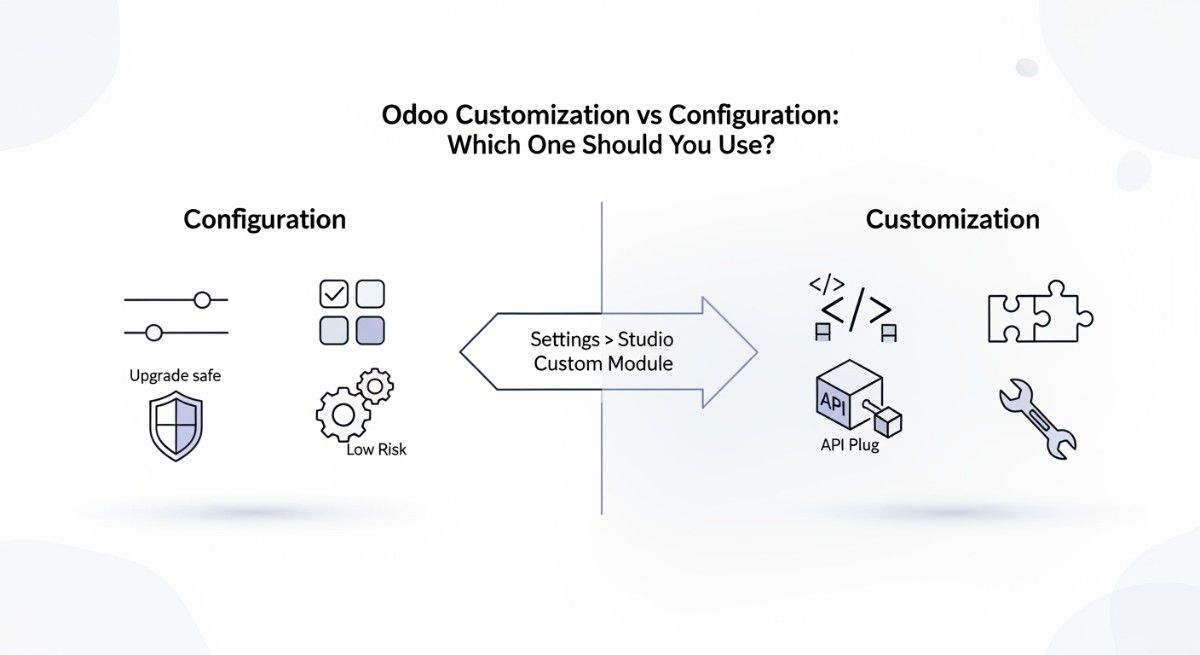
Odoo Studio is good for simple changes like adding fields, small workflows, or basic automations. Custom Odoo development is better for complex logic, integrations, performance optimization, and scalability. Many businesses use Odoo Studio first and move to custom development when requirements grow.
How do we make sure our Odoo system stays upgrade-safe?
To keep Odoo upgrade-safe, avoid editing core modules, keep customizations in separate modules, follow Odoo coding standards, and document everything. Staying close to standard Odoo features makes upgrades faster and less expensive.
Is Odoo suitable for growing and large businesses, or only for small companies?
Odoo works well for small, medium, and growing businesses, and it can also scale for large companies when developed properly. Performance, security, and scalability depend more on development quality and system design than company size.
How much customization is considered “too much” in Odoo?
Customization becomes “too much” when it starts replacing standard Odoo logic instead of extending it. If upgrades become difficult, performance slows down, or every small change needs developer support, customization has gone too far. The goal is balance, not zero customization.
How important is documentation in Odoo development?
Documentation is extremely important. Without it, future developers cannot understand custom logic, upgrades become risky, and businesses become dependent on one developer or agency. Good documentation protects the business, not just the code.
What skills should an Odoo developer have for business projects?
A good Odoo developer should understand Python, Odoo ORM, PostgreSQL, XML views, access control, and business processes. Technical skills alone are not enough; understanding how businesses actually operate is equally important.
How do businesses test Odoo changes without affecting live data?
Businesses should use separate development and staging environments. All changes should be tested outside the production system before going live. This prevents data loss, downtime, and user disruption.
How often should businesses upgrade their Odoo version?
Most businesses upgrade every one to two major Odoo versions, depending on customizations and business needs. Regular upgrades keep the system secure, supported, and compatible with new features, but they should always be planned and tested carefully.