In 2026, having a website is not enough. Your website must connect with your sales, inventory, marketing, and customer data in one smart system. That is exactly where Odoo Website stands out. It is not just a website builder. It is a fully integrated business platform that connects your content, eCommerce store, CRM, accounting, and operations inside one powerful ecosystem.
But is Odoo Website really the right choice for your business? Can it replace WordPress or Shopify? Is it good for SEO? And how does it help you grow revenue instead of just building pages?
In this complete 2026 guide, you will learn how Odoo Website works, what new features make it powerful, how to set it up step by step, and how to optimize it for search engines and conversions. Whether you are a startup owner, an eCommerce seller, or a growing company looking for full ERP integration, this guide will help you understand everything in simple and clear language.
By the end of this article, you will not only know how to build a website with Odoo — you will understand how to turn it into a system that drives traffic, generates leads, and supports real business growth.
What Is Odoo Website and How Does It Work
Odoo Website is a fully integrated website builder that works inside the Odoo ERP system. In 2026, it is more than just a drag-and-drop tool. It is a business-driven website platform that connects your frontend website with backend operations like sales, inventory, CRM, and accounting.
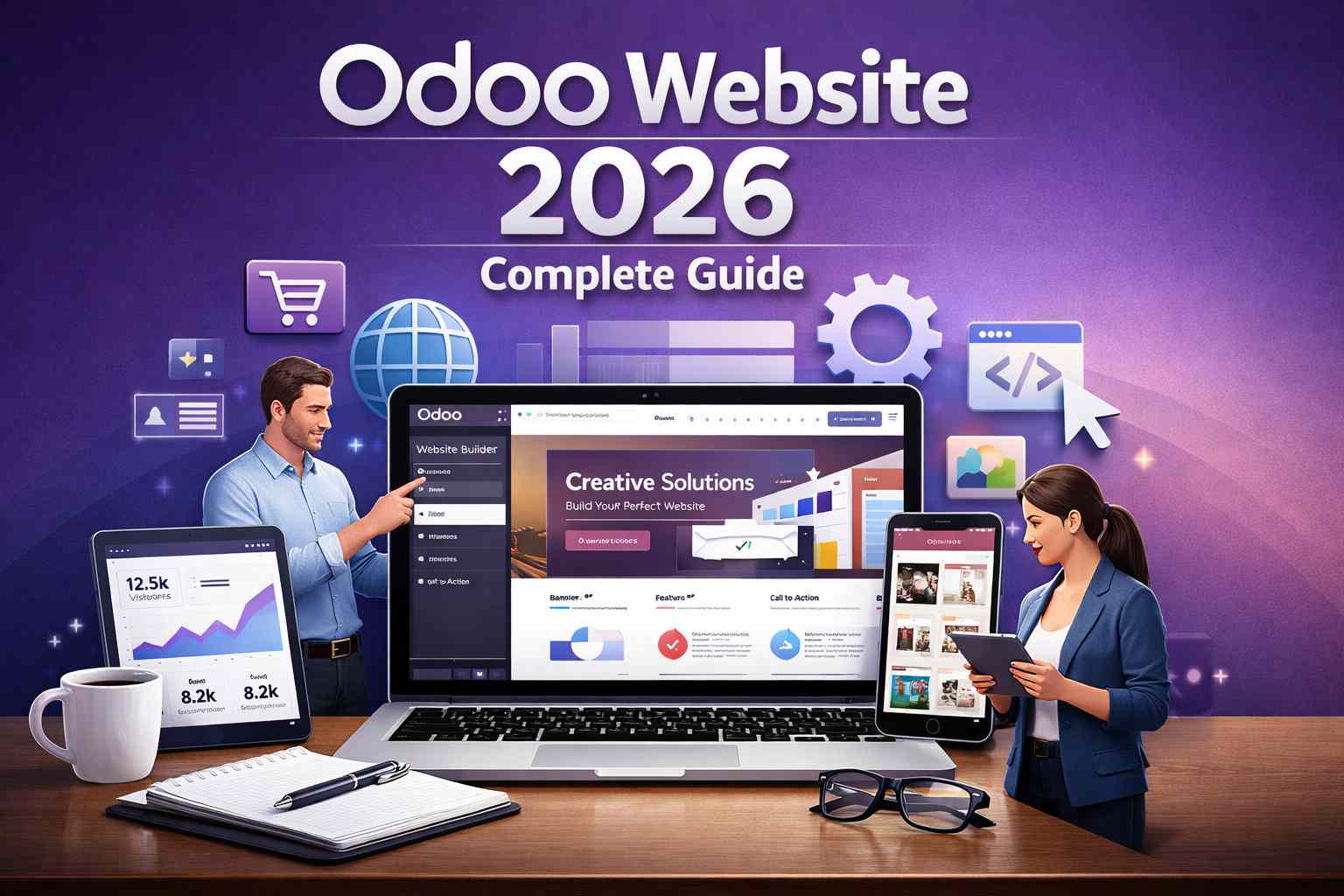
The Odoo Website Builder allows users to create pages visually without coding. You can drag blocks such as banners, text sections, product grids, forms, blogs, and call-to-action buttons directly onto the page. The system automatically stores content inside the Odoo database, which means your website content and business data live in the same environment.
In simple terms:
Odoo Website = Website Builder + eCommerce + ERP Integration
This integration is what makes it different from traditional CMS platforms. Instead of connecting multiple third-party plugins, Odoo provides a unified architecture where all modules communicate with each other in real time.
In 2026, Odoo Website includes:
- Mobile-responsive themes
- Built-in SEO tools
- Multi-language support
- eCommerce functionality
- Marketing automation features
- Blog and landing page builder
Because it runs on the Odoo framework, every website action (like a form submission or a product purchase) automatically connects to other modules such as CRM or Sales.
How Odoo Website Connects With Odoo ERP Modules
Odoo Website works as a frontend layer of the Odoo ERP system. This means the website is not separate software — it is directly connected to business modules.
For example:
When a visitor submits a contact form, the system automatically creates a lead inside the Odoo CRM module.
When a customer places an order, the system updates the Odoo Sales module, reduces stock in the Odoo Inventory module, and generates an invoice in the Odoo Accounting module.
This integration removes manual work and reduces errors.
Here is how key modules connect with Odoo Website in 2026:
Website Form → CRM Lead
Online Order → Sales Order
Payment Confirmation → Accounting Entry
Product Page → Inventory Stock Update
Newsletter Signup → Email Marketing Automation
Because everything runs inside one database, businesses do not need third-party connectors or API bridges for basic operations.
This unified structure improves:
- Operational efficiency
- Data accuracy
- Reporting visibility
- Customer experience
For growing companies, this means the website becomes a business engine — not just a digital brochure.
Key Differences Between Odoo Website and Other CMS Platforms
Odoo Website is often compared with WordPress, Shopify, and Wix. However, the biggest difference is that Odoo is an ERP-powered website system, while others are primarily content or eCommerce platforms.
Below is a detailed comparison table for clarity.
Odoo vs WordPress
| Feature | Odoo Website | WordPress |
| Core System | ERP-integrated platform | Content Management System (CMS) |
| Database Integration | Native integration with CRM, Sales, Inventory | Requires plugins (e.g., WooCommerce) |
| eCommerce | Built-in Odoo eCommerce | Needs WooCommerce plugin |
| Hosting Options | Odoo Online, Odoo.sh, On-Premise | Self-hosted or managed hosting |
| SEO Tools | Built-in SEO optimization | Requires SEO plugins (Yoast, Rank Math) |
| Maintenance | Centralized updates | Plugin/theme updates required |
| Customization | Odoo Studio + Python modules | PHP themes and plugins |
| Best For | Businesses needing ERP + Website | Bloggers, content websites |
Odoo vs Shopify
| Feature | Odoo Website | Shopify |
| Platform Type | ERP + Website + eCommerce | eCommerce-focused SaaS |
| Inventory Integration | Native ERP inventory system | Built-in but not full ERP |
| Accounting Integration | Direct integration with Odoo Accounting | Third-party apps needed |
| Custom Business Logic | Fully customizable with Python | Limited without apps |
| SEO Control | Full control over URLs and metadata | Good but limited URL flexibility |
| Monthly Cost | Modular pricing | Subscription-based pricing |
| Best For | Businesses needing full ERP system | Online stores focused on selling |
Odoo vs Wix
| Feature | Odoo Website | Wix |
| Platform Structure | ERP-driven business platform | Website builder |
| Business Integration | Full CRM, Sales, Inventory integration | Limited business tools |
| Custom Development | Developer-friendly framework | Limited backend customization |
| Scalability | High (enterprise ready) | Best for small websites |
| SEO Capabilities | Advanced technical SEO access | Basic SEO tools |
| Ideal Users | Growing companies & enterprises | Freelancers & small businesses |
Summary of Differentiation
The main difference can be simplified:
WordPress = Content – first platform
Shopify = Store – first platform
Wix = Design – first platform
Odoo Website = Business – first platform
If your goal is only to publish content, WordPress may be enough.
If your goal is only to sell products online, Shopify works well.
But if your goal is to connect website, sales, CRM, inventory, accounting, and marketing into one system, Odoo Website becomes a powerful solution in 2026.
This is why many growing businesses choose Odoo when they want long-term scalability instead of managing multiple disconnected tools.
Core Features of Odoo Website Builder
In 2026, Odoo Website is not just a page builder. It is a fully integrated website system designed to support marketing, sales, customer management, and online selling — all inside one ERP environment. Below are the core features that make Odoo Website powerful for both small businesses and large enterprises.
Drag-and-Drop Website Builder Interface
The Odoo Website Builder uses a visual drag-and-drop editor. This means users can create and edit pages without writing code. You simply select building blocks such as banners, images, text sections, product grids, testimonials, pricing tables, and contact forms, then drag them onto the page.
The interface is real-time and frontend-based. When you edit content, you see exactly how it will appear to visitors. There is no need to switch between backend and preview modes.
In 2026, the editor includes:
- Reusable content blocks
- Dynamic content snippets
- Inline text editing
- Style customization (colors, spacing, fonts)
- Grid layout control
For advanced users, developers can extend functionality using HTML, CSS, and JavaScript. This makes Odoo flexible for both non-technical users and technical teams.
The biggest advantage is integration. Every form, product, or action added through the builder connects directly to Odoo modules like CRM and Sales.
Prebuilt Themes and Website Templates
Odoo Website provides professionally designed themes and templates that can be installed instantly. These templates are optimized for different industries such as eCommerce, corporate websites, education, services, and manufacturing.
Each theme includes:
- Homepage layouts
- Product page structures
- Blog designs
- Contact pages
- Call-to-action sections
In 2026, themes are fully customizable. Users can modify colors, typography, header style, and layout structure without breaking the design.
Unlike many CMS platforms, Odoo themes are tightly integrated with backend logic. This means design elements can display real-time business data like product stock, pricing, and promotional offers.
Themes are also optimized for performance and mobile responsiveness, reducing the need for heavy customization.
Multi-Language and Multi-Website Support
One of the strongest features of Odoo Website is its multi-language capability. Businesses operating in international markets can create translated versions of the same website inside one system.
In 2026, Odoo supports:
- Automatic translation tools
- Manual translation editing
- Language-specific URLs
- Localized content management
For example, a company can manage English, French, and Spanish websites from the same dashboard.
Odoo also supports multi-website management. This means a business can run multiple websites under one Odoo database. Each website can have:
- Different domains
- Different themes
- Different product catalogs
- Different pricing rules
This is especially useful for companies managing multiple brands or operating in different countries.
Mobile-Responsive Design System
Mobile traffic continues to dominate in 2026. Odoo Website is built with a responsive design framework that automatically adjusts layouts for smartphones, tablets, and desktops.
The system uses flexible grid structures and adaptive design elements. This ensures:
- Faster loading on mobile devices
- Proper image scaling
- Readable font sizes
- Touch-friendly buttons
Mobile responsiveness also supports better user experience and improves SEO performance, since search engines prioritize mobile-friendly websites.
Users can preview how their website looks on different screen sizes directly inside the editor.
Built-In SEO Tools in Odoo Website
Search engine optimization is essential for organic traffic growth. Odoo Website includes built-in SEO features without needing third-party plugins.
In 2026, key SEO capabilities include:
- Custom meta titles and descriptions
- SEO-friendly URL structure
- Automatic XML sitemap generation
- Robots.txt management
- Image alt text optimization
- Redirect management
- Canonical URL control
Odoo also provides an SEO suggestion tool inside the page editor. It analyzes content and gives recommendations to improve keyword usage and readability.
Technical SEO elements such as clean code structure, fast loading speed, and structured data support are integrated into the platform.
Because Odoo Website connects with the blog and eCommerce modules, businesses can create content-driven SEO strategies directly inside the same system.
Blog, Forms, and Landing Page Builder
Odoo Website includes a built-in blog module. Businesses can publish articles, news updates, and educational content to improve brand authority and search visibility.
The blog system supports:
- Categories and tags
- Author management
- Social sharing buttons
- SEO optimization tools
- Comment sections
Landing pages can also be created using conversion-focused blocks such as:
- Call-to-action banners
- Lead capture forms
- Countdown timers
- Testimonials
Forms created inside Odoo automatically connect to CRM. For example, when a visitor fills out a contact form, the system generates a new lead record inside Odoo CRM.
This removes manual data entry and improves lead management efficiency.
Odoo eCommerce Integration
Odoo Website includes a fully integrated eCommerce system. Unlike platforms that require separate plugins, Odoo eCommerce is part of the core framework.
In 2026, the eCommerce module supports:
- Product catalog management
- Variant products (size, color, etc.)
- Inventory tracking
- Dynamic pricing rules
- Discount codes and promotions
- Secure checkout system
- Multiple payment providers
- Shipping method configuration
When a customer places an order, Odoo automatically:
- Creates a sales order
- Updates inventory stock
- Generates an invoice
- Records accounting entries
This real-time synchronization ensures accuracy across departments.
For businesses scaling online sales, this integration reduces operational complexity and improves workflow automation.
Customer Portal and User Accounts
Odoo Website includes a secure customer portal system. Registered users can create accounts and access their personal dashboard.
Through the portal, customers can:
- View order history
- Download invoices
- Track shipment status
- Submit support tickets
- Manage personal information
This feature improves transparency and customer experience.
From a business perspective, the portal connects directly with Odoo Sales, Accounting, and Helpdesk modules. This creates a unified customer lifecycle management system.
In 2026, data privacy and security are important. Odoo allows administrators to manage user roles, permissions, and access rights to protect sensitive information.
Odoo Website Technical Architecture and Hosting Options
Understanding the technical architecture of Odoo Website is important before choosing the right hosting option. In 2026, Odoo runs on a modular ERP framework built with Python and PostgreSQL. The website module is not separate software. It is a frontend layer connected directly to the Odoo backend system.
This unified architecture means your website, CRM, Sales, Inventory, Accounting, and Marketing all operate on the same database. Because of this structure, hosting decisions directly impact performance, security, scalability, and customization flexibility.
Odoo provides three main hosting options: Odoo Online (SaaS), Odoo.sh (Platform as a Service), and On-Premise deployment.
Odoo Online (SaaS) Hosting
Odoo Online is the Software-as-a-Service (SaaS) version of Odoo. It is the easiest and fastest way to launch a website using Odoo in 2026.
With Odoo Online:
- Hosting is managed by Odoo.
- Server maintenance is handled automatically.
- Updates are applied by the Odoo team.
- Security patches are included.
- No server configuration is required.
This option is ideal for small and medium businesses that want a simple setup without managing technical infrastructure.
The main advantage of Odoo Online is convenience. Businesses can focus on building their website and managing operations instead of worrying about servers.
However, customization is limited compared to other options. You cannot install custom third-party server-level modules. Development flexibility is controlled to maintain system stability.
Odoo Online works best for companies that need:
- Fast deployment
- Low technical management
- Predictable subscription costs
- Standard business workflows
Odoo.sh Platform
Odoo.sh is a Platform-as-a-Service (PaaS) solution designed for businesses that need more flexibility than SaaS but do not want to manage servers manually.
Odoo.sh allows:
- Custom module development
- Git-based version control
- Staging environments for testing
- Automated deployments
- Advanced developer access
This hosting option is ideal for growing companies or agencies building custom Odoo solutions.
Odoo.sh supports continuous integration and automated backups. Developers can push code updates, test changes in staging, and deploy to production safely.
Compared to Odoo Online, Odoo.sh offers:
- Greater customization
- Full access to custom Python modules
- Better control over development workflow
However, it requires technical knowledge. Development teams must understand Odoo architecture, Git workflows, and module dependencies.
Odoo.sh is often chosen by:
- ERP implementation partners
- Large eCommerce businesses
- Companies with custom workflows
- Organizations needing advanced integrations
On-Premise Odoo Deployment
On-Premise deployment means hosting Odoo on your own server or cloud infrastructure. This can be done on private servers, AWS, Azure, Google Cloud, or dedicated hosting providers.
With On-Premise deployment:
- You control the server environment
- You manage system updates
- You handle security configuration
- You install any custom modules
This option provides maximum flexibility. Businesses can fully customize the system without platform restrictions.
However, it requires:
- Technical expertise
- Server administration skills
- Security monitoring
- Backup management
On-Premise deployment is best for enterprises that require:
- Full data control
- Compliance with strict regulations
- Advanced security configurations
- Custom ERP development
It is the most flexible option but also the most technically demanding.
Database Structure and Website Performance
Odoo Website runs on PostgreSQL, a powerful relational database system. All website content, user data, product information, and business transactions are stored in one unified database.
This centralized database structure offers several advantages:
- Real-time data synchronization
- Consistent reporting
- Reduced duplication
- Faster internal communication between modules
However, website performance depends on several technical factors:
Server Resources
The number of CPU cores, RAM, and disk speed directly impact performance.
Database Optimization
Proper indexing and query management improve loading speed.
Caching Mechanisms
Odoo uses caching systems to reduce repeated database calls.
Content Optimization
Compressed images and clean page structure improve frontend speed.
In 2026, performance optimization also supports Core Web Vitals, which influence SEO rankings. Faster websites reduce bounce rates and improve user experience.
For high-traffic eCommerce websites, proper load balancing and scaling strategies are important. Odoo.sh and On-Premise setups offer more control over scaling compared to Odoo Online.
Odoo Website Security Features
Security is a critical part of any business website. Odoo includes built-in security mechanisms at both application and infrastructure levels.
Below are the main security components.
SSL Certificates
SSL (Secure Sockets Layer) encrypts data transferred between the user’s browser and the server.
Odoo Online and Odoo.sh automatically provide SSL certificates. This ensures:
- HTTPS encryption
- Secure login credentials
- Protected payment transactions
- Trust signals for users
SSL certificates also improve SEO performance, as search engines prioritize secure websites.
For On-Premise deployment, administrators must configure SSL manually using tools like Let’s Encrypt or commercial certificate providers.
User Access Rights
Odoo uses a role-based access control system. Administrators can define user permissions based on job roles.
For example:
- Website editors can manage content but cannot access accounting data.
- Sales managers can view orders but cannot modify system settings.
- Customers can access only their portal data.
This access control reduces internal security risks and protects sensitive information.
User access rules can be customized to match company structure and workflow requirements.
Data Backup and Recover
Data protection is essential for business continuity. Odoo provides automated backup options depending on the hosting method.
Odoo Online and Odoo.sh include:
- Automatic daily backups
- Secure storage
- Easy database restore options
On-Premise users must configure their own backup system. This may include:
- Scheduled database dumps
- Off-site storage
- Cloud backup services
In case of system failure or data corruption, backups ensure quick recovery.
Regular backup testing is recommended to confirm data integrity.
In 2026, Odoo Website technical architecture focuses on integration, scalability, and security. Choosing the right hosting option depends on business size, customization needs, technical expertise, and growth plans.
Small businesses may prefer Odoo Online for simplicity. Growing companies often choose Odoo.sh for flexibility. Large enterprises with strict control requirements may select On-Premise deployment.
Understanding these technical foundations helps businesses make smarter decisions and build a stable, secure, and scalable digital platform.
How to Build a Website Using Odoo 2026 (Step-by-Step)
Building a website with Odoo in 2026 is a structured process. Because Odoo Website is directly connected to the ERP system, every step you take affects your sales, inventory, and customer data. That is why it is important to follow the correct sequence, from installing the module to publishing and testing the final website.
Below is a practical, real-world explanation of how businesses typically build and launch their Odoo website.
Installing the Odoo Website Module
The first step is installing the Website module inside your Odoo database. If you are using Odoo Online or Odoo.sh, you can access the Apps dashboard and search for “Website.” Once installed, the system automatically activates the website builder and connects it to your existing database.
When the Website module is installed, Odoo creates a default homepage. At this stage, your website already has a working structure, even if it contains placeholder content.
If you are building an eCommerce website, you will also need to install the eCommerce module. This module integrates directly with Sales, Inventory, and Accounting. The installation process links product management and order processing to your website automatically.
For On-Premise users, the installation may involve additional server configuration, but the core setup remains the same. Once installed, you can immediately start editing your site using the visual builder.
Choosing a Theme and Customizing Layout
After installation, the next step is selecting a theme. Odoo 2026 provides multiple prebuilt themes that are optimized for different industries. Choosing the right theme is important because it defines your website structure, design style, and user experience.
When you activate a theme, Odoo applies the design to your homepage, headers, footers, and internal pages. From there, you can customize layout elements directly on the page.
The drag-and-drop builder allows you to modify sections visually. You can change colors, fonts, spacing, background images, and button styles without touching code. The system uses responsive design principles, so changes automatically adjust for mobile and tablet views.
For businesses that want deeper customization, developers can edit HTML templates and CSS styling. However, for most companies, the built-in editor is powerful enough to create a professional website.
The goal at this stage is to establish brand identity, including logo placement, color consistency, typography, and clear call-to-action sections.
Creating Pages and Navigation Menus
Once the design structure is ready, you can begin creating core pages such as Home, About Us, Services, Shop, Blog, and Contact.
In Odoo Website, page creation happens directly from the frontend editor. You simply create a new page, assign a URL, and begin adding content blocks.
Navigation menus are managed through the website settings panel. You can create primary menus, dropdown menus, and footer links. A clear navigation structure improves user experience and SEO performance because search engines can crawl content more efficiently.
Each page should serve a specific purpose. For example, service pages should explain benefits clearly, while product pages should focus on features, pricing, and purchase options.
Odoo also allows dynamic content blocks. This means certain sections, such as featured products or recent blog posts, can update automatically based on backend data.
By the end of this step, your website structure should feel complete and logically organized.
Adding Products With Odoo eCommerce
If you are building an online store, product configuration is one of the most important stages.
Inside Odoo, products are managed in the backend through the Sales or Inventory module. Each product record includes details such as name, price, description, variants, stock quantity, and images.
When a product is marked as “Available for Website,” it automatically appears on the shop page.
Odoo supports product variants like size and color. It also allows dynamic pricing rules, discounts, and promotional campaigns. Inventory updates happen in real time, meaning if stock runs out, the website reflects that change instantly.
Because Odoo integrates sales orders and inventory, when a customer purchases a product, the system reduces stock automatically and generates a sales order.
This real-time integration reduces manual errors and improves operational efficiency.
Setting Up Payment Gateways
A website is incomplete without secure payment processing. Odoo 2026 supports multiple payment providers such as Stripe, PayPal, and other regional gateways.
Payment configuration is done in the Accounting or Website settings panel. You connect your payment provider account by entering API credentials or authentication keys.
Once connected, customers can choose their preferred payment method during checkout. The system automatically confirms transactions and updates order status.
Secure transactions are supported through SSL encryption. For SaaS and Odoo.sh users, SSL certificates are included by default. On-Premise users must configure HTTPS manually.
After payment is completed, Odoo generates invoices and updates accounting records. This automation reduces bookkeeping workload.
Testing payment functionality before launching is critical to ensure smooth customer experience.
Configuring Shipping Methods
Shipping setup is essential for eCommerce websites. In Odoo, shipping methods are configured through delivery carriers.
You can create flat-rate shipping rules or integrate with real-time shipping providers. Shipping fees can be calculated based on product weight, order value, or delivery location.
When a customer enters their address at checkout, the system calculates shipping costs automatically. This ensures transparency and reduces cart abandonment.
Odoo also allows tracking integration. Customers can view shipment status inside their customer portal once the order is dispatched.
Proper shipping configuration improves trust and overall user satisfaction.
Connecting a Custom Domain
Before publishing, you need to connect your custom domain. A domain name makes your website look professional and improves brand recognition.
For Odoo Online and Odoo.sh, domain mapping is done inside the website settings. You update DNS records through your domain provider to point to Odoo servers.
On-Premise users must configure server settings manually, including DNS and SSL.
After DNS propagation is complete, your website becomes accessible through your branded domain.
At this stage, you should verify HTTPS activation, domain redirects, and proper loading speed.
Publishing and Testing the Website
Before making your website public, testing is essential. Even though Odoo simplifies setup, every business should perform quality checks.
Start by reviewing all pages for content accuracy, spelling, and layout consistency. Then test all forms to ensure leads are created correctly inside the CRM.
For eCommerce websites, perform test orders to verify payment processing, invoice generation, and inventory updates.
Check mobile responsiveness to confirm that layouts adapt correctly across devices.
It is also important to test SEO settings, including meta titles, descriptions, and URL structure. Ensuring proper indexing helps search engines crawl your website efficiently.
Once everything is verified, you can publish the site. Odoo allows you to switch from draft to live mode easily.
After launch, website management does not stop. Continuous updates, content improvements, performance monitoring, and security checks are part of long-term success.
Building a website using Odoo 2026 is not just about design. It is about creating a connected digital system where marketing, sales, accounting, and inventory work together. When configured properly, Odoo Website becomes a powerful business engine that supports both operational efficiency and revenue growth.
Odoo Website for Different Business Types
One of the biggest strengths of Odoo Website in 2026 is flexibility. Because it is connected to the full Odoo ERP system, it can support different industries with very different needs. Whether a company is selling products, offering services, managing manufacturing operations, or running an educational institution, Odoo Website adapts to the business model.
Instead of acting as a simple online brochure, Odoo Website becomes a central digital platform that connects marketing, sales, operations, and customer management. Below is how it supports different types of businesses in real-world situations.
Small Businesses and Startups
For small businesses and startups, budget and simplicity are very important. Many startups begin with limited resources, small teams, and growing customer bases. Odoo Website is useful because it combines website building, CRM, invoicing, and basic accounting into one system.
A startup can build a professional website using the drag-and-drop builder without hiring a large development team. At the same time, contact forms automatically generate leads inside Odoo CRM. This means founders can track potential customers without using separate tools.
If the startup plans to sell products online, Odoo eCommerce integrates inventory and sales automatically. When an order is placed, the system updates stock and creates invoices without manual entry.
For small businesses, this reduces operational complexity. Instead of paying for multiple software subscriptions such as a website builder, email marketing tool, CRM, and accounting system, Odoo centralizes everything.
As the business grows, Odoo scales with it. New modules can be activated without migrating to a new platform.
B2B Companies
B2B companies have different needs compared to retail businesses. They often deal with bulk pricing, quotation requests, account-based sales, and long sales cycles.
Odoo Website supports B2B operations through integrated CRM and Sales modules. Instead of simple checkout systems, businesses can enable “Request a Quote” functionality. When a company submits a quotation request, the system automatically creates an opportunity in CRM.
Sales teams can track communication, follow up with prospects, and convert quotations into confirmed sales orders inside the same platform.
Odoo also allows customer-specific pricing rules. This is important for B2B companies that negotiate different prices with different clients.
Another major advantage is the customer portal. Business clients can log in to view quotations, approve orders, download invoices, and track deliveries. This increases transparency and reduces administrative communication.
For B2B organizations, Odoo Website becomes a digital extension of the sales department.
Manufacturing Companies
Manufacturing companies require strong integration between website, inventory, production, and supply chain management. Odoo Website connects directly with the Manufacturing module, making it suitable for industrial businesses.
For example, when a customer places a custom order online, the system can trigger a manufacturing order automatically. Inventory levels update in real time, and procurement rules can generate purchase orders if raw materials are low.
Manufacturers can use the website to showcase product catalogs, technical specifications, certifications, and downloadable documents. Because the website connects to the product database, any change in product information is reflected instantly.
For companies producing configurable products, Odoo supports product variants and customization options. This is useful for industries like furniture, machinery, and electronics.
By linking website orders to production workflows, manufacturing companies reduce delays and improve accuracy.
Service-Based Businesses
Service-based businesses such as marketing agencies, IT companies, consultants, and repair services rely heavily on lead generation and appointment scheduling.
Odoo Website includes integrated forms and booking systems that connect directly to CRM. When a potential client fills out a consultation form, the system creates a lead record automatically.
Odoo also integrates with the Project module. Once a service contract is confirmed, tasks can be assigned to team members. Time tracking and invoicing can happen inside the same system.
For businesses offering online services, payment collection can be automated through integrated payment gateways. Customers can pay deposits or full fees directly from the website.
Service companies benefit from having marketing, sales tracking, project management, and invoicing in one platform. This reduces confusion and improves internal coordination.
In 2026, customer experience matters. Having a professional website connected to backend workflows increases trust and operational efficiency.
Educational Institutions
Educational institutions such as schools, training centers, and online academies need structured information management and student communication tools.
Odoo Website allows institutions to publish course details, admission information, schedules, and faculty profiles in a clean and organized layout.
Online registration forms can automatically create student records inside the system. Payment integration allows institutions to collect tuition fees online securely.
With the integration of CRM, institutions can manage inquiries from prospective students efficiently. Each inquiry becomes a tracked lead that admissions teams can follow up on.
For training centers offering online courses, Odoo can integrate with eLearning modules. Students can register, access course materials, and track progress within the same platform.
The centralized system improves administrative control while offering a better digital experience to students and parents.
In 2026, Odoo Website is not limited to one industry. Its strength lies in modular integration. Because it connects website functions with ERP modules like CRM, Sales, Inventory, Manufacturing, Accounting, and Project Management, it adapts to different business models.
Whether a company is a startup, a B2B supplier, a manufacturer, a service provider, or an educational institution, Odoo Website can serve as a scalable digital foundation. The website becomes more than a marketing tool. It becomes a connected business platform that supports long-term growth and operational efficiency.
Odoo Website Customization and Development
One of the biggest advantages of Odoo Website in 2026 is flexibility. While many website builders limit customization, Odoo allows businesses to adjust both frontend design and backend logic. Because it is built on a modular ERP framework, companies can modify workflows, create new features, and integrate external systems without changing platforms.
Customization in Odoo can happen at different levels. Some changes require no coding at all, while others involve Python development and API integration. The right approach depends on business needs, technical expertise, and long-term growth plans.
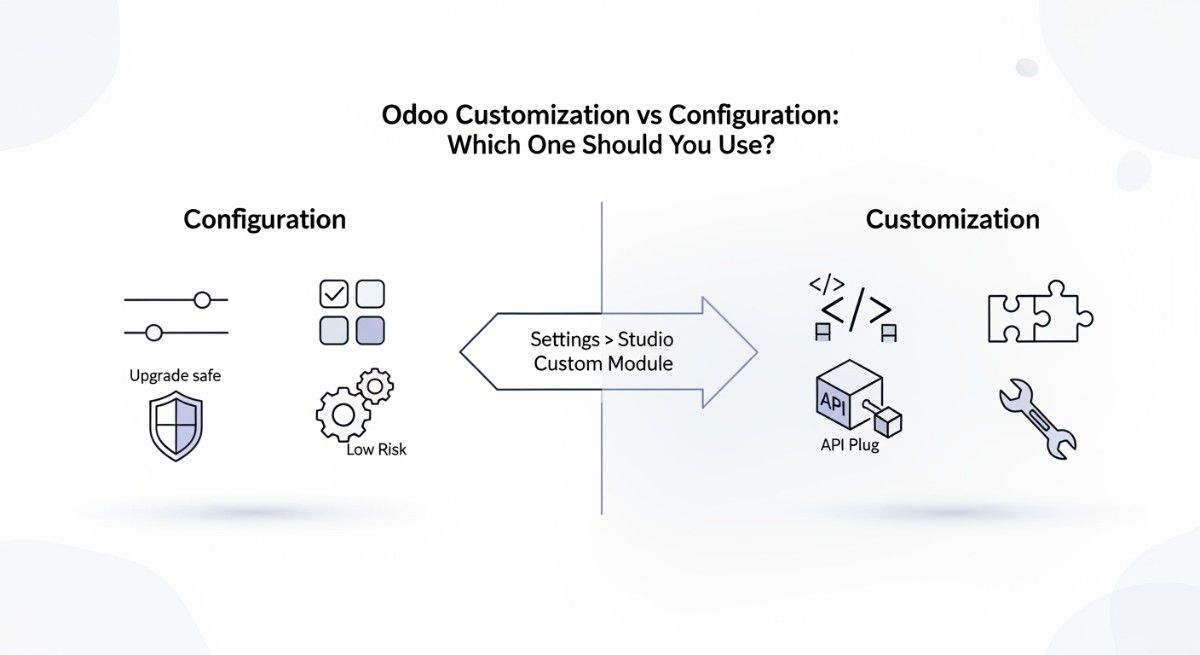
Using Odoo Studio for Customization
Odoo Studio is a low-code customization tool designed for business users and functional consultants. It allows companies to modify forms, fields, workflows, and views without writing code.
With Odoo Studio, you can add custom fields to website forms, adjust CRM pipelines, or create new data models that connect with website submissions. For example, a service company may want to add a “Project Budget” field in a consultation form. Using Odoo Studio, this can be done visually.
Studio also allows workflow automation. You can define rules such as sending automatic emails when a lead is created from the website. This improves marketing efficiency without requiring developer involvement.
For many businesses, Odoo Studio is enough to handle moderate customization. It reduces development costs and speeds up implementation.
However, for complex logic or advanced features, deeper development may be required.
Custom Modules and Python Development
Odoo is built using Python, which makes it highly customizable for developers. When standard modules and Studio features are not enough, companies can create custom modules.
A custom module allows developers to extend the functionality of Odoo Website and other ERP components. For example, a manufacturing company may need a custom product configurator that calculates pricing based on material dimensions. This can be built as a Python module integrated with the website.
Developers can modify business logic, automate internal processes, or create entirely new applications inside the Odoo environment.
Because Odoo uses a modular architecture, custom modules can be installed without breaking the core system. This ensures scalability and maintainability.
However, proper development standards are important. Poorly written modules can affect performance and system stability. That is why experienced Odoo developers follow best practices, version control systems, and structured testing methods.
Custom development is typically used by growing businesses, enterprises, and companies with unique operational workflows.
Frontend Editing With HTML, CSS, and JavaScript
While Odoo provides a visual drag-and-drop builder, advanced design customization may require frontend editing.
Developers can access website templates written in QWeb (Odoo’s templating engine), along with standard HTML and CSS. This allows precise control over layout structure, animations, styling, and interactive elements.
JavaScript can be used to enhance user experience, such as adding dynamic filters, interactive sliders, or real-time validation on forms.
For example, an eCommerce business may want a custom product display page with advanced filtering logic. Using JavaScript and CSS, developers can improve usability while maintaining integration with Odoo’s backend.
Frontend customization ensures that businesses can create unique brand experiences instead of relying only on prebuilt themes.
In 2026, user experience plays a major role in conversion rates. Proper frontend optimization improves engagement and supports SEO performance.
API Integrations With Third-Party Tools
Modern businesses rarely operate in isolation. Many companies use external tools for marketing, analytics, logistics, or customer communication. Odoo Website supports API integrations to connect with third-party platforms.
Odoo provides RESTful API access, allowing developers to exchange data securely between systems. This ensures that information flows smoothly without manual data entry.
Below are common integration areas.
CRM Integration
Although Odoo includes its own CRM module, some businesses may already use external CRM platforms. API integration allows synchronization of leads and customer data between Odoo Website and external systems.
For example, when a visitor submits a contact form, the lead can be pushed to another CRM system automatically. This maintains workflow continuity without changing internal processes.
However, many businesses choose to centralize operations inside Odoo CRM to reduce software complexity.
Marketing Automation Tools
Marketing automation platforms help manage email campaigns, audience segmentation, and behavioral tracking. Odoo includes its own Email Marketing and Marketing Automation modules, but API integration allows connection with external tools if required.
For example, businesses may integrate with advanced email platforms for complex campaign strategies. Website form submissions can automatically add contacts to segmented mailing lists.
This integration improves lead nurturing and customer engagement. It also ensures that marketing data aligns with sales records inside the ERP system.
Payment Gateway APIs
Secure payment processing is essential for eCommerce websites. Odoo supports multiple payment providers natively, but API integration allows businesses to connect with regional or custom payment gateways.
Payment gateway APIs handle transaction processing, authorization, and confirmation. Once payment is completed, the system automatically updates order status and generates accounting entries.
For international businesses, multi-currency support and regional payment solutions can be integrated through APIs. This ensures compliance with local financial requirements.
Proper API configuration is critical for security and reliability. Businesses should test integrations carefully before going live.
Odoo Website customization and development in 2026 offer a layered approach. Small businesses can rely on Odoo Studio for quick adjustments. Growing companies can invest in custom Python modules for advanced workflows. Enterprises can integrate external systems using APIs for complete digital transformation.
This flexibility makes Odoo suitable for long-term growth. Instead of migrating to new platforms as requirements expand, businesses can extend Odoo’s capabilities within the same ecosystem.
In simple terms, Odoo Website is not just customizable — it is built to evolve with your business.
Odoo Website Pricing and Licensing (2026 Update)
Understanding Odoo Website pricing in 2026 is important before making a business decision. Unlike many website builders that charge only for hosting or themes, Odoo follows a modular pricing model. This means you pay based on the edition you choose, the number of users, and the applications you activate.
Because Odoo Website is part of a larger ERP ecosystem, the total cost depends on how deeply you use the system. A simple company website will cost much less than a fully integrated eCommerce and ERP setup.
Below is a clear explanation of how pricing works.
Odoo Community vs Odoo Enterprise
Odoo offers two main editions: Community and Enterprise.
Odoo Community is the open-source version. It is free to download and use. However, it has limited features compared to the Enterprise edition. Businesses using Community typically host it on their own servers and manage updates manually.
The Website module is available in both editions, but advanced features such as Odoo Studio, advanced marketing automation, and enterprise-level performance tools are only included in Odoo Enterprise.
Odoo Enterprise is a paid subscription version. It includes:
- Advanced features
- Official support
- Regular updates
- Odoo Studio
- Enterprise-level security improvements
Enterprise pricing is based on the number of users and activated applications. Each internal user requires a license.
For small businesses with technical skills, Community can be cost-effective. However, for growing companies that need official support and advanced functionality, Enterprise is usually the better option.
Odoo Website Module Pricing
In Odoo Enterprise, pricing depends on user count and application usage. The Website module itself does not always have a separate high cost, but it becomes part of the total subscription.
If you are only using the Website module without activating Sales, Inventory, or Accounting, your cost remains relatively low. However, once you enable eCommerce and ERP modules, subscription fees increase.
Odoo follows a per-user pricing model. This means:
The more internal users you have, the higher your subscription cost.
External website visitors do not affect pricing. You are not charged based on website traffic.
For example, a company with five internal users managing website, CRM, and Sales will pay for five Enterprise user licenses. If the company grows and adds more employees to the system, the cost increases accordingly.
This pricing model is suitable for companies that want predictable scaling instead of paying per transaction or per website visit.
Hosting Costs (Online vs Odoo.sh vs On-Premise)
Hosting costs vary depending on the deployment option.
Odoo Online is the simplest option. Hosting is included in the subscription fee. There is no need to manage servers, backups, or updates. This makes it predictable and easy for non-technical businesses.
Odoo.sh has separate hosting pricing. It includes staging environments, automated backups, and development tools. Costs depend on storage size and performance requirements. It is usually more expensive than Odoo Online but offers greater flexibility.
On-Premise hosting costs depend on your server provider. Businesses must pay for cloud infrastructure such as AWS or other hosting services. Additional costs may include server maintenance, security monitoring, and IT support.
For small companies, Odoo Online is often the most cost-efficient choice. For companies requiring customization, Odoo.sh balances flexibility and managed infrastructure. On-Premise can become expensive if internal IT resources are limited.
Hidden Costs and Add-Ons
While Odoo’s pricing structure is transparent, businesses should consider additional costs that may arise during implementation.
Customization costs can increase total investment. If your business requires custom modules, API integrations, or advanced automation, developer fees will apply.
Theme customization or UI improvements may also require professional support.
Payment gateway transaction fees are not included in Odoo pricing. Providers such as Stripe or PayPal charge their own transaction percentages.
If you hire an Odoo implementation partner, consultancy and setup costs must be considered. Training staff to use the system may also involve additional expenses.
Another factor is module expansion. As your business grows, you may activate additional apps such as Marketing Automation, Helpdesk, or Manufacturing, which increases subscription cost.
Understanding these potential expenses helps avoid surprises and supports better budgeting.
ROI of Using Odoo Website
Return on Investment (ROI) is not just about initial cost. It is about long-term efficiency, automation, and revenue growth.
Odoo Website can reduce software fragmentation. Instead of paying separately for a website builder, CRM tool, email marketing system, inventory software, and accounting platform, businesses manage everything in one system.
This reduces integration errors, manual data entry, and software duplication.
Operational efficiency improves because website orders automatically update inventory and accounting records. Sales teams save time because website leads flow directly into CRM.
For eCommerce businesses, automation reduces administrative workload and increases processing speed.
For service companies, integrated invoicing and project tracking reduce billing errors.
Over time, these efficiency gains translate into cost savings and improved revenue generation.
In simple terms, Odoo Website may not always be the cheapest option upfront. However, for businesses planning long-term growth, integration and scalability often deliver stronger ROI compared to managing multiple disconnected tools.
In 2026, businesses are moving toward unified digital systems. Odoo Website supports this transformation by combining website management with complete ERP functionality under one pricing model.
Conclusion:
Odoo Website in 2026 is more than a website builder. It is a fully integrated platform that connects your website with CRM, Sales, Inventory, Accounting, and eCommerce inside one ERP system. This makes it different from traditional CMS platforms that require multiple plugins and third-party tools.
If you only need a simple blog or basic website, Odoo might be more powerful than necessary. But if you want automation, centralized data, and scalable business growth, Odoo Website becomes a smart long-term solution.
It supports startups, B2B companies, manufacturers, service businesses, and educational institutions by connecting frontend website activity with backend operations. Orders update inventory, leads flow into CRM, and payments link directly to accounting — all automatically.
In short, Odoo Website is best for businesses that want one connected system instead of managing multiple separate tools. If your goal is efficiency, integration, and growth, Odoo Website in 2026 is a strong and future-ready choice.
FAQS :
How to add client logos on website developed by Odoo?
Open Website → Edit Mode. Drag the Image or Carousel snippet into your page. Upload client logo images and adjust spacing. For better design, use the “Logo Grid” layout if available in your theme. Save and publish.
How to connect pages in website in Odoo?
Go to Website → Edit → Menu Editor. Create or select a page, then add it to the navigation menu. You can link pages using internal links by selecting text or buttons and choosing the page URL. This improves navigation and SEO structure.
How to customize Odoo website theme?
Enable Edit Mode and adjust colors, fonts, headers, and layout using the theme customization panel. For advanced changes, modify theme files using HTML, CSS, or create a custom module. Odoo Studio can help with backend layout adjustments.
How to develop a website in Odoo 10?
Install the Website module from Apps. Choose a theme, create pages using drag-and-drop blocks, configure menus, and publish. For eCommerce, install the eCommerce module and configure products and payments. Odoo 10 may require manual theme customization compared to newer versions.
How to draw a table into Odoo website?
Open Edit Mode, insert a Text block, then use the built-in editor’s table option to create rows and columns. For advanced table design, switch to HTML view and write custom table code using standard <table> tags.
How to give full width to website in Odoo?
In Edit Mode, select the section and choose Full Width layout from the block settings. If the theme limits width, adjust CSS container settings or customize the theme template to remove fixed-width constraints.
How to import website theme in Odoo?
Upload the theme as a custom module in Apps → Upload Module (Developer Mode required). Install the theme module, then activate it from Website settings. Ensure compatibility with your Odoo version.
How to make an Odoo full width website?
Use full-width snippets in Edit Mode and remove boxed layout settings in theme customization. If needed, edit CSS to set .container-fluid instead of fixed .container classes.
How to remove image gallery in Odoo website?
Open Edit Mode, select the gallery block, and delete it. If the gallery is part of the theme template, modify the template file or disable the specific snippet in theme settings.
How to upload the Odoo website theme?
Enable Developer Mode, go to Apps, upload the theme module (ZIP file), install it, then activate it from Website settings. Make sure the theme matches your Odoo version.
How to upload video in Odoo website?
Open Edit Mode and drag the Video snippet. You can embed a YouTube or Vimeo link or upload a video file if server storage allows. Adjust autoplay and display settings as needed.