
Many businesses still manage invoices, vendor bills, payments, bank statements, expenses, and financial reports through separate tools or spreadsheets. At the start, this may feel manageable. But when transactions increase, the finance process becomes difficult to control.
Invoices are created in one place. Payments are tracked somewhere else. Bank statements are checked manually. Vendor bills are entered late. Reports are prepared after delays. Management does not get a clear view of receivables, payables, cash position, or profit.
This is where Odoo Accounting Software becomes useful.
Odoo Accounting Software helps businesses manage finance operations inside one connected ERP system. Instead of using disconnected accounting tools, Odoo connects accounting with sales, purchase, inventory, POS, expenses, and other business workflows.
For growing companies, this means better visibility, faster reporting, fewer manual errors, and stronger financial control.
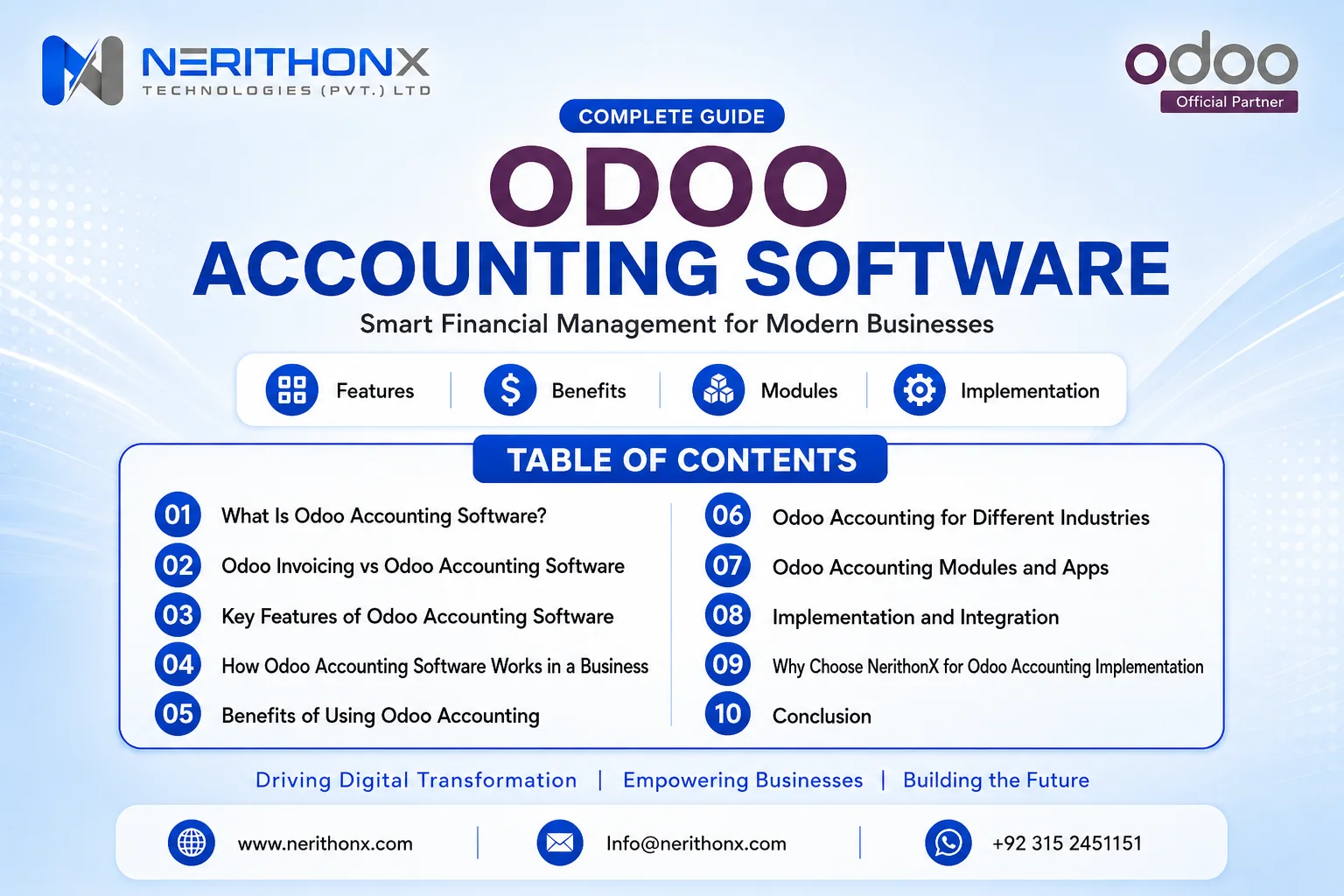
What Is Odoo Accounting Software?
Odoo Accounting Software is a complete finance management solution inside Odoo ERP. It helps businesses manage customer invoices, vendor bills, payments, bank reconciliation, journal entries, taxes, budgets, assets, and financial reports.
It is not only a bookkeeping tool. It is part of a connected ERP system where accounting is linked with daily business operations. For example, a confirmed sale can create an invoice. A vendor bill can update payables. A payment can be reconciled with a bank transaction. Reports can update as transactions are recorded.
Odoo’s official documentation explains that Odoo Invoicing is used for invoices and payments, while Odoo Accounting is a more complete accounting app with standard financial reports, bank reconciliation, budgets, asset management, and more.
Odoo Invoicing vs Odoo Accounting Software: What Is the Difference?
Many business owners and finance users confuse Odoo Invoicing with Odoo Accounting Software. Both are related, but they are not the same.
Odoo Invoicing is mainly useful for creating invoices, sending invoices to customers, managing customer payments, and handling vendor bill flows.
Odoo Accounting Software is broader. It includes invoicing, but it also supports deeper finance management such as financial reports, bank reconciliation, budgets, assets, journal entries, accounts receivable, accounts payable, tax configuration, and chart of accounts management.
Here is a simple comparison:
|
Area |
Odoo Invoicing |
Odoo Accounting Software |
|
Customer invoices |
Yes |
Yes |
|
Customer payments |
Yes |
Yes |
|
Vendor bill flow |
Basic flow |
Full payable control |
|
Financial reports |
Limited |
Complete accounting reports |
|
Bank reconciliation |
Not the main focus |
Yes |
|
Budgets |
No |
Yes, depending on setup |
|
Asset management |
No |
Yes, depending on setup |
|
Journal entries |
Limited |
Yes |
|
Chart of accounts |
Limited |
Yes |
|
Best for |
Basic invoicing |
Complete finance management |
So, if a company only needs to create and send invoices, Odoo Invoicing may be enough. But if the company wants proper accounting control, reports, reconciliation, payables, receivables, and finance visibility, then Odoo Accounting Software is the better choice.
Key Features of Odoo Accounting Software
Customer Invoices and Payments
Odoo Accounting Software allows businesses to create, send, and manage customer invoices. Invoices can be created manually or generated from sales orders, depending on the company workflow.
This matters because invoice tracking is one of the most common finance problems. When invoices are managed in Excel or separate software, it becomes difficult to know which invoices are paid, unpaid, overdue, or partially paid.
Example:
A service company confirms a sales order. The finance team generates an invoice, sends it to the customer, registers the payment, and keeps the receivable record updated in Odoo.
Vendor Bills and Accounts Payable
Odoo Accounting Software also helps businesses manage vendor bills and accounts payable. Finance teams can record supplier bills, validate them, track payable amounts, and manage vendor payments.
This helps avoid missed payments, duplicate bills, and weak supplier payment control.
Example:
A distribution company receives a vendor bill for purchased goods. The bill is entered in Odoo, validated by the responsible user, paid when due, and reflected in payable reports.
Bank Synchronization and Bank Reconciliation
Bank reconciliation is one of the most important features of Odoo Accounting Software. Businesses can import or record bank transactions and match them with invoices, payments, or journal entries.
Where bank synchronization is available, businesses can connect bank accounts directly. If a bank is not available, Odoo also supports manual bank account configuration and manual transaction recording.
Example:
A customer pays an invoice through bank transfer. The bank transaction appears in Odoo or is imported manually. The accountant matches that transaction with the customer invoice and completes reconciliation.
Financial Reports and Dashboards
Odoo Accounting Software gives finance teams access to financial reports and dashboards. Reports may include profit and loss, balance sheet, aged receivables, aged payables, tax reports, and other accounting reports depending on the edition, localization, and implementation setup.
This is important because business decisions should be based on updated financial data, not delayed manual reports.
Example:
At month-end, a business owner checks unpaid customer invoices, vendor liabilities, income, expenses, and financial performance from Odoo instead of waiting for spreadsheet-based reports.
Tax Configuration and Compliance Support
Odoo Accounting Software allows businesses to configure taxes according to their accounting requirements. Taxes can be applied on customer invoices, vendor bills, products, and accounting transactions.
However, tax setup must be handled carefully. Every country and business has different requirements. Businesses should not assume that default settings are enough for every case.
Example:
A Pakistani business can configure tax-related settings based on its business and reporting requirements with the help of an experienced Odoo implementation partner.
Budget Management
Budget management helps businesses plan expected income and expenses, then compare actual performance with planned figures.
This is useful for companies that want better financial control over departments, projects, or expense categories. Odoo documentation includes budget management as part of accounting features in supported setups.
Example:
A company creates a monthly marketing budget. As expenses are recorded, management can compare planned budget versus actual spending.
Asset Management
Odoo Accounting Software can support asset management depending on the edition and setup. Businesses can record fixed assets, manage depreciation, and track asset value over time.
This is helpful for companies that own machinery, vehicles, equipment, furniture, or other fixed assets.
Example:
A manufacturing company purchases machinery. Instead of recording it as a simple expense, the company records it as an asset and manages depreciation properly.
Multi-Currency and Multi-Company Support
For businesses working with international customers or suppliers, multi-currency support can be important. Odoo can support multi-currency accounting when configured correctly.
Multi-company support is also useful for business groups that manage more than one company in the same ERP environment.
Example:
A Pakistani company sells services to an international client in USD while maintaining accounting records in PKR.
Journal Entries and Chart of Accounts
The chart of accounts is the foundation of accounting in Odoo. Odoo documentation defines the chart of accounts as the list of accounts used to record financial transactions in the general ledger of an organization.
Journal entries record the financial effect of business transactions. If the chart of accounts is not planned correctly, reports can become confusing or inaccurate.
Example:
Sales revenue, bank, cash, receivables, payables, assets, liabilities, expenses, and equity accounts must be mapped properly so financial reports show the right picture.
Integration with Sales, Purchase, Inventory, POS, and Expenses
The real strength of Odoo Accounting Software is its connection with other Odoo apps. Odoo’s official accounting app page highlights integrated bookkeeping with business operations to avoid double entry.
Sales can create invoices. Purchase can create vendor bills. Inventory can connect stock movement with accounting depending on configuration. POS can post sales data. Expenses can connect employee reimbursements with accounting records.
Example:
A retail business sells through POS, purchases stock through Purchase, manages stock in Inventory, and tracks financial impact in Accounting.
How Odoo Accounting Software Workflow Works
A typical customer-side accounting workflow in Odoo looks like this:
- A quotation or sales order is created.
- A customer invoice is generated.
- The invoice is sent to the customer.
- The customer makes payment.
- The bank transaction is imported or recorded.
- The payment is reconciled with the invoice.
- Financial reports are updated.
- Management gets clear financial visibility.
A vendor-side workflow looks like this:
- A purchase order or vendor bill is created.
- The vendor bill is reviewed and validated.
- Payment is made to the vendor.
- The bank transaction is recorded or imported.
- The payment is reconciled.
- Payable reports are updated.
This workflow reduces duplicate work. Finance users do not need to enter the same data again and again in different systems. Odoo connects the transaction flow from operations to accounting.
Business Problems Solved by Odoo Accounting Software
Odoo Accounting Software solves many practical finance problems, especially for businesses moving away from spreadsheets or disconnected tools.
Common problems include:
- Manual data entry
- Delayed financial reporting
- Poor invoice tracking
- Missing payment follow-up
- Slow bank reconciliation
- Separate software for finance and operations
- Weak visibility into receivables and payables
- Human errors in spreadsheets
- Difficulty scaling accounting operations
- Lack of real-time financial control
For example, a company using spreadsheets may know total sales at the end of the month, but it may not clearly know unpaid invoices, overdue customers, vendor liabilities, or actual cash position. Odoo helps bring these areas into one connected finance system.
Benefits of Using Odoo Accounting Software
The benefits of Odoo Accounting Software are practical and business-focused.
Better financial visibility
Finance teams and business owners can view updated accounting information from one system.
Faster invoicing
Invoices can be generated from sales flows instead of being prepared manually.
Reduced manual work
Connected workflows reduce duplicate data entry between sales, purchases, inventory, and finance.
Improved payment tracking
Businesses can track paid, unpaid, overdue, and partially paid invoices more easily.
Easier reconciliation
Bank reconciliation becomes more organized when transactions are imported or recorded properly.
Better decision-making
Management can use updated reports to make financial decisions with more confidence.
Centralized finance data
Invoices, bills, payments, journals, and reports stay in one system.
Scalable accounting system
As the business grows, Odoo can support more users, more transactions, and more connected workflows.
Stronger connection between finance and operations
Accounting is not isolated. It connects with sales, purchase, inventory, POS, expenses, and other business areas.
Who Should Use Odoo Accounting Software?
Odoo Accounting Software is suitable for businesses that want a connected finance system instead of scattered tools.
It is useful for:
- SMEs
- Growing companies
- Retail businesses
- Manufacturing companies
- Service companies
- Distribution businesses
- Companies already using Odoo ERP
- Companies planning to implement Odoo ERP
- Businesses moving away from spreadsheets
- Businesses using disconnected accounting tools
It is especially useful when a business wants accounting to work together with sales, purchase, inventory, and operations.
Odoo Accounting Software for Pakistani Businesses
Businesses in Pakistan often need accounting software that can support daily invoicing, vendor payments, reporting, tax-related configurations, and management visibility.
For companies in Peshawar, Islamabad, Lahore, Karachi, and other business regions, the need is not only software. The real need is a finance system that matches actual business operations.
With the right localization and configuration, Odoo Accounting Software can be adapted to support local business and reporting requirements. However, businesses should work carefully with an experienced Odoo implementation partner instead of assuming that default settings will match every local accounting need.
For Pakistani businesses, proper setup is important in areas such as:
- Chart of accounts
- Customer and vendor records
- Tax configuration
- Invoice format
- Opening balances
- Payment methods
- Bank journals
- Reporting structure
- User access rights
- Approval flows
A good implementation makes Odoo practical for daily finance work, not just technically installed.
Common Mistakes During Odoo Accounting Software Implementation
Odoo Accounting Software is powerful, but poor setup can create serious problems. Many businesses face issues not because the software is weak, but because implementation was rushed.
Common mistakes include:
Starting without proper chart of accounts planning
The chart of accounts must match the company’s finance structure.
Ignoring opening balances
If opening balances are incorrect, reports will not be reliable.
Poor tax configuration
Taxes should be configured carefully according to business and reporting requirements.
Not cleaning customer and vendor data before migration
Duplicate or incorrect records create confusion after go-live.
Not training accounting users
Even a good system fails if users do not understand daily workflows.
Using default settings without process analysis
Every company has its own finance process. Default configuration may not be enough.
Not testing invoice, bill, payment, and reconciliation flows
Testing is necessary before going live.
No post-go-live support plan
Users need support after implementation, especially during the first month.
Why an Odoo Implementation Partner Matters
Odoo Accounting Software must be configured according to the company’s real finance process. A correct setup requires both accounting understanding and Odoo functional knowledge.
A reliable Odoo implementation partner helps with:
- Requirement analysis
- Chart of accounts setup
- Tax and journal configuration
- Invoice and bill workflow setup
- Bank and cash journal setup
- Data migration
- Opening balances
- User training
- Testing
- Go-live support
- Customization if needed
Without proper implementation, businesses may face wrong reports, confused users, duplicate data, and incomplete workflows.
Why Choose NerithonX Technologies for Odoo Accounting Software Implementation?
NerithonX Technologies (Pvt.) Ltd. helps businesses in Pakistan implement, customize, migrate, and support Odoo ERP systems.
As a trusted Odoo partner in Pakistan, NerithonX Technologies focuses on practical ERP implementation, clear communication, user training, and long-term support. The team understands that accounting software should not only be installed; it should work according to the real business process.
NerithonX Technologies supports businesses with:
- Odoo ERP implementation
- Odoo Accounting Software setup
- Odoo customization and development
- Odoo migration and data migration
- Odoo support and maintenance
- Odoo training and onboarding
- ERP consulting and business automation
With 5+ experts, 7+ years of experience, and 19+ businesses transformed, NerithonX Technologies combines local business understanding with global ERP standards. These company points were provided in your original blog brief.
For businesses in Pakistan, especially in Peshawar and Islamabad, this local understanding is important. It helps companies implement Odoo Accounting Software in a way that is practical, usable, and aligned with day-to-day finance operations.
Final Thoughts
Odoo Accounting Software helps businesses move from manual, scattered finance work to connected, automated, and visible accounting operations.
It brings invoices, vendor bills, payments, reconciliation, reports, taxes, journals, budgets, and assets into one ERP system. More importantly, it connects accounting with sales, purchase, inventory, POS, expenses, and other business operations.
For SMEs and growing companies, this can improve financial visibility, reduce manual work, and support better decision-making.
If your business is planning to implement Odoo Accounting Software or improve an existing Odoo finance setup, NerithonX Technologies can help you configure the right system from planning to go-live.
FAQ
What is Odoo Accounting Software?
Odoo Accounting Software is a finance management solution inside Odoo ERP. It helps manage invoices, vendor bills, payments, bank reconciliation, journal entries, taxes, reports, budgets, and assets.
Is Odoo Accounting Software different from Odoo Invoicing?
Yes. Odoo Invoicing mainly handles invoices, payments, and vendor bill flows. Odoo Accounting Software is broader and includes invoicing plus reports, reconciliation, budgets, assets, journal entries, and deeper finance control.
Can Odoo Accounting Software handle bank reconciliation?
Yes. Odoo Accounting Software supports bank reconciliation. Businesses can import or record bank transactions and match them with invoices, payments, or journal entries depending on the setup.
Is Odoo Accounting Software suitable for SMEs?
Yes. Odoo Accounting Software is suitable for SMEs that want to move away from spreadsheets or disconnected accounting tools and manage finance in a connected ERP system.
Can Odoo Accounting Software be used in Pakistan?
Yes. Odoo Accounting Software can be used by Pakistani businesses. With the right localization and configuration, it can be adapted to support local business and reporting requirements.
Does Odoo Accounting Software integrate with Sales and Inventory?
Yes. Odoo Accounting Software can integrate with Odoo Sales, Purchase, Inventory, POS, Expenses, and other apps, depending on the implementation setup.
What should be prepared before implementing Odoo Accounting Software?
Before implementation, businesses should prepare the chart of accounts, opening balances, customer and vendor data, tax requirements, invoice formats, payment methods, bank journals, and approval workflows.
Why choose NerithonX Technologies for Odoo Accounting Software implementation?
NerithonX Technologies helps businesses implement, customize, migrate, train, and support Odoo ERP systems. The team focuses on practical workflows, clear setup, user training, and post-go-live support.



