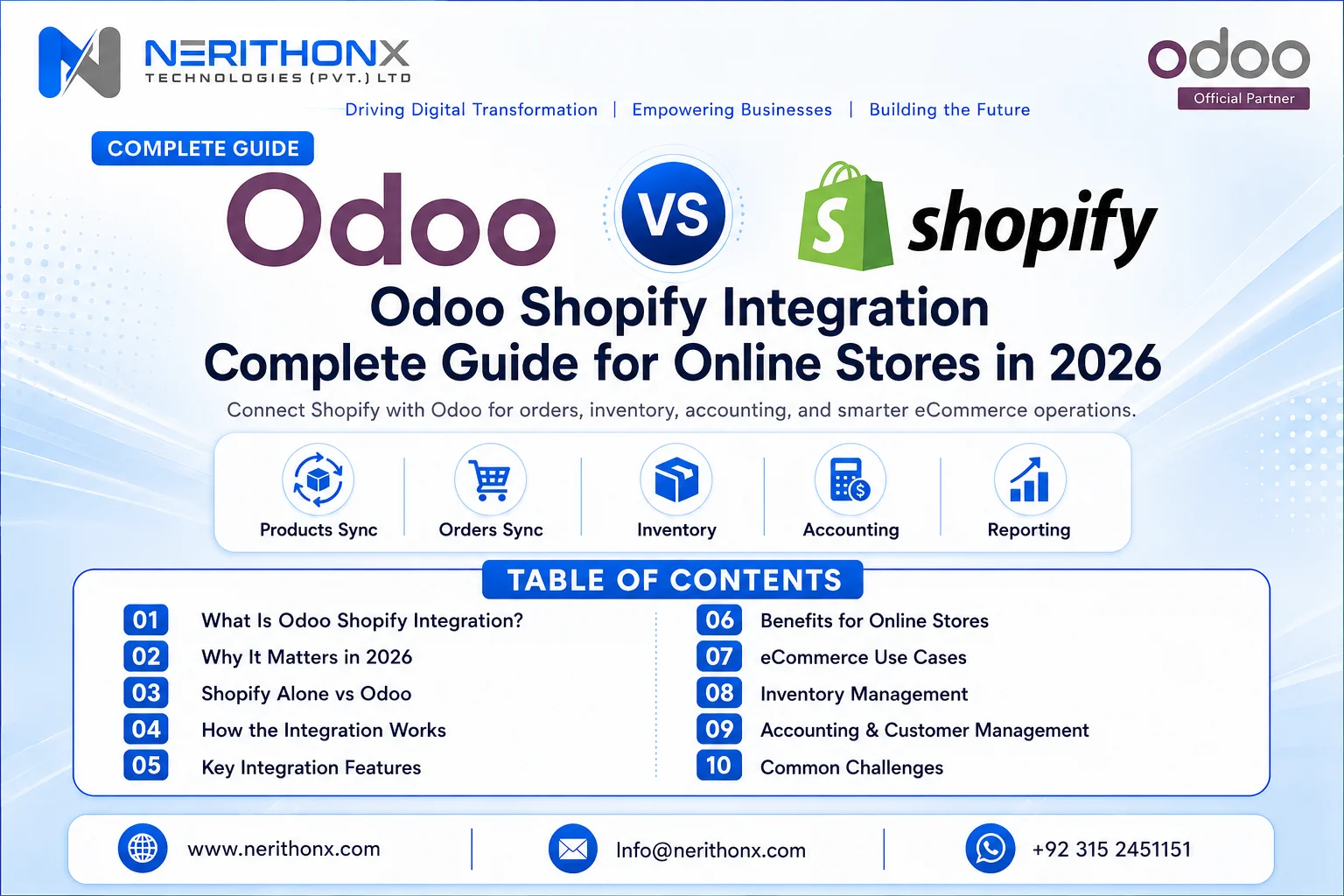
Many online stores sell through Shopify but manage inventory, accounting, order processing, purchase planning, customer records, and reports separately.
At the start, this may look simple.
A few orders come in. The team updates stock manually. Finance creates invoices separately. Warehouse staff confirms deliveries through messages. The owner checks sales reports from Shopify and inventory from Excel.
But as order volume grows, manual work creates serious problems.
Stock mismatches start happening. Deliveries get delayed. Teams enter the same data again and again. Reports do not match. Customers ask for order updates, but sales and warehouse teams are not always on the same page.
This is where Odoo Shopify Integration becomes important.
In 2026, online stores need connected systems. Shopify is excellent for online selling, storefront management, product display, cart, checkout, and customer experience. Odoo helps manage backend business operations such as sales, inventory, purchase, accounting, CRM, warehouse, manufacturing, POS, and reporting.
Odoo Shopify Integration connects the online store with ERP operations so businesses can reduce manual work, avoid duplicate data entry, improve stock accuracy, process orders faster, and get better visibility.
But integration is most useful when workflows are properly planned, product data is clean, and the connector is configured according to business needs.
What Is Odoo Shopify Integration?
Odoo Shopify Integration means connecting a Shopify online store with Odoo ERP so both systems can exchange important business data.
Instead of manually copying orders, customers, stock quantities, invoices, and product details between Shopify and Odoo, integration allows the systems to communicate with each other.
Depending on the connector, Odoo version, Shopify setup, business workflows, and implementation approach, integration can connect data such as:
- Products
- Product variants
- Customers
- Sales orders
- Inventory quantities
- Warehouses
- Delivery orders
- Invoices
- Payments
- Taxes
- Discounts
- Refunds or returns
- Shipping information
Shopify provides tools for online commerce and store operations, including products, orders, customers, inventory, and admin workflows. Shopify’s GraphQL Admin API is also designed for apps and integrations that extend Shopify admin capabilities. (Shopify)
Odoo, on the other hand, provides business applications for operations such as Sales, Inventory, Accounting, Manufacturing, Point of Sale, and reporting. Odoo’s Sales app is used to manage the sales process from quotation to sales order, delivery, and invoicing. (Odoo)
The key point is simple: Shopify manages the online store. Odoo manages backend business operations. Integration connects both sides.

Why Online Stores Need Odoo Shopify Integration in 2026
Online stores now need faster order processing, accurate stock visibility, better customer handling, stronger financial control, and real-time reporting.
Without integration, teams often depend on manual updates.
For example, Shopify may show a product as available, but warehouse stock may already be low. Finance may wait for manual order details before creating invoices. Purchase teams may not know which products are selling fast. Management may not get a complete view of sales, stock, and profitability.
Odoo Shopify Integration can help online stores improve:
- Less manual data entry
- Faster order processing
- Better stock accuracy
- Improved customer data management
- Easier invoice creation
- Better purchase planning
- Reduced duplicate work
- Improved warehouse coordination
- Better business reporting
- More scalable eCommerce operations
These results depend on business process, configuration, connector capability, and user training.

Shopify Alone vs Shopify Integrated with Odoo
Area | Shopify Alone | Shopify Integrated with Odoo |
Order Management | Orders managed mainly inside Shopify | Orders can sync into Odoo sales workflow |
Inventory Control | Stock managed inside Shopify admin | Stock can connect with Odoo warehouses and locations |
Accounting Workflow | Finance may use separate tools | Invoices, payments, and reports can be connected |
Purchase Planning | Limited backend purchase planning | Purchase planning can connect with stock and sales |
Customer Records | Customer data stays in Shopify | Customer data can support CRM and sales history in Odoo |
Warehouse Operations | Fulfillment handled from Shopify or third-party tools | Delivery orders and warehouse workflows can be managed in Odoo |
Reporting | Store-focused reporting | Sales, stock, finance, and operations reporting in one ERP |
Multi-Channel Management | May need separate processes | Odoo can support broader business workflows |
Team Productivity | More manual coordination | Less duplicate work when properly configured |
Business Visibility | Store visibility mainly | Better backend operational visibility |
Shopify helps businesses sell online.
Odoo Shopify Integration helps businesses manage backend operations more professionally and efficiently.
How Odoo Shopify Integration Works
The general flow is simple:
- Customer places an order on Shopify
- Order is synced to Odoo
- Customer record is created or updated
- Product and stock data are checked
- Delivery order is created in Odoo
- Invoice or payment information is managed
- Inventory is updated
- Reports and dashboards show business performance
This workflow may vary depending on connector, configuration, payment method, shipping method, warehouse setup, and accounting requirements.
For example, one business may want Shopify orders to create confirmed sales orders in Odoo. Another business may want orders to enter Odoo for review before delivery. A third business may need special handling for cash on delivery, partial payments, returns, or multiple warehouses.
That is why integration planning is very important before go-live.

Key Features of Odoo Shopify Integration
Product Synchronization
Product synchronization helps connect Shopify products with Odoo products.
This may include product names, SKUs, variants, prices, descriptions, categories, and images depending on setup.
For fashion stores, variants like size and color are very important. For electronics stores, SKU accuracy is critical. For beauty and cosmetics businesses, product category and inventory tracking may need more careful planning.
Before syncing products, businesses should clean product names, remove duplicates, verify SKUs, and confirm product categories.
Order Synchronization
Order synchronization allows Shopify orders to come into Odoo as sales orders.
This helps sales, warehouse, inventory, finance, and management teams work from one connected system.
Once the order is in Odoo, the team can process delivery, manage invoicing, check stock, and monitor order performance.
Shopify’s Order object represents a customer’s request to purchase one or more products and supports the purchase lifecycle. (Shopify) In Odoo, confirmed sales orders can move toward delivery and invoicing depending on the workflow. (Odoo)
Customer Synchronization
Customer synchronization allows Shopify customer data to be available in Odoo.
This helps businesses improve CRM, sales history, customer support, repeat purchase visibility, and communication.
For example, if a customer buys multiple times from Shopify, the sales or support team can view customer history in Odoo instead of searching different systems.
Inventory Synchronization
Inventory synchronization is one of the most important parts of Odoo Shopify Integration.
If stock is not synced properly, businesses may face overselling, stockouts, wrong delivery promises, delayed purchases, and customer complaints.
With proper configuration, stock levels can be managed between Odoo and Shopify. Shopify allows inventory tracking and stock adjustments from the Shopify admin, while Odoo Inventory supports warehouse and inventory workflows. (Shopify Help Center)
The important point is that inventory sync should be planned carefully.
Businesses must decide:
- Which system controls stock?
- Which warehouse stock should show on Shopify?
- How often should stock update?
- How should returns affect stock?
- How should damaged or reserved stock be handled?
Invoice and Payment Workflow
Odoo Shopify Integration can support finance teams by reducing manual order entry and helping connect sales with invoices, payments, taxes, and reports.
This may include:
- Sales invoices
- Payment references
- Discounts
- Taxes
- Refunds
- Customer balances
- Sales reports
- Accounting review
Odoo Invoicing is designed to create invoices, send them to customers, and manage payments, while Odoo Accounting adds broader features such as financial reports and bank reconciliation. (Odoo)
However, accounting workflows should be configured according to the business process and reviewed by the finance team. No integration should be treated as a replacement for proper accounting review.
Delivery and Shipping Workflow
Delivery and shipping workflows connect online orders with warehouse operations.
When an order syncs from Shopify to Odoo, a delivery order may be created in Odoo depending on setup. Warehouse teams can then process picking, packing, delivery, and fulfillment.
This is useful for businesses that want better control over warehouse stock, delivery status, and order fulfillment.
Refunds and Returns Handling
Returns and refunds should be planned carefully.
Some businesses handle returns directly in Shopify. Some manage returns through Odoo. Some need both systems to stay updated.
The exact workflow depends on connector capability, return policy, stock condition, refund process, and accounting requirements.
Before go-live, businesses should test return cases clearly.
Reporting and Dashboards
Integrated data helps management track sales, stock, revenue, orders, customers, and product performance.
Instead of checking Shopify for orders, Excel for inventory, and separate software for accounting, management can use Odoo reporting and dashboards to understand business performance.
This improves decision-making and reduces reporting delays.
Benefits of Odoo Shopify Integration for Online Stores
Odoo Shopify Integration can help online stores with:
- Reduced manual work
- Faster order processing
- Better inventory visibility
- Reduced duplicate data entry
- Improved stock control
- Better customer management
- Easier accounting workflow
- Stronger purchase planning
- Better warehouse coordination
- Improved reporting
- Better team productivity
- More scalable online store operations
These benefits are possible when product data is clean, workflows are properly configured, and users are trained.
Odoo Shopify Integration Use Cases
For Fashion and Clothing Stores
Fashion stores usually manage many product variants such as sizes, colors, styles, and collections.
Odoo Shopify Integration can help with:
- Product variants
- Sizes and colors
- Stock sync
- Fast-moving product reports
- Return tracking
For example, a clothing store can track which size or color is selling faster and plan stock accordingly.
For Electronics Stores
Electronics businesses need accurate SKU tracking, purchase planning, warranty-related customer history, and delivery updates.
Integration can help with:
- SKU tracking
- Warranty-related customer history
- Stock visibility
- Purchase planning
- Delivery tracking
This gives sales and support teams better customer and product visibility.
For Beauty and Cosmetics Stores
Beauty and cosmetics stores often manage product categories, bundles, customer preferences, and inventory alerts.
Integration can support:
- Batch or expiry-related planning if required
- Product bundles
- Inventory alerts
- Customer buying history
- Sales performance reports
This helps teams understand which products are performing well and which products need attention.
For Wholesale and Distribution Businesses
Wholesale and distribution businesses usually handle bulk orders, multiple customers, warehouses, and pricing rules.
Integration can help with:
- Bulk orders
- Warehouse stock visibility
- Customer pricing
- Purchase planning
- Delivery coordination
This improves coordination between sales, purchase, warehouse, and finance teams.
For Manufacturing-Based Online Stores
Some businesses manufacture products and sell them online through Shopify.
In this case, Odoo Shopify Integration can support:
- Raw material planning
- Finished goods stock
- Manufacturing order connection
- Shopify sales demand
- Inventory and production visibility
This helps management connect online demand with production planning.
Odoo Shopify Integration and Inventory Management
Inventory is one of the most important parts of Shopify Odoo integration.
If stock is not synced properly, businesses may face overselling, stockouts, wrong delivery promises, delayed purchases, and customer complaints.
Before integration, businesses should review:
- Product SKUs
- Warehouses
- Stock locations
- Reordering rules
- Safety stock
- Purchase planning
- Delivery orders
- Returns
- Stock adjustments
- Inventory reports
Clean product data and proper warehouse configuration are essential before integration.
For example, if the same product has different SKUs in Shopify and Odoo, the connector may create duplicate products or sync stock incorrectly. If warehouse locations are not defined properly, Shopify may show stock that is not actually available for online orders.

Odoo Shopify Integration and Accounting
Odoo Shopify Integration can support finance teams by reducing manual order entry and helping connect sales with invoices, payments, taxes, and reports.
Common accounting areas include:
- Sales invoices
- Payment methods
- Payment references
- Discounts
- Taxes
- Refunds
- Customer balances
- Sales reports
- Accounting review
Odoo’s accounting documentation explains that invoicing can manage invoices and payments, while accounting also supports financial reports and reconciliation features. (Odoo)
However, this section must be handled carefully.
Tax, payment, refund, and reconciliation workflows should be configured according to the business process and reviewed by the finance team.
Odoo Shopify Integration and Customer Management
When Shopify customer data is available in Odoo, businesses can improve customer history, support, sales follow-ups, and CRM activities.
This may include:
- Customer profiles
- Order history
- Repeat purchase visibility
- Support history
- Sales team follow-ups
- Customer segmentation possibilities
For example, if a customer repeatedly buys a specific product category, the business can use that information for better customer handling and sales planning.
Common Challenges in Odoo Shopify Integration
Odoo Shopify Integration can bring strong business value, but poor planning can create problems.
Common challenges include:
- Duplicate products
- Wrong SKUs
- Incorrect stock quantities
- Product variant mismatch
- Tax configuration issues
- Payment reconciliation issues
- Shipping method mismatch
- Refund and return workflow confusion
- Poor connector selection
- Weak testing before go-live
- Lack of user training
- Unclear ownership between sales, warehouse, and finance teams
Most integration problems happen because workflows are not mapped properly before implementation.
A connector can move data, but it cannot fix unclear business processes by itself.
How to Prepare Your Business for Odoo Shopify Integration
Before starting integration, businesses should prepare properly.
Use this checklist:
- Review your Shopify store structure
- Clean product names, SKUs, variants, and categories
- Verify inventory quantities
- Define warehouses and stock locations
- Decide order sync workflow
- Decide product sync direction
- Define invoice and payment workflow
- Configure taxes, discounts, and shipping methods
- Plan returns and refunds
- Test with sample orders
- Train sales, warehouse, inventory, and finance users
- Go live step by step
- Monitor sync errors and reports
- Work with an experienced Odoo integration partner
This preparation helps reduce errors and makes the integration more useful for daily operations.
Best Practices for Successful Shopify Odoo Integration
For successful Shopify Odoo Integration, businesses should follow these best practices:
- Start with clear business goals
- Keep product SKUs unique and consistent
- Avoid duplicate product creation
- Test orders before full go-live
- Confirm inventory sync direction
- Keep finance team involved
- Define who handles sync errors
- Use dashboards for monitoring
- Train users properly
- Review integration after go-live
Integration is not only a technical task. It is a business workflow project.
The goal is not just to connect Shopify and Odoo. The goal is to make sales, inventory, warehouse, accounting, and reporting work better together.
Odoo Shopify Integration for Pakistani Businesses
Many Pakistani online stores sell through Shopify but manage backend work through Excel sheets, WhatsApp updates, manual inventory checks, separate accounting software, and disconnected warehouse records.
This creates confusion between online sales, inventory, warehouse, purchase, and finance teams.
For businesses in Pakistan, especially in cities like Peshawar and Islamabad, Odoo Shopify Integration can help improve:
- Online order processing
- Inventory control
- Purchase planning
- Sales reporting
- Customer management
- Accounting workflow
- Warehouse coordination
- Team productivity
- Business visibility
Pakistani SMEs and growing eCommerce businesses do not need to automate everything in one day. They can start with order sync, product sync, inventory sync, and basic reporting. After that, they can expand toward accounting automation, purchase planning, dashboards, and advanced workflows.

Is Odoo Shopify Integration Suitable for SMEs?
Yes, Odoo Shopify Integration can be useful for SMEs when implemented step by step.
Small and medium online stores do not need to automate everything on day one.
They can start with:
- Shopify order sync
- Customer sync
- Product sync
- Inventory sync
- Invoice workflow
- Delivery workflow
- Sales dashboard
- Basic reporting
This allows businesses to improve operations without making the system too complex.
The best approach is to start with the workflows that create the most manual work or operational errors.
Why Choose NerithonX Technologies for Odoo Shopify Integration?
NerithonX Technologies (Pvt.) Ltd. helps businesses in Pakistan implement, customize, integrate, migrate, and support Odoo ERP systems.
The team focuses on real business workflows, not just software installation.
As an Official Odoo Partner, NerithonX Technologies supports businesses with:
- Odoo ERP implementation in Pakistan
- Odoo Shopify Integration
- Odoo eCommerce integration
- Odoo customization and integration
- Inventory and sales automation
- ERP reporting and dashboard setup
- User training and post-go-live support
- Practical support for businesses in Peshawar, Islamabad, and across Pakistan
With 7+ years of experience, 20+ Odoo experts, and 19+ businesses transformed, NerithonX Technologies helps online stores build scalable eCommerce backend systems with Odoo ERP.
Final Thoughts
Odoo Shopify Integration in 2026 is not only about connecting two systems.
It is about helping online stores reduce manual work, improve stock control, process orders faster, manage customers better, and get stronger business visibility.
Shopify helps businesses sell online. Odoo helps manage backend operations. When both systems are connected properly, businesses can work with better control, better reporting, and better team coordination.
If your online store wants to connect Shopify with Odoo ERP, improve inventory control, automate order processing, or build a scalable eCommerce backend, NerithonX Technologies can help you plan and implement the right integration for long-term growth.
Want to connect Shopify with Odoo ERP? Contact NerithonX Technologies for Odoo Shopify Integration, inventory automation, order processing, reporting, and long-term ERP support.
FAQ
1. What is Odoo Shopify Integration?
Odoo Shopify Integration means connecting a Shopify online store with Odoo ERP so products, orders, customers, inventory, invoices, payments, and reports can work together.
2. Why do online stores need Shopify Odoo integration?
Online stores need Shopify Odoo integration to reduce manual work, improve stock accuracy, process orders faster, connect accounting workflows, and improve business visibility.
3. Can Shopify orders sync with Odoo?
Yes, Shopify orders can sync with Odoo depending on the connector, configuration, Odoo version, Shopify setup, and business workflow.
4. Can Odoo update Shopify inventory?
Yes, Odoo can update Shopify inventory when inventory sync is properly configured and product SKUs, warehouses, and stock rules are correctly managed.
5. What data can be synced between Shopify and Odoo?
Common synced data may include products, variants, customers, sales orders, inventory quantities, invoices, payments, taxes, discounts, deliveries, refunds, and returns.
6. Is Odoo Shopify Integration useful for small online stores?
Yes, small online stores can start with order sync, customer sync, inventory sync, invoice workflow, delivery workflow, and basic reporting.
7. What are the common problems in Shopify Odoo integration?
Common problems include duplicate products, wrong SKUs, stock mismatch, variant issues, tax setup errors, payment reconciliation problems, weak testing, and lack of user training.
8. Why choose NerithonX Technologies for Odoo Shopify Integration?
NerithonX Technologies helps Pakistani businesses implement, customize, integrate, and support Odoo ERP with practical workflows, training, reporting, and long-term support.