
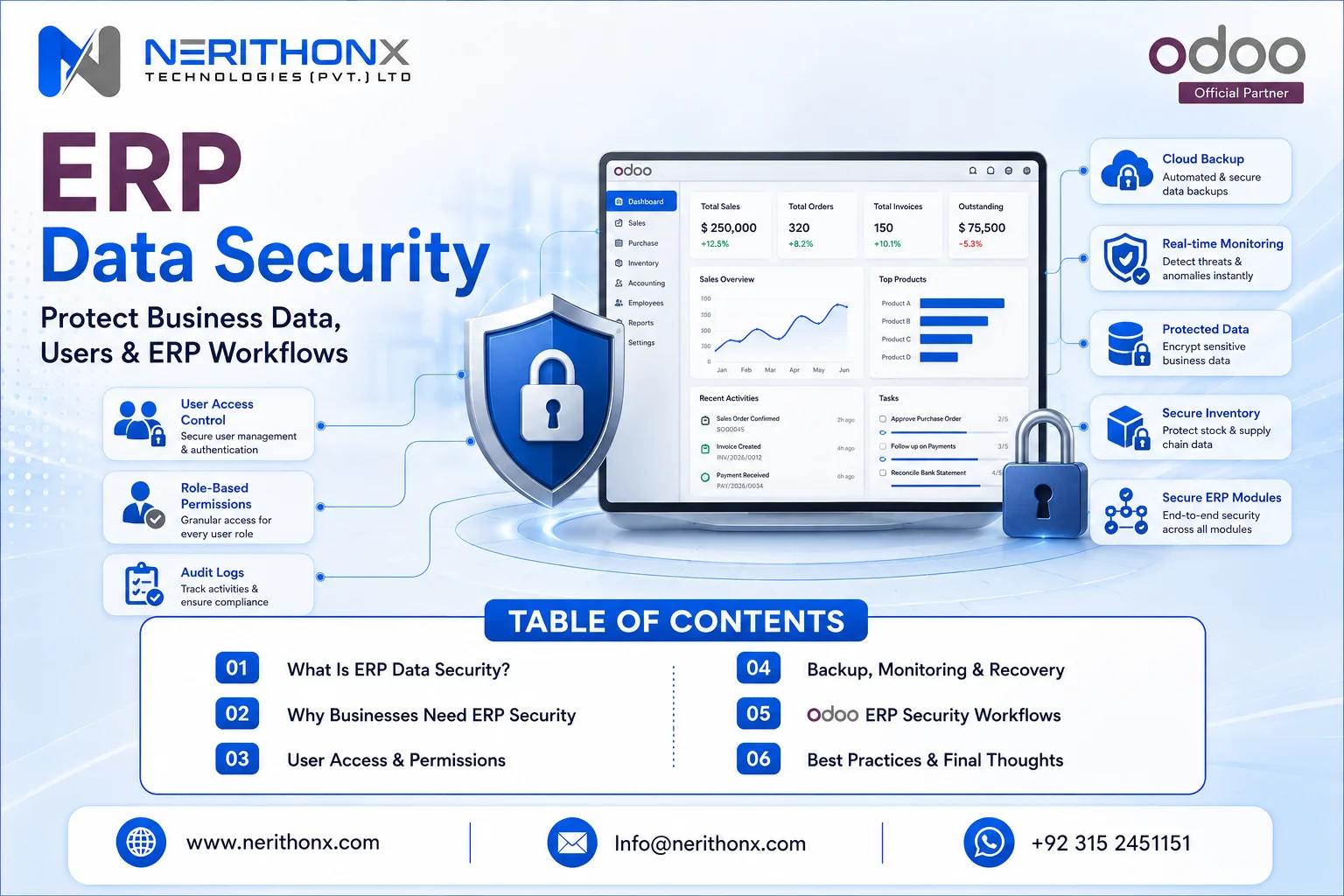
ERP systems store sensitive business data such as accounting records, customer details, supplier information, employee data, inventory records, sales orders, purchase orders, production data, and management reports. If ERP access is weak, backups are missing, users have too much permission, or integrations are not secured, the business can face data loss, fraud, downtime, compliance issues, and operational disruption. This is why ERP data security is important for every modern business.
For many companies, ERP is the central system of the business. It connects sales, purchase, accounting, inventory, HR, manufacturing, CRM, reporting, and management decisions. When this system is not protected properly, one user mistake or weak configuration can affect many departments.
ERP security is not only an IT responsibility. Business owners, managers, finance teams, operations teams, and ERP users all have a role to play. A secure ERP environment requires the right people, processes, permissions, backups, monitoring, training, and implementation support.
What Is ERP Data Security?
ERP data security means protecting the data, users, permissions, processes, hosting, backups, integrations, and reports inside an ERP system from unauthorized access, misuse, loss, corruption, and cyber threats.
In simple words, ERP data security helps answer these questions:
- Who can access the ERP system?
- What data can each user see?
- What actions can each user perform?
- Who can approve, edit, delete, or export records?
- Are backups available if something goes wrong?
- Are integrations controlled and documented?
- Are sensitive reports protected?
- Is user activity monitored?
- Is the ERP system configured safely?
ERP security is not only about passwords. It includes access rights, user roles, hosting, backups, audit logs, integrations, employee training, secure customization, and incident response planning.
Why ERP Data Security Matters
ERP data security matters because ERP is a central system for business data.
A company may use ERP to manage accounting, invoices, payments, taxes, inventory, purchase orders, sales orders, customers, suppliers, payroll, production, projects, and reports. If this information is exposed, changed incorrectly, deleted, or misused, the business can face serious operational and financial problems.
ERP data security helps protect:
- Accounting and finance data
- Customer and supplier records
- Employee information
- Inventory and warehouse data
- Manufacturing and production records
- Sales and purchase workflows
- Management reports
- Business documents and attachments
Weak ERP security can create many problems. Unauthorized changes can damage reports. Shared logins can make it impossible to know who made a mistake. Missing backups can make recovery difficult. Inactive users can create unnecessary access risk.
A secure ERP system supports trust, accountability, continuity, and better management control.
What Type of Data Is Stored in an ERP System?
ERP systems usually store many types of business data. This is why security planning is important from the start.
Common ERP data includes:
- Financial data
- Sales data
- Customer data
- Supplier data
- Purchase records
- Inventory data
- Manufacturing data
- HR and payroll data
- Project data
- Documents and attachments
- Reports and dashboards
- Audit and activity records
Some of this data is highly sensitive. For example, payroll information should not be visible to all users. Vendor bank details should not be editable by everyone. Accounting settings should only be managed by trusted users. Inventory adjustments should be controlled and reviewed.
ERP data security protects business information according to real job responsibilities.
Common ERP Security Risks
Many ERP risks are caused by weak processes, poor user access planning, or lack of training.
Common ERP security risks include:
- Weak passwords
- No two-factor authentication
- Too many admin users
- Wrong access rights
- Shared user accounts
- Inactive users not removed
- Poor backup planning
- Outdated systems
- Insecure integrations
- Weak hosting configuration
- No audit trail review
- No employee security training
- Data export misuse
- Phishing and social engineering
- Third-party or vendor access risks
- Poor incident response planning
For SMEs, these risks often happen because the ERP system grows quickly but user roles are not reviewed regularly. A user may get temporary access for one task, but that access is never removed. A former employee may still have login access. A manager may give admin rights to users only because it is faster.
These small mistakes can create serious risk over time.
ERP Data Security vs General Cybersecurity
General cybersecurity protects the full IT environment. This may include computers, networks, email, websites, servers, cloud accounts, mobile devices, firewalls, and endpoint protection.
ERP data security focuses specifically on protecting the ERP system, ERP users, ERP workflows, ERP database, ERP integrations, ERP reports, and ERP business records.
Both must work together.
For example, a company may have antivirus and firewall protection, but if every ERP user has admin rights, ERP data is still at risk. Similarly, a company may have strong ERP roles, but if users fall for phishing attacks, their accounts may still be compromised.
Good security combines technology, process, and employee awareness.
Core Principles of ERP Data Security
ERP data security should be built on clear principles.
Confidentiality
Confidentiality means only authorized users should access sensitive data.
For example, payroll data should be available only to HR and approved management users. Finance reports should be limited to finance teams and authorized managers.
Integrity
Integrity means data should remain accurate and reliable.
If users can change accounting entries, stock quantities, vendor details, or product costs without control, reports can become unreliable.
Availability
Availability means the ERP system and data should be accessible when needed.
If ERP is down during sales, purchasing, production, or accounting work, business operations can stop. Backups, hosting, monitoring, and recovery planning support availability.
Least Privilege Access
Least privilege means users should get only the access they need to do their job.
A sales user should not automatically get payroll access. An inventory user may not need accounting configuration access. A manager may need reports but not full system settings.
Segregation of Duties
Segregation of duties means important tasks should be divided between different users where possible.
For example, the same person should not create a vendor, approve the vendor bank details, create the bill, and approve payment without review.
User Accountability
Every user should have a separate login. Shared accounts reduce accountability because management cannot identify who performed an action.
Backup and Recovery
Backups protect the business if data is lost, corrupted, or affected by system failure. Recovery planning explains how the business will restore operations.
Secure Configuration
ERP modules, settings, access rights, record rules, integrations, and customizations should be configured carefully.
Continuous Monitoring
Security is not a one-time task. User activity, access rights, backups, integrations, and sensitive changes should be reviewed regularly.
Employee Awareness
Employees must understand safe login practices, phishing risks, password protection, data export rules, and reporting procedures for suspicious activity.
ERP Data Security Best Practices
The following ERP data security best practices help businesses build safer ERP workflows.
Use Strong Passwords
Weak passwords are a common access risk. Businesses should require strong passwords and avoid simple, reused, or shared passwords.
Enable MFA or 2FA
Multi-factor authentication or two-factor authentication adds another verification layer during login. This is especially important for admin users, finance users, HR users, and managers.
Use Role-Based Access Control
Role-based access control means users receive access based on their job role. This makes permissions easier to manage and review.
Limit Administrator Access
Admin access should be limited to trusted users. Too many admin users increase security risk and configuration mistakes.
Review User Permissions Regularly
Access rights should be reviewed regularly, especially after job changes, department transfers, resignations, or new module implementation.
Disable Inactive Users
Former employees and inactive users should be disabled quickly. Keeping inactive accounts open creates unnecessary risk.
Avoid Shared Accounts
Every user should have a unique account. Shared accounts make activity tracking difficult and increase misuse risk.
Protect Sensitive Financial and HR Data
Financial settings, vendor bank details, payment records, salary information, and employee records should have limited access.
Secure Integrations and APIs
ERP integrations with websites, e-commerce stores, payment systems, WhatsApp tools, CRM, mobile apps, and third-party APIs should be documented and controlled.
Keep ERP Updated
Updates can include bug fixes, security improvements, and compatibility improvements. Businesses should plan updates carefully and test them before applying to production.
Use Trusted Hosting
ERP hosting should be selected based on business needs, IT capacity, budget, data protection expectations, and support requirements.
Encrypt Data Where Applicable
Encryption can help protect data during storage or transfer, depending on the hosting setup and system design.
Maintain Regular Backups
Backups should be configured properly and stored safely.
Test Backup Restoration
A backup is only useful if it can be restored. Businesses should test restoration according to their risk and recovery needs.
Monitor Logs and User Activity
Sensitive activity should be reviewed. This may include invoice changes, user access changes, stock adjustments, and vendor detail updates.
Train Employees
Employees should understand safe ERP use, phishing awareness, password protection, data handling, and reporting suspicious activity.
Create an Incident Response Plan
An incident response plan explains what the business should do if an ERP security issue happens.
Review Security After Customization or Migration
Custom modules, new integrations, and data migration can introduce risk if not reviewed carefully.

Role-Based Access Control in ERP
Role-based access control, also called RBAC, means users receive permissions based on their job responsibilities.
This is one of the most important parts of ERP data security.
Practical examples:
- A sales user should not access payroll.
- An inventory user may not need accounting settings.
- An accountant may need finance access but not full system administration.
- A manager may need dashboards and reports but not configuration rights.
- Admin rights should be limited to trusted users.
- Purchase users may need supplier and purchase order access but not HR records.
- HR users may need employee data but not warehouse adjustments.
RBAC helps reduce mistakes, fraud risk, and unauthorized access. It also makes user training easier because users only see the areas they need.
Two-Factor Authentication and Login Security
Passwords alone are not enough for strong ERP login security. If a password is guessed, leaked, or stolen, an unauthorized person may access the ERP system.
Two-factor authentication adds another verification step. This usually requires a code from an authenticator app or another approved method.
2FA is especially important for:
- Admin users
- Finance users
- HR users
- Managers
- Remote users
- Users with export permissions
- Users with access to customer or supplier data
Companies should also avoid shared accounts. If many employees use one login, it becomes difficult to track responsibility and control access.
Login security should be part of employee training. Users should know how to protect credentials, avoid phishing links, and report suspicious login activity.
ERP Audit Logs and Activity Tracking
ERP audit logs and activity tracking support accountability.
Logs can help businesses investigate mistakes, review sensitive changes, and understand user activity. They are useful for internal control and audit readiness.
Examples of activities that may need review include:
- Invoice changes
- Vendor bank detail changes
- Access right changes
- Stock adjustments
- User login activity
- Record deletion or modification where available
- Customer credit limit changes
- Product cost changes
- Payment status changes
Audit logs do not replace good process control, but they help management review what happened and who performed important actions.
ERP Backup and Disaster Recovery
Backups are critical for ERP data security.
A backup is a saved copy of ERP data. Disaster recovery is the broader plan for restoring operations after a serious issue such as server failure, cyber incident, accidental deletion, or data corruption.
A good backup and disaster recovery plan should define:
- What data is backed up
- How often backups are created
- Where backups are stored
- Who can access backups
- How long backups are retained
- How restoration will be tested
- How quickly the business needs to recover
- Who is responsible during an incident
Cloud and on-premise ERP systems both need backup planning. Even if a provider handles infrastructure backups, businesses should still understand backup policy, restoration process, and recovery expectations.
Cloud ERP Security vs On-Premise ERP Security
Both cloud ERP and on-premise ERP can be secure when planned and managed properly. The best option depends on business needs, IT capacity, budget, compliance expectations, and support requirements.
Cloud ERP Security
In cloud ERP, the provider handles much of the infrastructure, hosting, and platform-level security.
Cloud ERP may offer:
- Easier infrastructure management
- Managed hosting
- Faster security updates
- Backup options
- Remote access
- Scalability
However, cloud ERP still requires strong user access control, 2FA, data policy review, integration security, and employee training.
On-Premise ERP Security
In on-premise ERP, the business controls its own server, network, hosting environment, and physical infrastructure.
On-premise ERP requires responsibility for:
- Server security
- Firewall configuration
- Operating system updates
- ERP patching
- Database backups
- Monitoring
- Physical security
- Internal IT support
- Network protection
On-premise systems can give more control, but they require stronger internal IT and security management.
ERP Security During Implementation, Customization, and Migration
ERP security should start before go-live.
During implementation, the business should define user roles, access rights, sensitive workflows, approval levels, and reporting permissions.
During data migration, old data should be handled carefully. Test data should not expose sensitive customer, employee, or financial information unnecessarily.
During customization, custom modules should follow secure development practices. Poorly reviewed custom code can create access, data, or performance risks.
Important implementation security steps include:
- Map real job responsibilities
- Define user roles before go-live
- Test access rights
- Limit admin users
- Protect sensitive data during testing
- Review custom modules
- Control migration files
- Validate backup planning
- Train users before launch
- Review security after go-live
Security should not be treated as an afterthought.

ERP Integration Security
ERP systems often connect with websites, e-commerce stores, payment systems, shipping tools, CRM, WhatsApp, mobile apps, accounting tools, and third-party APIs.
Each integration can create risk if it is not managed properly.
Businesses should manage:
- API keys
- User tokens
- Secure connections
- Limited integration permissions
- Vendor review
- Testing
- Monitoring
- Documentation
- Error handling
- Data access scope
An integration should only access the data it needs. For example, a shipping integration may need delivery information but should not access payroll or accounting configuration.
ERP Data Security for Accounting, Inventory, HR, and Manufacturing
ERP security should match each department’s risk.
Accounting Security
Accounting data is highly sensitive. Businesses should protect invoices, bills, payments, journals, bank details, tax settings, and financial reports.
Risks include unauthorized payments, wrong journal entries, vendor bank detail changes, and incorrect financial reports.
Inventory Security
Inventory security protects stock quantities, warehouse transfers, stock adjustments, product costs, lots, serial numbers, and delivery records.
Risks include incorrect stock adjustments, unauthorized product movement, negative stock problems, and inaccurate inventory valuation.
HR and Payroll Security
HR and payroll data should have strict access control.
Risks include salary data exposure, employee document exposure, unauthorized leave changes, and privacy concerns.
Manufacturing Security
Manufacturing security protects bills of materials, production orders, work orders, product formulas, operation steps, and production cost data.
Risks include unauthorized BoM changes, wrong production data, and inaccurate cost reporting.
Sales and CRM Security
Sales and CRM security protects customer records, quotations, sales orders, pricing, discounts, follow-ups, and customer communication history.
Risks include customer data misuse, unauthorized discounts, and incorrect sales reporting.
Purchase and Supplier Security
Purchase and supplier security protects supplier records, purchase orders, vendor bills, price lists, and supplier bank details.
Risks include fake supplier changes, unauthorized purchase approvals, and supplier data misuse.

How Odoo ERP Supports Data Security
Odoo ERP supports secure operations through user access, permissions, hosting options, two-factor authentication, module-based controls, and security-focused configuration.
Important Odoo security-related areas include:
- Odoo Security
- Odoo 2FA
- Odoo users and access rights
- User groups
- Module-based permissions
- Record rules
- Administrator controls
- Odoo Cloud security practices
- Odoo.sh hosting and backups where relevant
- Odoo database backups
- Activity tracking where relevant
- Security advisories
- Responsible disclosure
- GDPR and privacy resources where relevant
- Integration and customization security considerations
In Odoo, users can be assigned different access levels for different applications. For example, a user may have sales access but not accounting administration access. A manager may access reports but not system configuration. An admin user may manage settings, but that access should be limited carefully.
Odoo 2FA can add another layer of login protection. Odoo hosting options also affect how backups, infrastructure, updates, custom apps, and deployment are managed.
For best results, Odoo security should be planned during implementation, not after users start working in the system.
Common ERP Data Security Mistakes to Avoid
Businesses should avoid these common ERP data security mistakes:
- Giving every user admin access
- Using one shared login for many employees
- Ignoring 2FA
- Not removing ex-employees
- Not reviewing access rights
- No backup testing
- No data export policy
- No security training
- Using outdated ERP versions
- Installing unreviewed custom apps
- Ignoring integration permissions
- No incident response plan
- No security review after customization
- Allowing too many users to delete records
- Giving finance access to non-finance users
- Not documenting third-party access
These mistakes are common but preventable with proper planning and regular review.
ERP Data Security Checklist for Businesses
Use this practical ERP security checklist:
- User roles defined
- Admin users limited
- 2FA enabled for sensitive users
- Inactive users removed
- Access rights reviewed
- Shared accounts avoided
- Backups configured
- Backup restore tested
- ERP updates planned
- Integrations documented
- API access limited
- Audit logs reviewed
- Sensitive reports protected
- Employees trained
- Security policy documented
- Incident response plan prepared
- Vendor or partner access controlled
- Data export rules defined
- Custom modules reviewed
- Security reviewed after migration
This checklist can help SMEs build a safer ERP environment without making the process too complex.
ERP Data Security and Compliance Awareness
ERP security can support better compliance readiness, but ERP configuration alone is not legal compliance.
Different countries and industries may have different privacy, tax, financial, HR, and data protection requirements. A company operating in one country may have different responsibilities from a company operating in multiple countries.
Businesses should not treat ERP setup as a replacement for legal, cybersecurity, or compliance advice.
Regulated businesses should consult qualified legal, cybersecurity, or compliance professionals where required.
ERP partners can help configure secure workflows, access rights, backups, reporting, and data handling processes, but official compliance or certification requirements should be handled by qualified professionals.
ERP Data Security for Global Businesses
Businesses in Pakistan, UAE, Saudi Arabia, UK, USA, Canada, Europe, and other international markets face similar ERP security challenges.
These include:
- User access control
- Remote teams
- Multi-company data
- Multi-warehouse data
- Financial records
- Customer privacy
- Vendor access
- Cloud hosting decisions
- Integration control
- Compliance expectations
- Data backup and recovery planning
A flexible ERP system can be configured for different users, companies, branches, countries, currencies, workflows, approvals, and reporting needs.
This makes ERP security important for:
- ERP data security in Pakistan
- ERP data security in UAE
- ERP data security in Saudi Arabia
- ERP data security in UK
- ERP data security in USA
- ERP data security in Canada
- ERP data security in Europe
- Odoo ERP data security for global businesses
The goal is not to make unrealistic security promises. The goal is to reduce risk through better access control, secure configuration, training, backups, monitoring, and responsible ERP management.
How NerithonX Technologies Helps
NerithonX Technologies helps businesses plan, implement, customize, integrate, train, and support Odoo ERP workflows.
For secure ERP workflows, NerithonX Technologies can help with:
- Odoo implementation
- Odoo customization
- Odoo integration
- Odoo migration
- Odoo support and maintenance
- Odoo training
- ERP consulting
- Business automation
- User access planning
- Role and permission setup
- Secure workflow planning
- Data migration support
- Backup planning guidance
- Integration planning
- Reporting and dashboard setup
- Post-go-live support
NerithonX Technologies does not need to make fake security guarantees or certification claims. The practical value is helping businesses plan ERP workflows carefully, reduce permission mistakes, train users, control data access, and support secure business automation.
Final Thoughts
ERP data security is important because ERP systems contain the core data of a business. Accounting, sales, purchase, inventory, HR, manufacturing, CRM, and management reports all depend on secure and reliable ERP data.
The right ERP security approach combines access control, two-factor authentication, backups, monitoring, employee training, secure implementation, integration control, and reliable support.
No ERP system should be described as 100% secure. Security is an ongoing process. Businesses should review users, permissions, integrations, backups, and system configuration regularly.
For companies using or planning Odoo ERP, secure configuration from the start can help reduce risk and improve control across business operations.
Need safer ERP workflows for your business?
NerithonX Technologies can help you plan, implement, customize, and support Odoo ERP workflows with proper user access, role planning, integrations, reporting, backup guidance, and secure business automation.
FAQS
Frequently Asked Questions
What is ERP data security?
ERP data security means protecting ERP users, permissions, business data, workflows, hosting, backups, integrations, and reports from unauthorized access, misuse, loss, corruption, and cyber threats.
Why is ERP data security important?
ERP data security is important because ERP systems store sensitive business information such as accounting records, customer data, supplier details, inventory records, HR data, manufacturing information, and management reports.
What data should be protected in an ERP system?
Businesses should protect financial data, customer records, supplier records, purchase orders, sales orders, inventory data, HR and payroll records, manufacturing data, project data, documents, reports, and audit records.
What are the biggest ERP security risks?
Common ERP security risks include weak passwords, no 2FA, too many admin users, wrong access rights, shared accounts, inactive users, poor backups, outdated systems, insecure integrations, phishing, and lack of employee training.
How does role-based access control improve ERP security?
Role-based access control improves ERP security by giving users only the permissions they need for their job. This reduces unauthorized access, user mistakes, and unnecessary exposure of sensitive data.
Why is two-factor authentication important for ERP?
Two-factor authentication is important because passwords alone can be stolen or guessed. 2FA adds another verification step, making unauthorized login more difficult.
Is cloud ERP secure?
Cloud ERP can be secure when the provider follows strong security practices and the business manages user access, 2FA, integrations, data policies, backups, and employee training properly.
How does Odoo help with ERP data security?
Odoo supports ERP security through users, access rights, user groups, record rules, administrator controls, 2FA, hosting options, backups, module permissions, and secure configuration practices.
How often should ERP user access be reviewed?
ERP user access should be reviewed regularly and whenever employees join, leave, change roles, switch departments, or receive temporary access for a specific task.
Can NerithonX Technologies help secure Odoo ERP workflows?
Yes. NerithonX Technologies can help businesses plan, implement, customize, integrate, train, and support Odoo ERP workflows with proper user roles, permission setup, integration planning, reporting, backup guidance, and secure business automation.