Odoo version checked: July 24, 2026. Latest downloadable Community major release: Odoo 19.0.
Disclosure: NerithonX Technologies provides Odoo services. Recommendations depend on verified requirements and technical capacity.
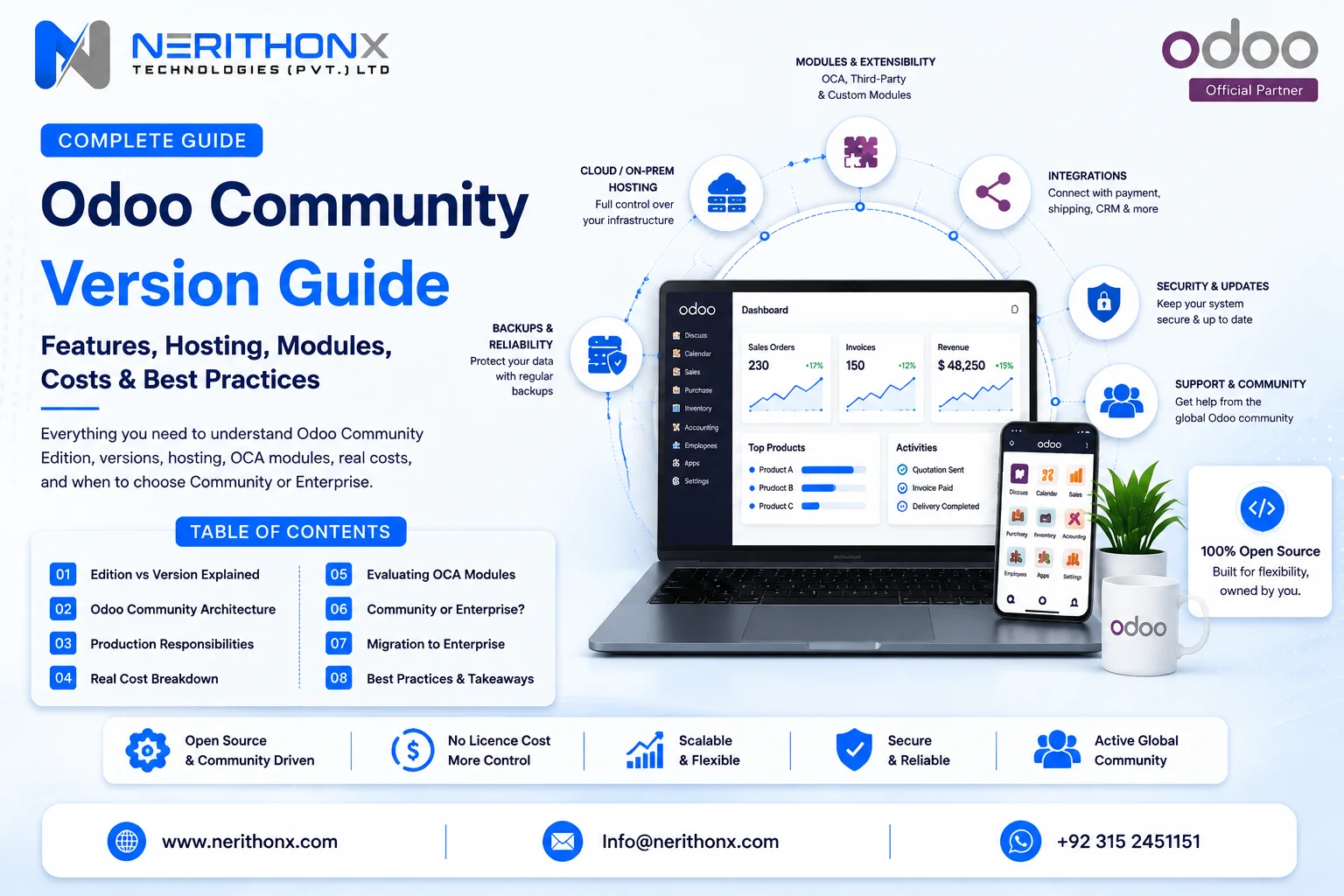
The Odoo Community version, officially Odoo Community Edition, is Odoo’s open-source edition. It has no Enterprise licence fee, but production use still requires hosting, security, backups, support, maintenance, and upgrades. This guide covers version 19.0, LGPLv3, applications, installation, hosting, customization, integrations, OCA modules, real costs, limitations, readiness, and Enterprise comparison. See the Community page and Download page.
Direct answer: Odoo Community is the LGPLv3-licensed, downloadable open-source edition. It can support real workflows and custom development, but the organization must own or contract infrastructure, security, backups, module quality, support, and upgrades.
What Is the Odoo Community Version?
Community Edition is the public core of the wider Odoo platform. Its source is available in the official Odoo GitHub repository, using a modular architecture in which applications install additional models, views, rules, and workflows.
Odoo states that Community is the core on which Enterprise is built. Enterprise adds separately licensed proprietary add-ons and services. That relationship does not permit copying Enterprise modules into Community without the required subscription and licence rights.
Community also benefits from developers, partners, the Odoo Community Association (OCA), and independent publishers. Official Community modules, OCA modules, third-party apps, and custom code must remain clearly distinguished.
Odoo Community Version at a Glance
Area | Community position | Business implication |
Licence/source | LGPLv3; public repository | Verify core and module licences |
Users | No Enterprise per-user subscription | Capacity still requires testing |
Hosting | Self-hosted or third-party | Infrastructure ownership is required |
Apps | Depends on 19.0 source and edition comparison | Test every workflow and localization |
Custom/OCA/third-party modules | Available under conditions | Review compatibility, licence, and support |
Integrations | Supported mechanisms are available | Architecture and maintenance are required |
Official support/hosting/upgrades | Not Enterprise entitlements | Arrange internal or partner ownership |
Mobile/low-code | Edition-dependent; Studio is not Community | Verify field and customization needs |
Enterprise migration | Official path exists | Test modules, data, and hosting |
Odoo Community “Version” vs “Edition”
Community is an edition. A number such as 19.0 is a major version. Odoo Online also receives intermediary SaaS releases, which are not downloadable Community branches.
Term | Meaning | Example | Why it matters |
Edition | Licence and product family | Community or Enterprise | Determines code, services, and rights |
Major version | Downloadable release line | 19.0 | Determines module compatibility |
SaaS release | Odoo Online intermediary release | 19.3 | Not a Community download |
Branch | Source-code development line | GitHub 19.0 | Required by developers and modules |
Check the official Download page before installation. Do not call an Online SaaS release “the latest Community version.”

What Is the Latest Odoo Community Version?
The latest downloadable Community major release verified on July 24, 2026 is Odoo 19.0, released in September 2025. The official page also offers 18.0 and 17.0 downloads, and GitHub exposes a 19.0 branch.
Odoo’s support table separately listed Online 19.1, 19.2, and 19.3. Those intermediary releases are for Odoo Online, not independent Community downloads.
A live company may remain on an older version because localizations, OCA branches, third-party modules, custom code, or integrations are not ready. “Latest” is not automatically safest without compatibility and regression testing.
Is Odoo Community Really Free?
The Community software licence can be free, while the operating environment and professional work are paid.
Initial costs can include analysis, installation, hosting setup, configuration, migration, custom development, integrations, testing, training, and launch. Recurring costs can include infrastructure, administration, monitoring, backups, support, security work, module maintenance, and user training. Major upgrades create periodic cost.
A free licence should be treated as one line in the total cost of ownership, not as the complete ERP budget.
Understanding the Odoo Community Licence
Odoo 19 Community Edition uses the GNU Lesser General Public License version 3 (LGPLv3). In practical terms, the licence permits use, modification, and commercial deployment, subject to the official terms and obligations.
Separate modules can use different compatible licences. OCA repositories commonly identify repository and module licences, and commercial Apps Store modules may have their own terms. Enterprise add-ons use the Odoo Enterprise Edition licence and require a valid subscription.
Trademark rights are separate from software copyright. Do not imply official endorsement through branding.
Licensing disclaimer: This section is general information, not legal advice. Obtain qualified legal advice for unusual redistribution, software-as-a-service, white-label, proprietary-addon, or combined-work requirements.
How to Download Odoo Community
Use legitimate sources: the official Download page, Odoo’s public GitHub repository, official packages, or the documented source-installation route.
- Select the correct major version.
- Choose an installation method supported by Odoo documentation.
- Review operating-system, Python, PostgreSQL, and dependency requirements.
- Install and test in a non-production environment.
- Confirm trusted origin or package signatures where applicable.
- Back up any existing database and filestore before changes.
- Avoid unknown repackaged downloads.
Odoo provides Community packages for Debian-based Linux, RPM-based Linux, Windows, and source installation. Its documentation discourages Windows for production deployment. This guide intentionally avoids an incomplete production command sequence.
What Applications Are Included in Odoo Community?
Verify applications through the official Editions comparison, the public 19.0 source, dependencies, and a test database. This table identifies Community areas without claiming every subfeature.
Area | Community use | Limitation to verify |
CRM and Sales | Leads, opportunities, quotations, invoices | Advanced services and finance depth |
Purchase and Inventory | Orders, receipts, deliveries, stock moves | Barcode and warehouse depth |
Manufacturing | Bills of materials and manufacturing orders | Planning, quality, and maintenance depth |
Project | Projects and tasks | Advanced service features |
Website/eCommerce | Pages, products, online orders | Marketing and optimization tools |
Point of Sale | Browser-based retail operations | Hardware and advanced functions |
Employees/marketing | Selected Community modules | Payroll, automation, and localization |
Installed, installable, dependency, OCA, and third-party modules are different. Country accounting, payroll, electronic invoicing, and tax reporting require local verification.
Odoo Community Features for Everyday Business Work
A lead-to-quotation workflow can use CRM and Sales. Purchase-to-receipt uses Purchase and Inventory. Inventory workflows manage products, locations, receipts, delivery, and stock moves. Manufacturing can create bills of materials and manufacturing orders, subject to feature depth.
Projects and tasks support service delivery. Website and eCommerce can capture online orders. Point of Sale supports browser-based shop operations. Employees-related modules can maintain workforce records.
Each workflow depends on configuration, access rights, products, localization, installed dependencies, and version. Test the complete business process, including exceptions, reports, accounting effects, and integrations.

Main Limitations of Odoo Community
Area | Business impact | Alternative or Enterprise trigger |
Official support and hosting | Ownership stays with the organization | Internal/partner support or Enterprise |
Official upgrade services | Upgrades need a local project | Specialist help or Enterprise |
Proprietary applications | Some workflows are absent | OCA, third-party, custom, or Enterprise |
Studio and official mobile tools | Low-code and field use differ | Custom modules or Enterprise |
Finance/localization/reporting | Depth varies by country and edition | Verified modules or Enterprise |
Documents, helpdesk, field service, subscriptions, AI | Availability differs | Compare workflow and maintenance cost |
An OCA replacement is not automatically equivalent to an Enterprise application. Compare support, security, and upgrade risk.
Community Hosting Options
Physical or Cloud Self-Hosting
The organization manages infrastructure, operating system, PostgreSQL, storage, backups, monitoring, security, scaling, and recovery. A cloud virtual private server changes the infrastructure supplier, not the application responsibility.
Third-Party Managed Hosting
Confirm Community support, Git deployment, staging, backups, monitoring, security updates, custom modules, service levels, and data export. “Managed” may cover infrastructure but not Odoo defects.
Enterprise Alternatives
Odoo Online and Odoo.sh are Enterprise paths.
Approach | Owner | Custom code | Main risk |
Self-hosted physical/cloud | Business or contracted team | Available | Operational gaps |
Managed Community host | Defined by contract | Provider-dependent | Unclear boundaries |
Odoo Online/Odoo.sh | Enterprise product scope | Platform-dependent | Subscription constraints |
Production Responsibilities in Odoo Community
Responsibility | Likely owner | Must be documented |
Server, OS, PostgreSQL, SSL, proxy, firewall | Internal team or host | Yes |
Users, permissions, email, application setup | Business and partner | Yes |
Database and filestore backups; restore tests | Business or host | Yes |
Monitoring, logs, performance, security updates | Shared by contract | Yes |
OCA, third-party, and custom modules | Business and developer | Yes |
Upgrades, incidents, continuity | Executive owner plus providers | Yes |
“Managed hosting” does not automatically include workflow defects, custom code, or data quality.

Security, Backups and Business Continuity
Use least-privilege access, protected administrator accounts, strong authentication, limited network exposure, HTTPS, firewall rules, operating-system updates, Odoo updates, and reviewed custom code.
Back up both PostgreSQL and the filestore. Keep protected off-site copies, define retention, monitor failures, and test restoration. Recovery point objective (RPO) defines acceptable data loss; recovery time objective (RTO) defines acceptable downtime.
Security depends on deployment, configuration, patching, access control, module quality, and operational discipline. Community is not inherently insecure, and no provider should promise perfect security or zero downtime.
Customizing Odoo Community
Configuration uses settings, permissions, sequences, stages, warehouses, routes, products, and standard workflows. Custom development adds fields, models, views, reports, business rules, controllers, automation, or integrations.
Avoid modifying Odoo core files directly. Use separate custom modules, version control, peer review, tests, documentation, and distinct development, staging, and production environments. Inheritance and supported extension patterns reduce upgrade risk.
Never copy Enterprise modules into Community. A safer Odoo Community customization begins with a verified gap and a maintenance owner.
APIs and Integrations
Community can integrate through supported interfaces, custom controllers, middleware, scheduled jobs, or files. Odoo 19 marks XML-RPC and JSON-RPC endpoints as deprecated and points toward JSON-2, so verify current developer documentation.
Avoid direct database writes because they can bypass business logic.
Object | Master | Direction | Conflict/error owner |
Customer | Defined system | One/two-way | CRM owner |
Product | Product master | Outbound | Product owner |
Order | Commerce | Inbound | Operations |
Payment status | Finance | Controlled | Finance |
Budget authentication, mapping, retries, logs, duplicate prevention, tests, monitoring, and version changes.
Using OCA Modules With Odoo Community
The Odoo Community Association is an independent nonprofit ecosystem for collaborative add-ons. Repositories use functional areas and major-version branches; availability and commercial support vary.
Due diligence: confirm the version branch, maturity, maintainers, activity, licence, dependencies, open issues, access rights, staging behavior, migration path, support owner, and upgrade plan. Do not assume every OCA module is available for Odoo 19 or equivalent to an Enterprise app.

Evaluating Third-Party Odoo Apps
Check | Warning sign | Approval evidence |
Publisher and licence | Anonymous or unclear rights | Verified identity and licence |
Version and updates | Old unsupported branch | Recent compatible release |
Documentation, demo, dependencies | Missing setup or hidden modules | Tested documentation |
Security and data access | Excessive permissions | Code/security review |
Support, source, upgrade policy | No continuity terms | Written support and upgrade plan |
A low purchase price can create high maintenance, security, or upgrade cost.
The Real Cost of Odoo Community
Initial costs: requirements, installation, hosting setup, configuration, migration, development, integrations, testing, training, and launch.
Recurring costs: hosting, administration, monitoring, backups, support, bug fixing, services, module maintenance, security updates, and training.
Periodic costs: major upgrades, infrastructure changes, module replacement, performance work, compliance changes, and process improvements.
Community total cost of ownership = implementation + infrastructure + administration + support + custom development + third-party modules + integrations + upgrades + internal staff time + contingency.
Do not estimate Community by licence cost alone. Compare a defined multi-year scenario.

Community vs Enterprise Cost Framework
Cost area | Community | Enterprise |
Subscription | No Enterprise fee | Paid internal users |
Hosting | Self or third-party | Product-dependent managed options |
Implementation | Scope-based | Scope-based |
Features/modules | OCA, third-party, custom may fill gaps | Proprietary apps may reduce gaps |
Support/upgrades | Internal or partner-managed | Official scope plus partner options |
Technical staffing | Often higher when self-managed | Depends on hosting and customization |
Risk | Controlled by local operations | Shared according to contract |
Compare required apps, users, technical capacity, hosting, customization, integrations, support, upgrades, downtime risk, and multi-year cost. There is no universal winner.
Who Should Consider Odoo Community?
Community is a valid option when required workflows are verified, technical ownership exists, hosting and backups are funded, custom code can be maintained, support expectations are realistic, upgrades can be tested, and localizations are available.
Hypothetical examples: A startup tests a limited workflow. A distributor has an experienced internal technical team. A developer builds an industry solution using separate modules. A nonprofit has capable IT and accepts community or partner support. These are architecture examples, not NerithonX customer cases.
When Enterprise May Be the Better Choice
Enterprise may reduce risk when required applications are proprietary, Odoo-hosted infrastructure is preferred, official support and managed upgrade services matter, Studio is important, official mobile workflows are essential, or complex localization and reporting needs exist.
It also deserves evaluation when recreating an Enterprise capability through custom or third-party modules costs more to build and maintain. This does not mean every growing company needs Enterprise.
For a deeper comparison, review Odoo Community versus Enterprise.
Community Suitability by Business Type
Business | Community strength | Verify or Enterprise trigger |
Startups/nonprofits | Low licence barrier and flexible code | Technical ownership and future scope |
Services | CRM, sales, projects | Helpdesk, finance, timesheets, mobile |
Retail/eCommerce | Website, stock, sales, POS | Payments, hardware, localization |
Distributors | Sales, purchase, inventory | Barcode, pricing, accounting |
Manufacturers | Core manufacturing workflows | Planning, quality, maintenance |
Software companies | Source control and extensibility | Technical debt and support |
Multi-company/global groups | Custom architecture | Localization, consolidation, governance |
Do not select an edition from company size alone.
Community Implementation Roadmap
Phase 1: Requirements and Edition Decision
Map processes, applications, localization, reports, integrations, support expectations, and technical resources.
Phase 2: Architecture
Choose version, hosting, environments, backups, security, monitoring, and owners.
Phase 3: Configuration and Development
Use standard apps first; add OCA, third-party, and custom modules after review.
Phase 4: Migration and Testing
Clean and migrate data; test functions, permissions, integrations, performance, restores, and user acceptance.
Phase 5: Launch and Support
Plan cutover, training, monitoring, incidents, and improvements.
Phase 6: Upgrades
Track support status, module branches, staging tests, validation, and rollback.
Odoo Community Production-Readiness Checklist
Functional Readiness
- Required workflows and reports are tested.
- Localization and access rights are approved.
- User acceptance is complete.
Technical Readiness
- Architecture, HTTPS, monitoring, logs, and performance are reviewed.
- Database and filestore backups run automatically.
- A restore test has succeeded.
Module Readiness
- Versions, licences, dependencies, and maintainers are recorded.
- Custom code is reviewed.
- OCA and third-party modules are tested.
Operational Readiness
- A system owner and trained administrator are assigned.
- Support, incident, recovery, and continuity procedures are approved.
- An upgrade strategy exists.
Upgrading Odoo Community
A major upgrade can change database schema, core modules, user interfaces, reports, and integrations. Every custom, OCA, and third-party module requires a compatible target version or replacement.
Create a test copy, preserve the database and filestore, upgrade or replace modules, validate totals and relationships, run security and performance tests, train users, schedule cutover, and retain rollback.
Upgrades are not automatic. Begin planning before the current release becomes unsupported or module maintenance stops. Use a documented Odoo migration process.
Migrating From Community to Enterprise
Odoo provides official 19.0 conversion instructions and requires a valid Enterprise subscription.
- Record the version and inventory official, OCA, third-party, and custom modules.
- Record licences, dependencies, Enterprise replacements, and conflicts.
- Back up the database and filestore.
- Test conversion on a copy.
- Validate code, permissions, workflows, reports, and integrations.
- Decide hosting and train users.
- Schedule cutover, retain rollback, and validate production.
Simple standard databases may convert directly, but customized systems require detailed testing. Do not promise a lossless or effortless migration.

Community or Enterprise Decision Matrix
Assign importance from 1 to 5, score evidence from tested solutions, then multiply. Do not use universal product scores.
Criterion | Importance | Community evidence | Enterprise evidence |
Required apps and localization | |||
Official support and hosted infrastructure | |||
Source control and custom development | |||
Low-code and mobile workflows | |||
Internal technical team and upgrade capacity | |||
Total cost and continuity risk |
Example: A software company may weight source control highly; a nontechnical service company may weight hosting, support, and upgrades more heavily.

Evaluating Community?
NerithonX Technologies can review workflows, hosting, modules, integrations, support, and upgrade plans.
Conclusion
The Odoo Community version is Odoo’s open-source edition. Its licence removes the Enterprise subscription fee, not the costs of operating a reliable ERP. Application and localization availability must be verified for Odoo 19.0, while OCA and third-party modules require licensing, security, compatibility, and maintenance review.
Community can work well for organizations with technical ownership. Enterprise may reduce risk when proprietary features, managed hosting, official support, mobile tools, or upgrade services are required. Assess requirements before choosing an edition.
FAQ
Frequently Asked Questions
What is the Odoo Community version?
The Odoo Community version is the open-source edition officially called Odoo Community Edition. It provides Odoo’s public server core and Community applications under the GNU LGPLv3 licence. Businesses can install, configure, extend, and self-host it, but they must arrange infrastructure, security, backups, support, module maintenance, and upgrades themselves or through service providers.
Is Odoo Community the same as Odoo Community Edition?
Yes. “Odoo Community version” is a common search phrase, while Odoo Community Edition is the official product term. “Edition” identifies the licensing and product family; “version” identifies a release such as 17.0, 18.0, or 19.0. Keeping these terms separate prevents Odoo Online SaaS releases from being mistaken for downloadable Community releases.
Is Odoo Community completely free?
Odoo Community has no Enterprise subscription licence fee, but it is not cost-free to operate. A production system can require hosting, installation, configuration, data migration, development, integrations, administration, security, backups, monitoring, support, training, and upgrades. The software licence can be free while the operating environment and professional work are paid.
What is the latest Odoo Community version?
The latest downloadable major Community release verified on July 24, 2026 is Odoo 19.0, released in September 2025. Odoo’s download page also lists older major versions, while the public GitHub repository has a 19.0 branch. Odoo Online SaaS releases such as 19.1, 19.2, or 19.3 are not separate downloadable Community versions.
Can Odoo Community be used commercially?
Yes, Odoo Community can be used commercially under its LGPLv3 licence. Commercial use does not remove licence obligations for modification or redistribution, and separate modules may use different licences. Enterprise add-ons remain proprietary. This is general information, not legal advice; unusual SaaS, redistribution, white-label, or proprietary-addon models should receive qualified legal review.
Does Odoo Community have a user limit?
Odoo Community does not use the paid Enterprise internal-user subscription model. The practical user capacity depends on architecture, database activity, custom modules, workload, and operations rather than a simple licence count. Do not treat this as an unlimited performance claim. Infrastructure and performance requirements should be tested using representative users, transactions, reports, and integrations.
Which applications are included in Odoo Community?
Community application availability depends on the major version and installed source branch. Odoo’s official Community materials identify open-source areas including CRM, eCommerce, inventory, point of sale, project management, accounting-related functions, and other business apps. Verify every required workflow against the current Editions page, the 19.0 public repository, dependencies, localization, and a test database.
Does Odoo Community include accounting?
Odoo Community includes invoicing and accounting-related source modules, but “complete accounting” is not a safe universal claim. Advanced reports, localizations, consolidation, digitization, payments, or country-specific compliance may differ by edition, version, and country. Verify the current Editions page, 19.0 source, installed localization, and statutory requirements before choosing Community for finance.
Can Odoo Community be hosted in the cloud?
Yes. Odoo Community can run on a cloud virtual private server or through a third-party managed hosting provider that supports Community. The business must define responsibility for infrastructure, operating-system updates, PostgreSQL, SSL, backups, monitoring, Odoo updates, custom modules, incidents, and data export. Cloud hosting alone does not make the deployment managed or production-ready.
Can Odoo Community run on Odoo Online?
No, Odoo Online is Odoo’s managed software-as-a-service environment for its hosted commercial plans rather than a hosting service for self-managed Community code. Community deployments normally use physical infrastructure, a cloud server, or a third-party Community hosting provider. A business prioritizing Odoo-managed infrastructure should evaluate the applicable Enterprise plan and product limitations.
Does Odoo Community include official support?
Community users can access public documentation, forums, source repositories, and community resources, but Odoo’s Editions comparison does not list unlimited official functional support for Community. Businesses can use internal teams, OCA communities, independent specialists, or implementation partners. A support contract should define scope, service hours, priorities, custom-module responsibility, hosting responsibility, and incident escalation.
Can I customize Odoo Community?
Yes. Community can be configured and extended through separate custom modules, views, models, reports, controllers, automation, and integrations. Avoid editing core files directly because it increases maintenance and upgrade risk. Use version control, code review, automated and functional testing, documentation, separate development and staging environments, and upgrade-safe extension patterns where appropriate.
Can Odoo Community use OCA modules?
Yes, Community can use compatible Odoo Community Association modules. OCA is an independent nonprofit ecosystem, not Odoo Enterprise, and availability differs by repository and version branch. Before adoption, check maturity, maintainers, recent activity, licence, dependencies, issues, security, data migration behavior, staging tests, and long-term maintenance. OCA does not guarantee commercial support for every module.
Can Odoo Community use third-party apps?
Yes, compatible third-party modules can be installed on a self-managed Community deployment. Each app must be evaluated for publisher identity, licence, supported version, dependencies, documentation, source access, security, data permissions, update history, support, refund terms, and upgrade policy. A low purchase price can create a high maintenance cost when the module is abandoned or conflicts with other code.
Can Odoo Community integrate with other software?
Yes. Self-hosted Community can integrate through available APIs, custom controllers, middleware, scheduled jobs, files, or other controlled methods. Odoo 19 documents XML-RPC and JSON-RPC endpoints as deprecated in favor of the newer JSON-2 direction, so architecture should consider future compatibility. Integration still requires mapping, authentication, retries, monitoring, duplicate prevention, testing, and maintenance.
Is Odoo Community secure?
Odoo Community is not inherently insecure, but security depends heavily on deployment and operations. Important controls include least privilege, protected administrator accounts, HTTPS, firewall rules, supported operating systems, Odoo and dependency updates, reviewed custom code, database and filestore backups, monitoring, incident response, and restore testing. No edition or hosting model provides a security guarantee.
How are Odoo Community backups managed?
The Community operator or contracted hosting provider must manage backups. A complete plan normally covers the PostgreSQL database, filestore, configuration, custom modules, encryption where appropriate, retention, off-site copies, access controls, monitoring, and documented restoration. Backups are not proven until restore tests succeed. Recovery-point and recovery-time objectives should reflect the business impact of data loss and downtime.
How do Odoo Community upgrades work?
Community major-version upgrades are projects rather than automatic switches. They can involve database schema changes, core behavior, custom-module updates, OCA and third-party availability, data validation, reports, integrations, and user training. Use a test environment, full database and filestore backups, a rollback plan, and post-upgrade checks. Not every custom module will be compatible without development.
Can I migrate from Community to Enterprise?
Yes, Odoo provides official instructions for switching a Community database to Enterprise after obtaining a valid subscription. A safe project should inventory official, OCA, third-party, and custom modules; back up the database and filestore; test on a copy; resolve conflicts; map Enterprise replacements; validate permissions and workflows; train users; and retain a rollback plan.
Is Odoo Community suitable for a small business?
Community can suit a small business when required workflows are verified and the organization can own hosting, backups, security, support, and upgrades. Company size alone is not the deciding factor. A small firm with complex localization or no technical support may prefer Enterprise, while a larger technically capable organization may operate Community successfully for a controlled scope.
Is Odoo Community cheaper than Enterprise?
Community can remove Enterprise subscription fees, but it is not always the lower-cost option. Compare infrastructure, implementation, development, OCA and third-party modules, administration, support, security, downtime risk, and upgrades. Enterprise adds subscription cost but may reduce the need to recreate proprietary features or manage certain services. The correct comparison is multi-year total cost and risk.
When should a business choose Enterprise instead?
Enterprise deserves evaluation when required functions are proprietary, Odoo-managed hosting is preferred, official support and upgrade services matter, Studio or official mobile workflows are important, localizations or reports are complex, or Community alternatives would require excessive custom development. Enterprise is not mandatory for every growing company; the choice should follow verified requirements, resources, and risk tolerance.
How can I get help implementing Odoo Community?
A business can use internal developers and administrators, public Odoo resources, OCA communities, independent consultants, managed hosting providers, or an implementation partner. Before hiring help, document workflows, version, modules, licences, hosting, data, integrations, security, backups, support expectations, and upgrade plans. Ask providers to separate application support, infrastructure support, custom-code maintenance, and incident responsibilities.