
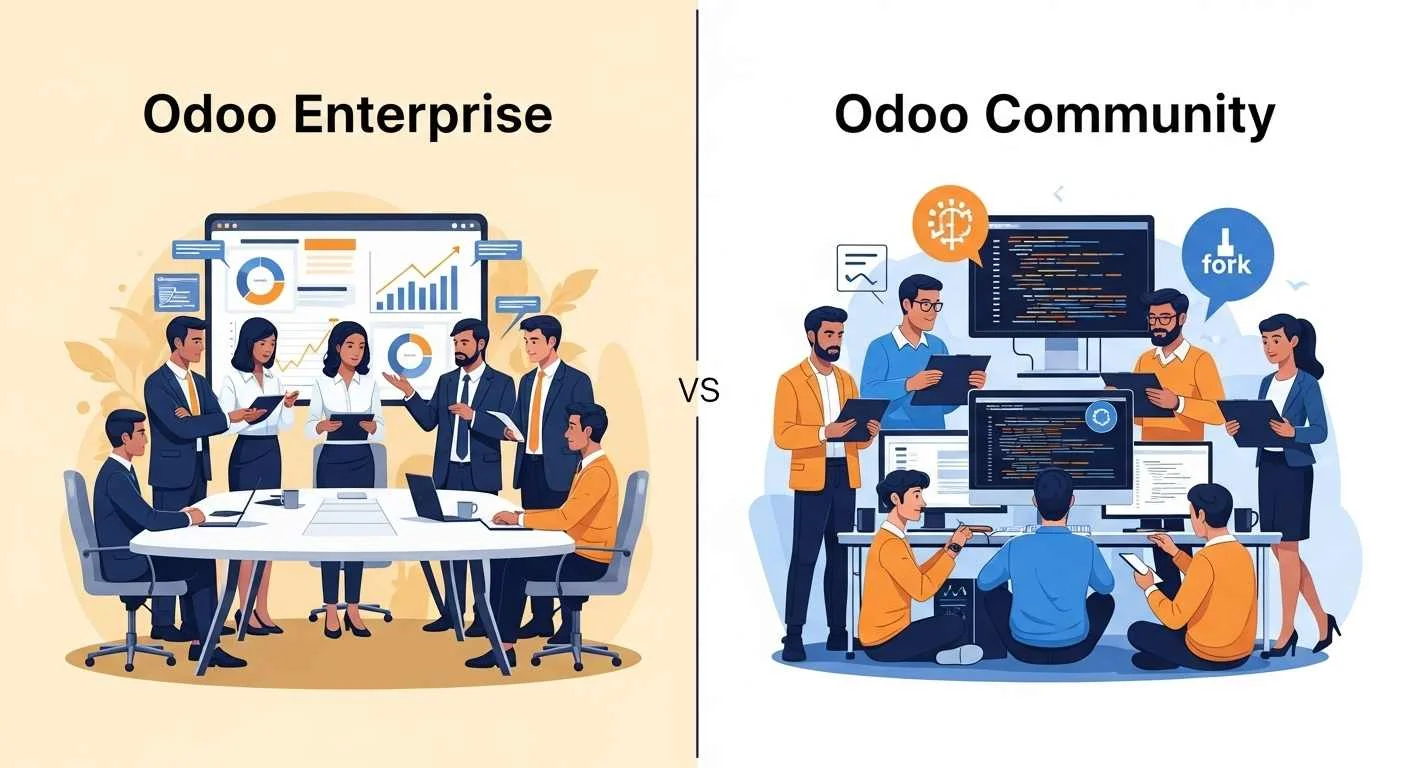
Introduction
Odoo Enterprise vs Community is mainly a choice between paid convenience with official support and free control with more DIY work, and your best pick depends on your apps, your hosting, and your upgrade risk.
In this guide, you will learn:
- What “edition” means in Odoo, and what truly changes.
- A clear Community vs Enterprise comparison table.
- Which modules and workflows change the decision, like Accounting, MRP, and Studio.
- Hosting options explained: Odoo Online, Odoo.sh, and on-premise.
- Real costs with a total cost of ownership view, not just license price.
- Upgrades, what breaks, and how to reduce risk.
- Security roles and access control with NIST-backed concepts (RBAC and ABAC).
By the end, you will be able to decide which edition fits you, and which hosting path keeps upgrades safe.
Quick Answer
Odoo Enterprise is best when you want more built-in apps, official support, and simpler upgrades, while Odoo Community is best when you want zero license cost, full control, and you have the team to manage hosting, fixes, and upgrades yourself.
If you need custom modules but still want a managed platform, Odoo Enterprise on Odoo.sh is often the middle ground between full SaaS and full self-hosting.
If you are new to Odoo, start by understanding what Odoo ERP is so you choose editions based on workflows, not labels.
What “edition” means in Odoo
An Odoo edition is about licensing, included apps, and support, not a totally different system.
Odoo’s own docs explain that the Enterprise repository is extra add-ons, and the main server code is in the Community codebase, so Enterprise is built on Community.
Odoo also states you can switch versions, which matters because many businesses start with Community and later pay for Enterprise when they feel upgrade and support pain.
Odoo Community vs Enterprise Comparison Table
This table is the fastest way to compare the two editions in real projects.
|
Area |
Community Edition |
Enterprise Edition |
Real-world note |
|
License and code |
Free and open-source base, with Community licensing rules |
Paid subscription with Enterprise licensing rules |
License is only one cost line, people underestimate services and upgrades. |
|
Apps and modules |
Core apps, fewer “extra” enterprise apps |
More apps, including Studio and other Enterprise add-ons |
The safest way to confirm app availability is the official compare page. |
|
Support |
Community help and partners you hire |
Official support options, plus partners |
Official support can change your risk when something breaks in production. |
|
Hosting options |
On-premise or any cloud you manage |
Odoo Online, Odoo.sh, or self-host |
Odoo Online is SaaS with no custom modules, so many teams move to Odoo.sh when they outgrow “standard.” |
|
Upgrades |
You plan and execute upgrades, often with more manual work |
More upgrade tooling and official paths |
Upgrade risk is the silent budget killer for Community without a strong dev team. |
|
Mobile |
Depends on your setup and apps |
Stronger built-in mobile experience is a common reason to pay |
Many “we need Enterprise” decisions start from field teams. |
Odoo Modules and capabilities that change the decision
Accounting: invoicing vs full accounting
Accounting choice often decides the edition because full accounting features and localizations matter more than a clean UI.
Odoo’s compare page lists Accounting under Finance and shows “comprehensive accounting” features like bank reconciliation, reports, and localizations as part of that scope.
If you want to avoid future pain, define your accounting scope early, then map it to edition and hosting, because moving later costs more.
Manufacturing, PLM, Quality, Maintenance
Manufacturing projects usually lean Enterprise because advanced shop floor needs tend to grow fast once operations go live.
Odoo’s compare page lists Manufacturing (MRP), PLM, Maintenance, and Quality as part of Supply Chain options, which signals that these are key “decision apps.”
If you run MRP, plan your upgrade path from day one, because custom MRP changes are the most common reason upgrades break.
Studio and customization speed
Studio matters when you want fast changes without writing code, and that can cut your implementation cost.
Odoo lists Studio under Customization, and many competitors also position it as an Enterprise advantage because it speeds up forms, views, and simple logic.
If your team will build many small changes, read this Odoo customization guide first so you do not build fragile custom code.
Helpdesk and service workflows
Service-heavy companies often pay for Enterprise when they need structured tickets, SLAs, and field service workflows in one place.
Odoo lists Helpdesk and Field Service under Services, which makes them central when you sell support, maintenance, or on-site work.
If you plan integrations, review top Odoo integrations for productivity so your edition choice matches your connector needs.
Hosting comparison: Online vs Odoo.sh vs on-premise
Hosting is part of the edition decision because hosting controls customization, responsibility, and upgrade speed.
Odoo Online (SaaS)
Odoo Online fits best when you want Odoo to manage everything and you do not need custom modules.
Odoo’s hosting types page describes Online hosting as cloud access with Odoo-managed maintenance and “Odoo standard” behavior, which is another way of saying fewer risky customizations.
If your business expects heavy customization, you will usually outgrow Online.
Odoo.sh (PaaS)
Odoo.sh fits best when you want cloud convenience but you still need custom modules, staging, and controlled deployments.
Odoo pricing guidance points to Odoo.sh for custom development and branch-based workflows, which is why many implementation lifecycle plans use Odoo.sh for dev and staging.
Odoo.sh also has platform limits like restrictions on long-running processes and timeouts for scheduled actions, so you must design integrations carefully.
If you are unsure, read cloud ERP and the future of business management to match hosting to long-term operations.
On-premise or self-hosted
Self-hosting fits best when you need full control over infrastructure, security layers, and third-party services.
Odoo’s hosting types page is clear that on-premises gives autonomy but also makes you responsible for maintenance, backups, and safety.
If you do not have system administration skills in-house, budget for a partner, or your “free Community” plan will become expensive.
Support, upgrades, and maintenance reality
Upgrade safety is the biggest hidden divider between Community and Enterprise.
Odoo’s upgrade documentation describes using the database manager and upgrade process, and this official path is easiest when your system stays close to standard.
Community users often rely on outside tools and scripts for major version upgrades, like OCA OpenUpgrade, and even community answers warn that readiness can vary by version.
If you want custom modules, learn how to customize Odoo without breaking core functionality so upgrades stay predictable.
Cost and total cost of ownership: what you pay and what you still pay
Total cost of ownership is mostly about people’s time, not just subscription fees.
Odoo’s pricing page clearly lists items that are not included in plans, such as implementation services, maintenance of custom code, and some paid credits, which means you should budget for those separately.
A practical TCO checklist looks like this:
- License: Enterprise subscription, if used.
- Hosting: Online vs Odoo.sh vs your own servers.
- Implementation: setup, configuration, training, and data import.
- Customization: Studio, custom code, and third-party modules.
- Integrations: connectors, APIs, and monitoring.
- Upgrades: yearly major upgrade planning and testing.
- Support: internal team or partner support.
A simple rule helps: if your business cannot accept downtime, pay for stability, not for features.
Upgrades and what breaks: the practical guide
Upgrades break most often because of custom code and third-party modules, not because of Odoo core.
Here is what breaks most in real projects:
- Custom modules that depend on old fields or old methods.
- Modified views that conflict with new view structure.
- Assets and JS changes that affect the backend UI.
- OCA modules that have no matching version yet.
Here is how you reduce upgrade risk:
- Freeze new features 4 to 8 weeks before upgrade.
- Upgrade a copy on staging first, not production.
- List every custom module and confirm version support.
- Keep customization small and isolated.
- Follow the official upgrade process where possible.
If your upgrade plan is unclear, you will feel “Enterprise pressure” later, even if you start with Community.
Compliance, roles, and access control: why it matters for ERP
Security and compliance improve when you design roles and permissions using proven models like RBAC and ABAC.
NIST’s role-based access control work explains the idea of assigning permissions to roles and mapping users to roles, which reduces complexity in large systems.
NIST’s ABAC guidance explains access decisions based on attributes of users, resources, and environment, which helps when rules depend on company, location, or workflow state.
In Odoo terms, this means you should design:
- Roles like Sales Rep, Accountant, Warehouse Picker, HR Manager.
- Rules for multi-company and data separation.
- Approval flows for high-risk actions.
This is also why many companies pay for Enterprise, because they want predictable governance, faster fixes, and fewer “unknown unknowns.”
Performance and scaling considerations
Odoo performance depends on hosting resources, database size, and how you build custom code.
Odoo.sh pricing is tied to capacity factors like workers and storage, which makes scaling more measurable than random self-hosted setups.
If you expect growth, plan for:
- Staging and testing.
- Monitoring and backups.
- Clear limits for custom jobs and integrations, especially on managed platforms.
Decision framework: if you are X, choose Y
Enterprise is usually the right choice when you need official paths and speed of change without breaking things.
Use this simple map:
Choose Odoo Enterprise if
- You need advanced apps like Studio, Helpdesk, or Marketing Automation as core workflows.
- You want Odoo Online or Odoo.sh with official ecosystem support.
- You cannot afford upgrade failures.
- You want a cleaner path for training, support, and governance.
Choose Odoo Community if
- Your budget is tight and you accept DIY ownership.
- You have strong developers and system admins.
- You only need core apps and can build missing features with care.
- You accept that major upgrades may require extra planning and outside scripts.
If you are building for a local market, also read Odoo ERP for growing companies so your choice matches local staffing and support reality.
Start with Community and upgrade later: a safe migration plan
You can switch from Community to Enterprise safely when you follow Odoo’s official steps and prepare your database first.
Odoo’s documentation describes the basic path: backup your database, shut down, install the Enterprise web module, restart, and enter your Enterprise subscription code.
A safe, real-world plan looks like this:
- Remove unused custom modules.
- Replace fragile overrides with clean extensions.
- Test the Enterprise add-ons in staging first.
- Document every integration and scheduled job.
If you need to understand the technical side of customization before switching, use Odoo customization technical overview so the migration does not become a rewrite.
Two mini case studies
Case study 1: Distributor that started with Community
Community can work well for a distributor when the scope stays simple and the team can maintain it.
A mid-size distributor used Sales, Purchase, Inventory, and basic invoicing on Community, hosted on their own server.
They succeeded early because they kept custom code small and used standard flows for procurement and delivery.
They later moved to Enterprise when they needed stronger automation and safer upgrades, because their custom modules started to slow major version moves.
Case study 2: Service company that chose Enterprise from day one
Enterprise is often best for service companies when Helpdesk, Planning, and Field Service drive daily work.
A field service business chose Enterprise on Odoo.sh so they could use custom modules but still keep strong deployment control.
They avoided most upgrade pain by keeping all custom code in separate add-ons and testing every change on a staging branch.
Common myths and mistakes
Most edition mistakes come from buying features instead of buying a stable operating model.
Myths to avoid:
- “Community is free, so it is always cheaper.”
Real cost includes hosting, maintenance, and upgrades. - “Enterprise means no customization work.”
You still maintain custom code, even on paid plans. - “I can downgrade from Enterprise to Community easily.”
People ask this often, and the answer depends on what Enterprise-only modules you used and what data they created.
If you want a deeper look at typical blockers, read Odoo ERP Enterprise challenges.
Final recommendation and next steps
Your best choice is the one that keeps your workflows stable through upgrades and growth, not the one that looks cheapest today.
Next steps:
- List your must-have apps (Accounting, MRP, Helpdesk, Studio).
- Choose your hosting first, then map the edition to that hosting.
- Build an upgrade plan before you start customizing.
FAQs (Frequently Asked Question)
Is the Odoo Community really free?
Yes for licensing, but you still pay for hosting, implementation, and support.
Which modules are Enterprise-only?
The official compare page is the most reliable way to check app availability for your version.
Does Community include accounting or only invoicing?
Odoo separates invoicing and accounting features, and you should confirm scope using the official app list and your country localization needs.
Can I switch from Community to Enterprise later?
Yes, Odoo documents a clear process to switch by adding Enterprise modules and a subscription code.
Can I go from Enterprise back to Community if I stop paying?
It is possible in some setups, but it is not “simple” if you used Enterprise-only modules and data models.
What is the best hosting option for each edition?
Online fits standard use, Odoo.sh fits custom development, and on-premise fits full control, and Odoo’s hosting guide explains the tradeoffs.
Do upgrades break custom modules?
Yes, upgrades often break custom and third-party modules first, so staging and module audits are critical.
Is Odoo Enterprise open source?
Odoo Community is open source, while Enterprise is licensed, and Odoo documentation explains the licensing structure.
Do I need an Odoo Partner?
You do not always need one, but partners help most when you lack internal dev and hosting skills, or you need safe upgrades.
Can OCA modules replace Enterprise features?
Sometimes, but coverage varies by version, and community answers often warn that upgrade readiness differs across releases.



