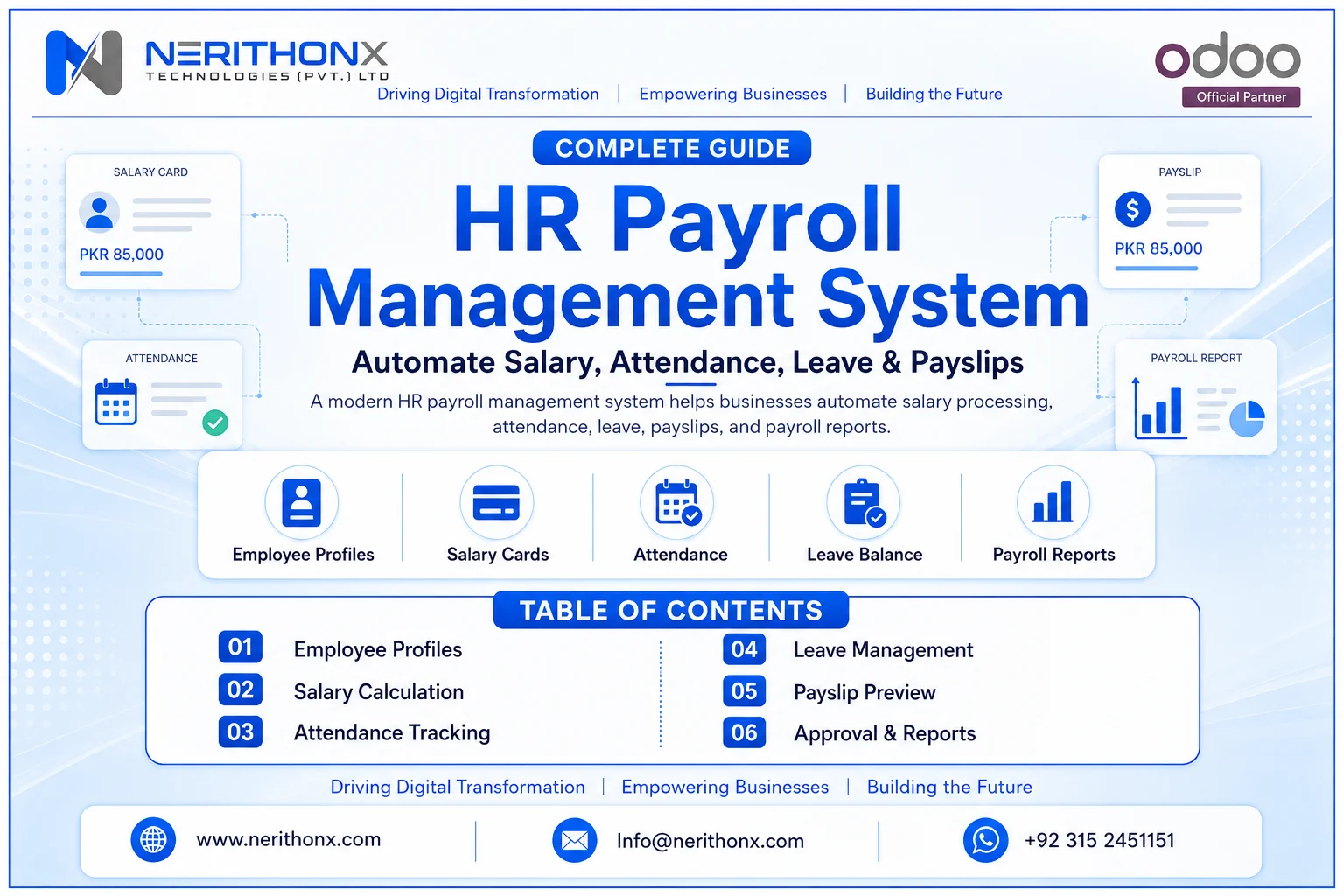
Managing HR and payroll manually becomes difficult when a business starts growing.
Many companies still use Excel salary sheets, paper attendance records, manual leave adjustments, separate biometric reports, and manually prepared payslips. These methods may work for a very small team, but they can create serious problems when employees, branches, shifts, allowances, deductions, overtime, and payroll approvals increase.
Manual payroll can cause salary mistakes, delayed payments, leave mismatch, overtime confusion, missing records, and salary privacy concerns.
An HR payroll management system helps businesses manage employee data, attendance, leave, salary calculations, deductions, approvals, payslips, accounting entries, and payroll reports from one organized system.
For modern businesses, payroll is not only about paying salaries. It is about accuracy, employee trust, HR control, finance visibility, and secure business operations.
What Is an HR Payroll Management System?
An HR payroll management system is software that helps HR and finance teams manage the complete payroll process digitally.
It connects employee records, contracts, attendance, leaves, working hours, salary structures, allowances, deductions, bonuses, loans, payslips, approvals, accounting, and reports.
In simple words, it helps companies calculate and manage employee salaries in a structured way.
A payroll management system is commonly used to calculate wages, worked hours, deductions, and tax withholding for each pay period, and it is often connected with time and attendance in core HR systems.
The goal is to reduce manual work, improve salary accuracy, protect payroll data, and give HR and finance teams better control.
Why Businesses Need an HR Payroll Management System
Manual payroll creates pressure on HR and finance teams.
If attendance is in one file, leave is in another file, overtime is approved on WhatsApp, and salaries are calculated in Excel, mistakes can happen easily.
Businesses need an HR payroll management system because it helps solve problems such as:
- Manual payroll errors
- Late salary processing
- Attendance and leave mismatch
- Overtime calculation problems
- Wrong salary deductions
- Delayed payslips
- Lack of employee self-service
- Multi-branch payroll confusion
- Weak payroll approval control
- Salary data privacy risks
- High HR and finance workload
- Lack of real-time payroll visibility
For example, if an employee takes unpaid leave but HR forgets to update the payroll sheet, the salary may be calculated incorrectly. If overtime is approved by a manager but not shared with finance, the employee may not be paid correctly.
A digital payroll system helps bring these inputs into one workflow.
How an HR Payroll Management System Works
A good HR payroll management system follows a clear process.
First, employee profiles are created. These profiles include employee name, department, job position, joining date, manager, branch, and employment details.
Next, contracts and salary structures are configured. This includes basic salary, allowances, deductions, working schedule, overtime rules, benefits, and other payroll components.
Then the system connects attendance and leave data. Check-ins, check-outs, absences, public holidays, approved leaves, unpaid leaves, and overtime can be reviewed before payroll processing.
After that, HR or payroll users generate payslips. The system calculates salary based on configured rules, attendance, leave, deductions, allowances, and approved inputs.
The payroll team reviews the payslips, gets approvals where required, processes salary payments, and generates payroll reports.
In an ERP environment, payroll can also connect with accounting so that salary expenses, payable amounts, and related entries are recorded properly.

Key Features of an HR Payroll Management System
A strong HR payroll software should not only calculate salary. It should support the full HR and payroll workflow.
Employee Records, Contracts, and Salary Structures
The system should store employee data in one place.
It should manage departments, job roles, contracts, salary structures, working schedules, and payroll rules.
Contracts are important because they define how the employee is compensated, what salary structure applies, what working schedule is used, and what benefits are included. Odoo Payroll documentation explains that employee contracts outline compensation, salary structure, rules, working schedule, and benefits.
Attendance, Leave, Overtime, and Deductions
Payroll should connect with attendance and leave.
The system should support working hours, late arrivals, absences, overtime, paid leave, unpaid leave, and approved leave adjustments.
Odoo work entries can be generated from Planning, Attendances, and Time Off, and they provide worked-hour data used by payroll when pay is based on work entries.
This connection helps reduce manual calculations and improves payroll accuracy.
Payslips, Approvals, Reports, and Accounting
A good payroll system should generate payslips, support payroll batch processing, allow review and approval, and provide payroll reports.
It should also support accounting integration so salary expenses and payroll liabilities can be recorded properly.
Payroll reports help HR, finance, and management review salary costs, deductions, allowances, overtime, and branch-wise payroll data.
Security, Self-Service, and Multi-Branch Payroll
Payroll data is sensitive.
The system should include role-based access, audit logs, secure storage, employee self-service, and controlled payroll permissions.
Multi-branch and multi-company businesses also need branch-wise payroll, department-wise reports, and centralized management visibility.
Benefits of HR Payroll Management Software
HR payroll management software gives practical benefits to both employees and management.
It saves HR and finance time because salary calculations become more structured.
It reduces payroll errors because attendance, leave, overtime, and salary rules can be connected.
It improves salary accuracy because deductions and allowances are calculated through defined rules.
It improves employee trust because payslips and salary details become clearer.
It reduces paperwork because reports and payslips are generated digitally.
It improves payroll transparency because approvals and changes can be tracked.
It supports better compliance preparation because payroll records are organized, although legal and tax compliance still depends on local rules and correct configuration.
It improves multi-branch control because management can review payroll by branch, department, or company.
It also improves employee self-service because employees can access payslips or payroll-related information where the system allows.

Manual Payroll vs Automated HR Payroll System
Area | Manual Payroll | Automated HR Payroll System |
Salary Calculation | Done manually in sheets | Calculated through configured rules |
Attendance Connection | Manual import or entry | Can connect with attendance data |
Leave Adjustment | Manual checking required | Approved leaves can affect payroll |
Overtime Calculation | Higher chance of errors | Overtime can follow defined rules |
Payslip Generation | Prepared manually | Generated digitally |
Approval Workflow | Often informal | Structured approval process |
Reports | Manual reports | Payroll reports available |
Data Security | Risk of open salary sheets | Role-based access possible |
Audit Trail | Weak or missing | Changes can be tracked |
Multi-Branch Payroll | Difficult to control | Branch-wise payroll possible |
HR Workload | High | Reduced through automation |
Employee Experience | Delays and confusion possible | Clearer payslips and records |
Manual payroll may seem simple at first, but it becomes risky as employee count, branches, shifts, and payroll rules increase.

Main Modules Connected With HR Payroll
Attendance is one of the most important payroll inputs.
If attendance is wrong, payroll can also become wrong.
Attendance integration helps businesses manage:
Check-in and check-out records
Working hours
Late arrivals
Early check-outs
Absences
Overtime
Shift attendance
Attendance corrections
Manager approval
Payroll-ready attendance reports
Odoo’s Attendances application allows logged-in users to check in and out, and kiosk mode can be used for employees who do not access the database directly.
When attendance is connected with payroll, HR does not need to manually copy working hours from one system to another. This reduces errors and saves time.
HR Payroll Management System and Leave Management
Leave management is another important part of payroll.
A payroll system should understand the difference between paid leave, unpaid leave, sick leave, casual leave, annual leave, public holidays, and approved absences.
Leave integration helps manage:
Paid leave
Unpaid leave
Sick leave
Casual leave
Annual leave
Leave approvals
Leave balances
Public holidays
Leave deductions
Accruals, where applicable
Payroll impact of approved and unpaid leaves
For example, approved paid leave may not reduce salary, but unpaid leave may affect salary calculation. This depends on company policy and local labor rules.
A connected HR payroll system helps HR and finance avoid mismatches between leave records and salary processing

Odoo HR Payroll Management System
Odoo can support HR and payroll workflows through its integrated ERP environment.
Odoo Payroll is used to calculate employees’ worked time together with apps such as Employees, Time Off, Attendances, and Planning, and to create corresponding payslips.
Odoo also supports work entries, which can represent work and time off such as attendance, sick time off, training, or public holidays. These work entries can be created from Planning, Attendances, and Time Off, depending on the setup.
In simple business terms, Odoo can help companies connect employee data, contracts, worked time, attendance, leave, salary structures, and payslips in one ERP environment.
Odoo is also an integrated business application suite covering areas such as CRM, eCommerce, accounting, inventory, point of sale, project management, and more.
However, businesses should not assume every payroll rule, tax rule, deduction, benefit, localization, or country-specific requirement is available out of the box for every company. Payroll rules, taxes, deductions, salary structures, and reports must be configured carefully according to company policy and local law.
NerithonX Technologies can help businesses implement, customize, integrate, migrate, train, and support Odoo-based HR payroll workflows.

Payroll Reports Every Business Should Have
Payroll reports help HR, finance, and management make better decisions.
Important payroll reports include:
Monthly payroll summary
Employee-wise payroll report
Department-wise payroll report
Branch-wise payroll report
Salary register
Payslip report
Attendance vs payroll report
Leave deduction report
Overtime report
Allowance report
Deduction report
Loan or advance salary report
Tax or statutory deduction report, based on local rules
Payroll approval report
Payroll accounting report
Payroll audit log
Employee cost report
For example, a finance manager may need a monthly salary register. HR may need a leave deduction report. Management may need employee cost by branch or department.
Good reports turn payroll data into business visibility.

Payroll Data Security and Privacy
Salary data is highly sensitive.
Businesses should not share salary sheets openly or give payroll access to unnecessary users.
A secure HR payroll management system should include role-based permissions, audit logs, controlled access, secure backups, and proper user training.
Companies should protect:
Employee salary details
Employee personal information
Bank account details
Tax and deduction information
Payslips
Contracts
Payroll rules
Approval records
Payroll access should be limited to authorized HR, finance, and management users. Changes to payroll rules should be controlled and reviewed.
Businesses should also follow local labor, tax, payroll, and privacy laws. This article is not legal or tax advice. Companies should consult local legal, payroll, or tax experts for country-specific compliance.
Common Payroll Problems a System Can Solve
An HR payroll management system can help solve many common payroll problems.
These include:
Wrong salary calculations
Missing attendance records
Wrong leave deductions
Overtime disputes
Delayed payslips
Manual Excel mistakes
Duplicate employee records
Unapproved payroll changes
Lack of audit trail
Difficulty managing branches
Poor reporting
Disconnected HR and accounting data
For example, if overtime is not approved before payroll, the system can keep it pending instead of allowing uncontrolled salary changes.
This improves payroll control and reduces disputes.

Common Mistakes Businesses Should Avoid
Payroll implementation should be handled carefully.
Common mistakes include:
Implementing payroll without process analysis
Not cleaning employee data first
Not defining salary structures clearly
Not configuring attendance and leave rules properly
Ignoring local payroll compliance
Ignoring employee privacy
Giving payroll access to too many users
Skipping approval workflows
Not testing payslips before go-live
Not training HR and finance teams
Not connecting payroll with accounting
Not preparing reports before launch
Depending fully on automation without review
Not keeping backups
Automation is powerful, but payroll still needs review, approval, and proper controls.
How to Choose the Right HR Payroll Management System
Before choosing payroll software, businesses should use a practical checklist.
The system should be easy to use.
It should support employee records and contracts.
It should manage salary structures.
It should connect attendance and leave.
It should support payroll rules, allowances, deductions, and overtime.
It should generate payslips.
It should include approval workflows.
It should provide reports and dashboards.
It should have role-based access.
It should protect salary data.
It should support multi-branch or multi-company payroll.
It should integrate with accounting.
It should allow customization.
It should offer training and support.
It should scale as the business grows.
It should support local payroll requirements through configuration or localization where available.
A good payroll system should fit the business today and support future growth.
Implementation Roadmap for Businesses
A successful HR payroll implementation needs a clear roadmap.
Step 1: Review Current HR and Payroll Process
Understand how salaries, attendance, leave, deductions, and approvals are currently managed.
Step 2: Identify Payroll Problems
List problems such as wrong deductions, late payslips, overtime confusion, or missing reports.
Step 3: Clean Employee Data
Fix employee names, departments, job roles, contracts, salaries, branches, and reporting managers.
Step 4: Define Departments, Jobs, Contracts, and Salary Structures
Create clear payroll structures before system configuration.
Step 5: Define Attendance, Leave, Overtime, and Deduction Rules
Document how each rule should affect payroll.
Step 6: Configure Payroll Workflow
Set salary rules, pay periods, inputs, approvals, and payslip formats.
Step 7: Connect Payroll With Attendance, Leave, and Accounting
Reduce duplicate work by connecting related modules.
Step 8: Set User Roles and Approval Rights
Give access only to the right users.
Step 9: Test Payroll With Sample Employees
Test different cases such as full month salary, unpaid leave, overtime, deductions, and bonuses.
Step 10: Compare System Payroll With Manual Payroll for One Cycle
Run parallel testing before full go-live.
Step 11: Train HR, Finance, Managers, and Employees
Training reduces mistakes after launch.
Step 12: Go Live Carefully
Start with a controlled rollout.
Step 13: Review Reports and Improve the Workflow
Improve rules and reports based on real business feedback.

HR Payroll Management System for Global Businesses
Businesses in Pakistan, UAE, Saudi Arabia, UK, USA, Canada, Europe, and other regions may have different labor laws, payroll rules, tax structures, working hours, overtime policies, benefits, leave rules, holidays, and privacy requirements.
A flexible HR payroll management system should be configurable for local business rules.
Global and multi-branch businesses should choose a system that supports localization, multi-company operations, role-based access, reporting, and scalable workflows.
Businesses should avoid unsupported compliance assumptions. Payroll rules should always be reviewed according to the specific country, company policy, employment contracts, and local law.
How NerithonX Technologies Can Help
NerithonX Technologies (Pvt.) Ltd. helps businesses implement and customize Odoo ERP, automate HR and payroll workflows, connect attendance and leave with payroll, configure approval flows, design payroll dashboards, support multi-branch operations, train users, and provide ongoing support.
NerithonX Technologies can support businesses with:
Odoo Implementation
Odoo Customization
Odoo Integration
Odoo Migration
Odoo Support and Maintenance
Odoo Training
ERP Consulting
Business Automation
Mobile App Development
Digital Transformation
The goal is not only to install payroll software. The goal is to build a practical payroll workflow that HR can manage, finance can trust, employees can understand, and management can monitor.
Conclusion
An HR payroll management system helps businesses move from manual salary sheets and disconnected HR tools to a secure, automated, and organized payroll process.
It improves payroll accuracy, saves HR and finance time, supports employee trust, protects salary data, improves reporting, and strengthens business operations.
For growing businesses, payroll should not work alone. It should connect with employee records, contracts, attendance, leave, overtime, approvals, accounting, and reports.
If your business wants to improve HR payroll automation or implement Odoo-based payroll workflows, NerithonX Technologies can help you plan, customize, integrate, train, and support the right solution.
Still managing payroll manually?
Automate salary processing, attendance, leave, payslips, and payroll reports with a smart HR Payroll Management System designed for growing businesses.
FAQ
Frequently Asked Questions
What is an HR payroll management system?
An HR payroll management system is software that helps businesses manage employee records, contracts, attendance, leave, salary calculations, deductions, payslips, approvals, and payroll reports.
How does an HR payroll management system work?
It stores employee data, salary structures, attendance, leave, and payroll rules. Then it calculates salaries, generates payslips, supports approvals, and provides payroll reports.
What are the benefits of HR payroll software?
HR payroll software saves time, reduces payroll errors, improves salary accuracy, supports employee self-service, protects payroll data, and improves reporting.
Can HR payroll software integrate with attendance?
Yes. A good payroll system can manage paid leaves, unpaid leaves, leave balances, deductions, allowances, bonuses, and salary adjustments based on company rules.
Can HR payroll software manage leaves and deductions?
It links raw material lots, manufacturing orders, finished goods batches, expiry dates, stock movements, quality checks, and deliveries so businesses can trace batch history more clearly.
Can Odoo manage HR and payroll?
Yes. Odoo can support HR and payroll workflows through employee records, contracts, attendance, time off, work entries, salary structures, and payslips, depending on configuration and localization.
Is payroll automation suitable for small businesses?
Yes. Payroll automation can help small businesses reduce manual work, avoid salary mistakes, generate payslips, and keep payroll records organized.
How can businesses protect payroll data?
Businesses can protect payroll data by using role-based access, secure backups, audit logs, limited payroll permissions, controlled document sharing, and trained HR and finance users.
What reports should an HR payroll system provide?
It should provide monthly payroll summaries, employee-wise payroll reports, branch-wise reports, salary registers, payslip reports, attendance vs payroll reports, leave deduction reports, overtime reports, and payroll audit logs.
How can NerithonX Technologies help with HR payroll automation?
NerithonX Technologies can help businesses implement Odoo ERP, customize payroll workflows, connect attendance and leave with payroll, configure reports, train users, and provide ongoing support.