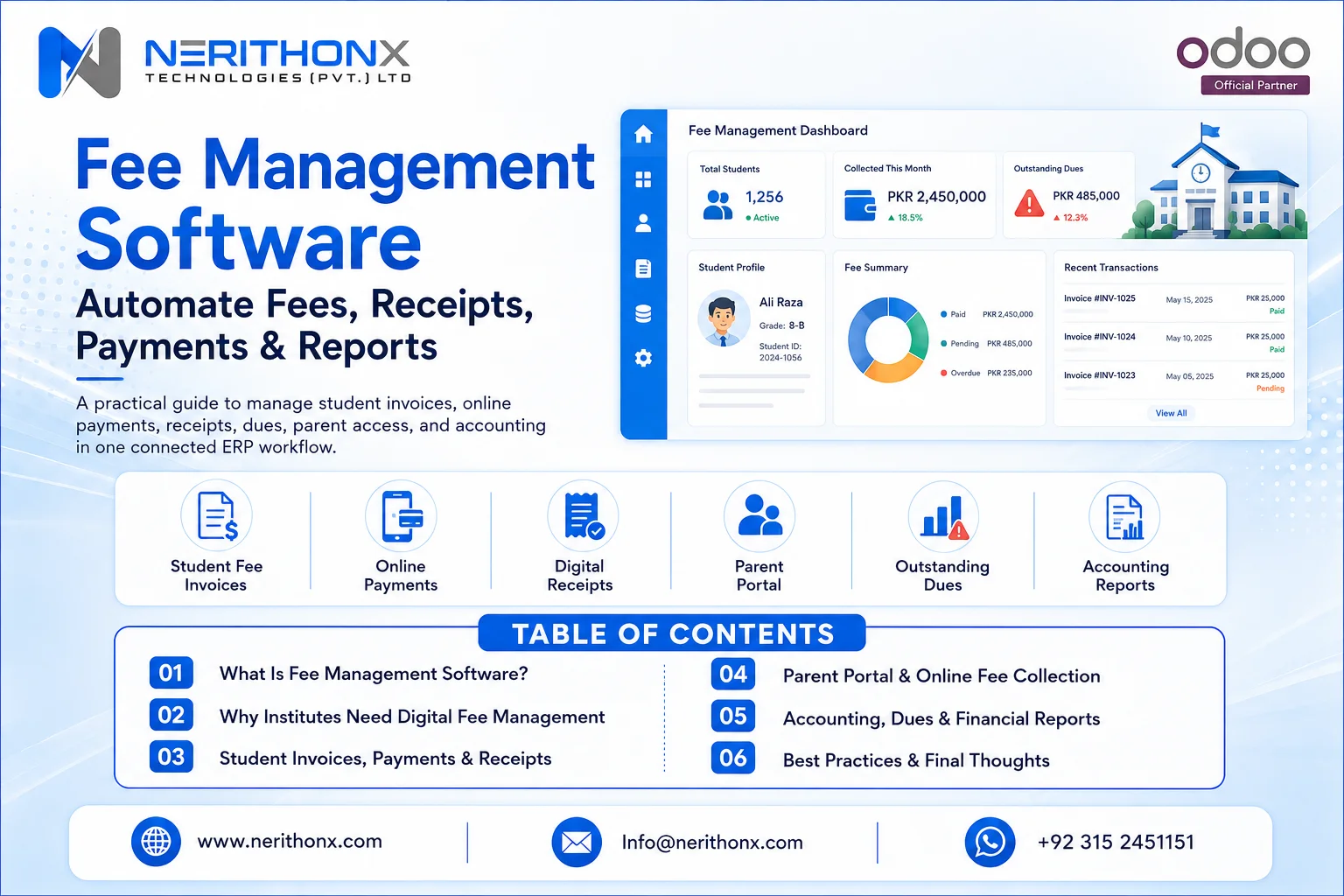
Many schools, colleges, academies, and institutes still manage fees through registers, Excel sheets, manual receipts, cash records, WhatsApp reminders, and disconnected accounting. This creates fee mistakes, delayed collections, lost receipts, parent complaints, weak reporting, and extra workload for admin and finance teams. Fee management software helps education institutions manage fee collection in a more organized, transparent, and connected way.
Fee management is not only about receiving money. It includes fee structures, invoices, receipts, installments, concessions, transport fees, hostel fees, exam fees, outstanding dues, reminders, parent communication, accounting, and management reports.
For growing schools and institutes, manual fee collection becomes difficult. One mistake in a spreadsheet can create confusion between parents, students, admin staff, and accounts teams. A connected fee management system helps reduce manual work and gives management better visibility.
What Is Fee Management Software?
Fee management software is a digital system that helps schools, colleges, academies, training centers, and institutes manage fee structures, invoices, payments, receipts, discounts, installments, reminders, dues, reports, and accounting from one connected platform.
In simple words, it helps answer important questions:
- How much fee is assigned to each student?
- Which fee category applies to each class, batch, course, or program?
- Which students have paid?
- Which students have pending dues?
- Which students have discounts or concessions?
- Which payments were made by cash, bank, or online method?
- Which receipts were generated?
- Which branch collected how much fee?
- What amount is outstanding?
- How does fee data connect with accounting?
A good fee management system helps admin and finance teams work with accurate records instead of scattered files and manual calculations.
Why Schools and Institutes Need Fee Management Software
Schools and institutes need fee management software because manual fee collection takes time and creates mistakes.
As student numbers grow, finance teams need clear records, parents need payment transparency, and management needs real-time reports.
A fee management system helps because:
- Manual fee collection takes time
- Spreadsheets create calculation errors
- Receipts can be misplaced
- Parents need clear payment information
- Finance teams need accurate reports
- Management needs real-time visibility
- Fee defaulters need proper tracking
- Accounting must stay connected
- Multi-campus institutions need centralized control
- Digital payment expectations are increasing
For small schools, fee software reduces daily admin workload. For larger institutions, it supports better control across branches, departments, and finance teams.
Common Problems Without Fee Management Software
Without a proper system, fee collection often depends on registers, Excel sheets, paper receipts, and manual follow-ups.
Common problems include:
- Manual registers
- Excel-based fee records
- Wrong fee calculations
- Duplicate entries
- Missing receipts
- Delayed payment reminders
- Unclear outstanding dues
- Difficult defaulter tracking
- Manual concession and discount handling
- Late fee confusion
- Weak parent communication
- No real-time dashboard
- Disconnected accounting
- Poor bank reconciliation
- No clear audit trail
- Difficult multi-branch reporting
These problems affect both parents and staff. Parents may not get clear payment status. Admin staff may spend hours checking records. Finance teams may struggle to match receipts with bank deposits. Management may not know the real collection position.
How Fee Management Software Works
A practical fee management workflow usually works step by step.
- Student admission or enrollment is created.
- The student is assigned a class, batch, program, or course.
- Fee structure is assigned.
- Discounts, scholarships, concessions, transport, hostel, or exam fees are added if needed.
- Invoice or fee voucher is generated.
- Parent or student receives payment details.
- Payment is collected online, through bank, cash, or other configured methods.
- Receipt is generated.
- Accounting record is updated.
- Outstanding dues are tracked.
- Reminders are sent.
- Reports show paid, unpaid, overdue, and collected amounts.
This workflow connects admission, billing, payment, receipt, accounting, and reporting. It helps schools reduce manual entry and keep financial records more organized.

Key Features of Fee Management Software
The right fee management software should support the full fee process, not only basic payment recording.
Fee Structure Management
Schools may have different fee structures for different classes, programs, batches, campuses, or courses.
Fee structures may include:
- Tuition fee
- Admission fee
- Registration fee
- Transport fee
- Hostel fee
- Exam fee
- Activity fee
- Security deposit
- Monthly, quarterly, or annual charges
A good system should allow fee structures to be organized clearly.
Student Billing and Invoicing
Fee invoices or vouchers help create official payment records for students and parents.
Invoices should show student details, fee items, due date, payable amount, discount if applicable, and payment status.
Online Fee Payment
Online fee payment allows parents or students to pay through configured payment methods.
Payment gateway availability depends on country, provider API, business requirements, and Odoo setup. Institutions should verify payment provider support before promising any payment method to parents.
Payment Terms and Installments
Some schools collect monthly fees. Others may offer quarterly, term-wise, semester-wise, or installment-based payment plans.
Payment terms and installment planning help manage due dates and partial payments more clearly.
Discounts, Concessions, and Scholarships
Many institutes offer discounts, concessions, staff child discounts, sibling discounts, merit scholarships, or need-based fee support.
A proper system should record these clearly so finance teams can avoid confusion.
Transport, Hostel, Exam, and Activity Fees
Education institutes often collect more than tuition fees.
Additional fee categories may include:
- Transport
- Hostel
- Exam
- Library
- Laboratory
- Sports
- Activity
- Certificate
- Course material
Fee management software should support multiple fee categories.
Late Fee Calculation
Some institutions apply late fees after a due date.
The system should support late fee rules if the institution uses them. These rules must be configured carefully according to the institute’s policy and local requirements.
Automatic Fee Reminders
Fee reminders reduce manual follow-up.
Reminders can be sent by email, SMS, WhatsApp, app notification, or other communication methods depending on integration and setup.
Digital Receipts
Digital receipts help reduce paper handling and lost receipt issues.
Parents and finance teams can keep a clear record of payments.
Parent and Student Portal
A parent or student portal can allow users to view fee invoices, dues, receipts, and payment history.
This improves transparency and reduces calls to the school office.
Outstanding Dues Tracking
Outstanding dues tracking helps admin teams see unpaid amounts clearly.
This is important for collection planning and management reporting.
Defaulter Reports
Defaulter reports help management identify overdue students, class-wise pending dues, branch-wise pending dues, and follow-up requirements.
Cash, Bank, and Online Payment Tracking
Schools may collect fees through different methods.
A good system should track:
- Cash payments
- Bank deposits
- Online payments
- Cheque payments where applicable
- Manual payment registration
- Partial payments
Accounting Integration
Fee records should connect with accounting. This reduces duplicate data entry and helps finance teams manage receivables, payments, receipts, and reports.
Bank Reconciliation
Bank reconciliation helps match payments received in the bank with accounting records.
This is important when parents pay through bank transfer or online payment methods.
Multi-Campus Support
Multi-campus schools need centralized visibility.
Management should be able to see fee collection by branch, class, batch, and fee category.
Role-Based Access Control
Not every staff member should have access to every financial record.
Access rights help control who can create invoices, register payments, approve discounts, view reports, or change settings.
Audit Trail and Data Security
Fee records are sensitive. A system should help track important actions, protect financial data, and support better internal control.
Reports and Dashboards
Reports help management understand collection performance.
Useful reports include paid fees, unpaid fees, overdue dues, branch-wise collection, class-wise collection, payment method summary, and daily/monthly collection reports.
Mobile-Friendly Access
Mobile-friendly access helps parents, admins, and managers view important information more easily.
Custom Workflows
Every institute has different rules. Custom workflows may be needed for concessions, transport, hostel, exam fees, installment plans, branch-level controls, or approval steps.
Fee Management Software vs Manual Fee Collection
Manual fee collection depends on registers, spreadsheets, calls, paper receipts, and manual accounting entries.
This creates delays and mistakes.
Fee management software helps automate:
- Fee invoices
- Receipts
- Payment tracking
- Reminders
- Dues
- Defaulter reports
- Parent communication
- Accounting connection
- Management dashboards
The difference is clear.
Manual systems are slower and harder to control. Fee software improves accuracy, speed, transparency, parent experience, and management visibility.
Fee Management Software vs School ERP
Fee management software focuses mainly on fee collection, invoices, receipts, dues, reminders, payment tracking, and reports.
School ERP is broader. It connects fee management with other education workflows such as:
- Admission
- Student records
- Attendance
- Exams
- Timetable
- HR
- Payroll
- Accounting
- Communication
- Parent portal
- Management dashboards
Fee management can be a module inside a complete education ERP system.
For growing institutions, this is useful because fee records are connected with student data, accounting, communication, and reporting.
Benefits of Fee Management Software
Fee management software gives practical benefits to schools and institutes.
Important benefits include:
- Reduced manual work
- Fewer calculation mistakes
- Faster fee collection process
- Better parent experience
- Clear payment records
- Real-time fee visibility
- Easy defaulter tracking
- Better cash flow planning
- Better accounting connection
- Improved transparency
- Better reporting for management
- Controlled access for staff
- Scalable operations for growing institutes
The goal is not only automation. The goal is better control, better records, and better communication.
Online Fee Payment and Parent Portal
Parents today expect clear and convenient payment information.
A parent portal can help parents or students:
- View invoices
- Check outstanding dues
- See payment status
- Download receipts
- Make payments through configured methods
- View invoice history
Online payment can reduce office visits and manual payment handling. However, payment methods depend on the country, payment provider, provider API, business requirements, and ERP configuration.
Institutions should verify payment gateway availability before announcing a specific payment method.
Partial payments and installments may also be supported depending on system setup and payment terms.

Fee Reminders, Due Tracking, and Defaulter Reports
Fee reminders are important because manual follow-up takes time.
A system can help identify overdue invoices and send reminders according to due dates and configured follow-up rules.
Reminders may be sent through email, SMS, WhatsApp, or app notification depending on integration and setup.
Due tracking helps admin teams see:
- Who has paid
- Who has not paid
- Which invoices are overdue
- Which class has high pending dues
- Which branch needs follow-up
- Which payment method is commonly used
Defaulter reports support management decisions. They help teams plan follow-ups professionally instead of depending on guesswork.
Accounting Integration in Fee Management Software
Fee records should connect with accounting because fee collection is a financial process.
Connected accounting helps finance teams manage:
- Fee invoices
- Payments
- Receipts
- Outstanding balances
- Bank reconciliation
- Receivable reports
- Income reports
- Branch-wise collection
- Daily and monthly collection reports
When fee management is disconnected from accounting, teams may need to enter the same data twice. This creates errors and extra workload.
Odoo Accounting and Invoicing can help create invoices, manage payments, handle reconciliation, and generate financial reports. For schools and institutes, this can be customized around student fee workflows.
Security and Access Control in Fee Management Software
Fee data is sensitive. It includes student details, parent details, payments, discounts, dues, receipts, and financial records.
Security and access control are important because:
- Student and parent data must be protected
- Finance records need controlled access
- Not every staff member should see or edit fee data
- Discount approvals should be controlled
- Payment registration should be limited to authorized users
- Reports should be visible only to relevant users
- Audit trails help track important changes
- Backups and secure hosting are important
Role-based access helps protect information and reduce mistakes.
Institutions should also follow local rules related to student data, invoices, receipts, tax, finance, and payments. These rules may vary by country and institution type.
Fee Management Software for Different Education Institutes
Fee management software can be useful for many types of education institutions.
Schools
Schools can manage monthly tuition, admission fees, transport fees, exam fees, concessions, parent communication, receipts, and reports.
Colleges
Colleges can manage semester fees, annual fees, exam fees, program-wise charges, installments, and department-wise reports.
Universities
Universities may need more complex workflows such as program fees, hostel fees, scholarships, installment plans, multi-campus reporting, and student portals.
Academies
Academies can manage course-wise fees, batch-wise billing, partial payments, and payment reminders.
Coaching Centers
Coaching centers can manage student billing, course fees, installment plans, and receipts.
Training Institutes
Training institutes can manage certification course fees, corporate training payments, receipts, and reports.
Language Centers
Language centers can manage course levels, batch fees, registration charges, and monthly payments.
Vocational Institutes
Vocational institutes can manage program-wise fees, material fees, exam charges, and student billing.
Multi-Campus Education Groups
Multi-campus groups can manage branch-wise collection, centralized reporting, staff access rights, and campus-level fee structures.
How Odoo ERP Supports Fee Management
Odoo ERP is a flexible business platform that can support fee management workflows through accounting, invoicing, payments, portals, access rights, reporting, and customization.
Relevant Odoo areas include:
- Odoo Accounting
- Odoo Invoicing
- Odoo Online Payments
- Odoo Payment Terms
- Odoo Customer Portal
- Odoo Access Rights
- Odoo Reporting
- Odoo Website where relevant
- Odoo CRM for admission lead management where relevant
- Email, SMS, or WhatsApp integration if configured
- Custom education modules where required
A practical Odoo-based fee workflow may work like this:
- Student or parent is created as a customer record.
- Fee items are created as products or services.
- Fee invoices or vouchers are generated.
- Installments or payment terms are configured where required.
- Online payment link or portal payment is enabled where configured.
- Cash, bank, or online payments are registered.
- Receipts and invoice history are available.
- Outstanding balances are tracked.
- Finance reports show collections and dues.
- Staff access is controlled through user roles.
- Custom education workflows can support classes, sections, concessions, transport, hostel, and exams.
Odoo does not need to be presented as a ready-made school fee system by default for every institution. Instead, it can be implemented and customized according to the institute’s fee process, accounting needs, student records, portal requirements, and reporting goals.
When Should an Institute Use Fee Management Software?
An institute should consider fee management software when manual fee tracking becomes slow, unclear, or difficult to control.
Common signs include:
- Fee records are handled in Excel
- Receipts are created manually
- Parents often ask about fee status
- Outstanding dues are hard to track
- Admin staff spend too much time on reminders
- Multiple branches are difficult to control
- Accounting is disconnected
- Management cannot see real-time collection reports
- Installments and concessions are hard to manage
- The institute is growing and manual systems are not enough
If fee data is spread across registers, files, spreadsheets, and messages, a connected system can improve control.

How to Choose the Right Fee Management Software
Choosing the right fee management software depends on the institution’s size, fee structure, and workflow.
Use this checklist:
- Institution size
- Number of students
- Fee structure complexity
- Class, batch, or course support
- Installment support
- Discount and concession handling
- Online payment options
- Parent/student portal
- Accounting integration
- Reporting dashboards
- Multi-campus support
- Data security
- User access control
- Customization options
- Cloud or on-premise needs
- Training and support
- Implementation partner experience
- Total cost of ownership
A system should not be selected only because it looks modern or has a low price. It should match the real fee process and be easy for staff to use.
Fee Management Software Implementation Process
A good implementation process helps avoid confusion after go-live.
The process may include:
- Requirement study
- Existing fee process review
- Fee category mapping
- Student data cleaning
- Fee structure setup
- Discount and concession setup
- User roles and permissions
- Invoice and receipt format setup
- Payment method configuration
- Accounting connection
- Testing
- Staff training
- Parent communication planning
- Go-live
- Post-go-live support
Student data cleaning is very important. If student records, fee categories, or opening balances are wrong, the system reports will also be wrong.
Common Fee Management Software Mistakes to Avoid
Institutes should avoid these mistakes:
- Starting without clean student data
- Not defining fee categories properly
- Ignoring accounting integration
- No user access planning
- Not training admin and finance staff
- Over-customizing before testing standard workflows
- Ignoring parent communication
- Not testing receipt and invoice formats
- No backup or data security plan
- No post-go-live support
- Choosing only based on low price
A good fee system is not only about software. It also needs proper process planning, training, testing, and support.
Important Fee Management KPIs
Management should review fee reports regularly.
Important fee management KPIs include:
- Total fees billed
- Total fees collected
- Outstanding dues
- Overdue fees
- Collection rate
- Defaulter count
- Installment pending amount
- Discount/concession amount
- Transport/hostel fee collection
- Payment method summary
- Branch-wise collection
- Class-wise collection
- Daily/monthly collection report
- Bank reconciliation status
These reports help management understand collection performance, cash flow, branch performance, and follow-up needs.
Fee Management Software for Global Institutions
Schools and institutes in Pakistan, UAE, Saudi Arabia, UK, USA, Canada, Europe, and other international markets face similar fee management challenges.
These include:
- Manual fee tracking
- Parent payment expectations
- Multi-branch operations
- Accounting accuracy
- Student data security
- Real-time reporting
- Installment and concession management
- Bank and online payment tracking
- Fee receipts and audit records
A flexible ERP system can be adapted to different fee structures, currencies, taxes, payment providers, campuses, user roles, reports, and local workflows.
This makes ERP-based fee management useful for:
- fee management software in Pakistan
- fee management software in UAE
- fee management software in Saudi Arabia
- fee management software in UK
- fee management software in USA
- fee management software in Canada
- fee management software in Europe
- Odoo fee management software for global schools and institutes
Local tax, invoice, receipt, student data, and payment rules may vary by country and institution type. Institutes should review local requirements with qualified professionals where needed.
How NerithonX Technologies Helps
NerithonX Technologies helps educational institutions and businesses plan, implement, customize, integrate, train, and support Odoo ERP workflows.
For fee management, NerithonX Technologies can help with:
- Odoo implementation
- Odoo customization
- Odoo integration
- Odoo migration
- Odoo support and maintenance
- Odoo training
- ERP consulting
- Business automation
- Fee management workflow planning
- Student fee structure setup
- Accounting and invoicing setup
- Parent/student portal planning
- Payment integration planning
- Reporting and dashboard setup
- User training and post-go-live support
NerithonX Technologies does not need to make fake payment claims or guarantee collections.Businesses unsure which solution best fits their requirements can explore our Custom Software Advisory Services. The practical value is helping institutions build better fee workflows, reduce manual work, connect accounting, and improve reporting visibility.
Final Thoughts
Fee management software helps schools, colleges, academies, and training institutes reduce manual work, improve fee tracking, generate accurate invoices and receipts, improve parent communication, connect accounting, and make smarter financial decisions.
The right system helps admin teams manage fee structures, discounts, installments, dues, reminders, receipts, reports, and branch-wise collections from one connected platform.
For growing institutions, ERP-based fee management can connect fee collection with accounting, portals, access rights, dashboards, and business automation.
Odoo ERP can support fee management workflows through invoicing, accounting, payment terms, portals, online payment configuration, access rights, reports, and custom education workflows.
If your institute is still using registers, Excel sheets, paper receipts, and disconnected accounting, it may be time to move toward a more organized fee management system.
Need fee management software for your school or institute?NerithonX Technologies can help you plan, implement, customize, and support Odoo ERP workflows for fee structures, invoices, payments, receipts, parent portals, accounting, reporting, and business automation.
FAQS
Frequently Asked questions
What is fee management software?
Fee management software is a digital system that helps schools, colleges, academies, and institutes manage fee structures, invoices, payments, receipts, reminders, dues, reports, and accounting.
Who can use fee management software?
Schools, colleges, universities, academies, coaching centers, training institutes, language centers, vocational institutes, and multi-campus education groups can use fee management software.
How does fee management software help schools?
It helps schools reduce manual work, avoid fee calculation mistakes, generate receipts, track dues, send reminders, improve parent communication, and create better management reports.
Can fee management software support online payments?
Yes, fee management software can support online payments when payment providers are configured. Available payment methods depend on country, provider API, business requirements, and ERP setup.
Can fee management software manage installments?
Yes, many systems can support installments or payment terms. The exact workflow depends on the software configuration and the institute’s fee policy.
What is the difference between fee management software and school ERP?
Fee management software focuses on fee collection, invoices, payments, receipts, dues, and reports. School ERP connects fee management with admissions, student records, attendance, exams, HR, payroll, accounting, portals, and dashboards.
How does fee management software connect with accounting?
It connects invoices, payments, receipts, outstanding balances, bank reconciliation, receivables, and financial reports so finance teams do not need to enter the same data twice.
Is Odoo good for fee management?
Odoo can support fee management through Accounting, Invoicing, Payment Terms, Online Payments, Customer Portal, Access Rights, Reporting, and custom education workflows.
Can small schools and academies use fee management software?
Yes. Small schools and academies can use fee management software to replace manual registers, Excel sheets, paper receipts, and disconnected accounting records.
Can NerithonX Technologies help implement Odoo fee management workflows?
Yes. NerithonX Technologies can help educational institutions plan, implement, customize, integrate, train, and support Odoo ERP workflows for fee structures, invoicing, payments, receipts, portals, accounting, and reporting.