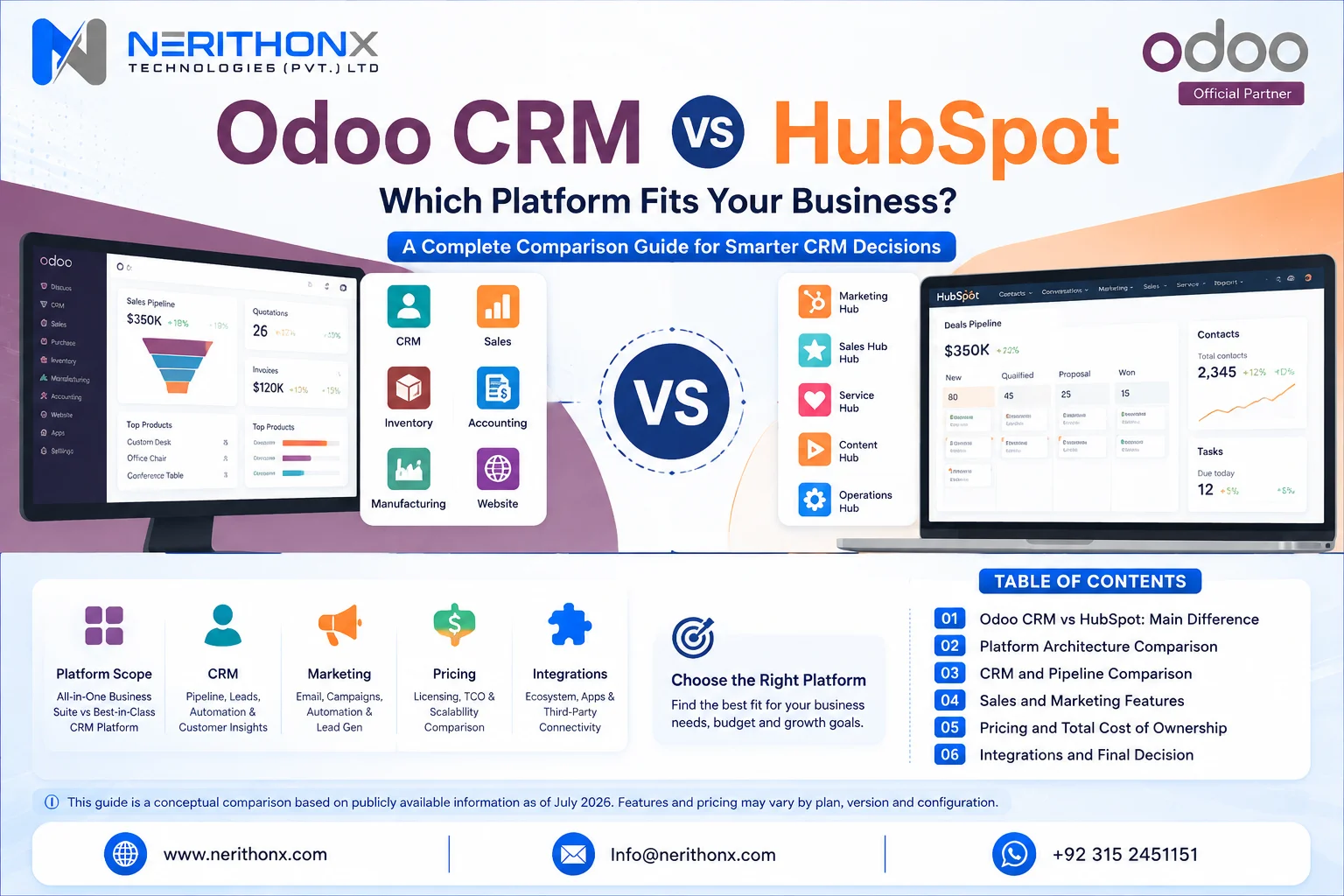
Odoo CRM vs HubSpot has no universal winner. HubSpot is often more compelling for marketing-led customer acquisition and fast front-office adoption. Odoo becomes more compelling when customer relationship management must connect with quotations, accounting, inventory, procurement, manufacturing, projects, or other enterprise resource planning workflows. This guide compares CRM, marketing, service, operations, pricing, implementation, customization, integrations, artificial intelligence, and business fit.
Odoo CRM vs HubSpot at a Glance
Area | Odoo CRM | HubSpot | Decision note |
Positioning | CRM inside an ERP and business-app suite | Smart CRM beneath customer-platform products | Compare architecture first |
CRM model | Leads and opportunities | Contacts, companies, leads, and deals | Data models differ |
Main strength | Connected operations | Marketing and front-office engagement | Scope matters |
Sales | Pipeline, activities, forecasts, quotations | Pipelines, workspaces, automation, forecasts | Limits vary |
Marketing | Connected Odoo marketing apps | Broad Marketing and Content Hub tools | HubSpot often fits deeper inbound needs |
Service | Helpdesk and related Odoo apps | Service Hub and agents | Beyond core CRM |
ERP | Native operational apps | ERP integrations normally required | Define system of record |
Customization | Configuration, Studio, APIs, modules | Properties, workflows, objects, APIs, apps | Maintenance rises with flexibility |
Deployment | Online, Odoo.sh, or on-premise by plan | Cloud platform | Verify governance needs |
Pricing | Free routes plus paid per-user plans | Free tools plus tiers, seats, contacts, onboarding, credits | Compare TCO |
Best fit | Connected CRM and operations | Marketing-, sales-, or service-led front office | Hybrid is valid |
Key concern | Implementation governance | Packaging and usage-cost complexity | Verify current terms |

How We Compared Odoo and HubSpot
The comparison uses official product, documentation, pricing, release-note, knowledge-base, and marketplace sources checked on July 24, 2026. Odoo 19 documentation is the stable functional baseline, while Odoo’s release notes were checked for later 19.x updates. HubSpot product names and pricing were checked against its current customer-platform pages.
The method has two layers. The core CRM layer compares contacts, companies, leads, deals or opportunities, pipelines, activities, email, meetings, assignment, scoring, forecasting, reporting, mobile work, and basic automation. The wider platform layer compares marketing, content, service, quotations, payments, finance, inventory, manufacturing, projects, eCommerce, data, integrations, and development.
A capability is not marked missing merely because it requires another app or plan. It is described as included, available through another native app, available in a higher plan, available through integration, requiring customization, not native, or requiring verification. Implementation quality, data preparation, user adoption, and governance can matter as much as the software.
What Is Odoo CRM?
Odoo CRM manages leads, opportunities, activities, teams, stages, expected revenue, forecasts, and quotations. The Odoo 19 CRM documentation also covers acquisition, scoring, assignment, unattended leads, attribution, and reports.
Its main distinction is connection with the Odoo suite. Opportunities can flow into Sales, invoicing, inventory, procurement, manufacturing, projects, subscriptions, or service apps when installed.
Community, Enterprise, Online, Odoo.sh, and on-premise options differ. Verify edition, plan, hosting, access, and app dependencies before considering Odoo CRM customization.
What Is HubSpot CRM?
HubSpot CRM is the data foundation for products such as Marketing Hub, Sales Hub, Service Hub, Content Hub, Data Hub, Revenue Hub, and Agent Hub. Contacts, companies, leads, deals, activities, email, meetings, forms, and reporting span free tools and paid editions.
Sales Hub adds prospecting and sales tools. Marketing Hub adds campaigns, nurturing, attribution, and automation by plan. HubSpot is cloud delivered, and cost can include products, tiers, seats, marketing contacts, onboarding, add-ons, and Credits. The free CRM is not the entire platform.
The Main Difference Between Odoo and HubSpot
Odoo starts from an integrated business-management and ERP architecture, so CRM can share data with operational applications. HubSpot starts from a customer-platform architecture centered on marketing, sales, service, content, and engagement. HubSpot often suits customer-acquisition priorities; Odoo often suits connected operations. Some companies benefit from integrating both with clear system ownership.
Core CRM Features Compared
Capability | Odoo CRM | HubSpot | Plan or configuration note |
Contacts and companies | Shared partner records | Shared CRM records | Permissions differ |
Leads and deals | Leads and opportunities | Leads and deals | Setup varies |
Pipelines | Teams, stages, Kanban | Deal pipelines | Quantity may vary |
Activities | Calls, meetings, emails, plans | Tasks, calls, emails, meetings, sequences | Advanced tools may be paid |
Email and templates | Chatter, aliases, templates | Tracking, templates, inbox, sequences | Limits vary |
Meetings | Calendar-related workflows | Meeting scheduler | Check plan limits |
Assignment | Manual and rules | Owners and workflow routing | Verify automation level |
Scoring | Predictive probability | Manual and AI-assisted scoring | Different models and tiers |
Forecasting | Expected and prorated revenue | Forecasting and deal analytics | Clean data required |
Lost analysis | Lost reasons and reports | Properties, reports, AI tools | Define controlled reasons |
Reporting | CRM and cross-app reports | Front-office and custom reports | Compare datasets |
Mobile/imports | Mobile and import tools | Mobile and import tools | Test real workflows |
Duplicates/permissions | Merge, groups, record rules | Duplicate tools, seats, permissions | Governance matters |

Sales Automation and Sales-Team Productivity
Odoo combines pipeline cards, activities, templates, quotation creation, assignment rules, and predictive probability. Some workflows require Sales, Calendar, Studio, Marketing Automation, or custom modules.
HubSpot combines pipelines, tasks, templates, calling, meetings, sequences, workspaces, routing, coaching, forecasts, and Breeze features in eligible editions. Compare a real working day—from lead capture through proposal and handoff—not isolated feature lists.
Marketing Automation and Lead Generation
HubSpot may fit marketing-led organizations needing connected forms, landing pages, content, ads, social tools, campaigns, nurturing, attribution, personalization, and advanced workflows. Capability depends on products, editions, contacts, credits, and add-ons.
Odoo connects Website, CRM, Email Marketing, Marketing Automation, Social Marketing, Events, Surveys, SMS, and eCommerce when installed.
Hypothetical example 1 — digital marketing agency: HubSpot may lead for campaigns and attribution. Odoo or a hybrid deserves comparison when projects, timesheets, invoicing, and delivery must share data.

Customer Service and Post-Sale Workflows
HubSpot Service Hub can add tickets, inboxes, knowledge, success tools, analytics, chat, and agents by plan. Odoo can add Helpdesk, Live Chat, Knowledge, Field Service, Projects, Subscriptions, and Invoicing. Compare how a won deal becomes onboarding, delivery, support, renewal, and billing; core CRM alone does not represent every service function.
ERP and Back-Office Capabilities
Odoo offers native apps for finance, inventory, purchasing, manufacturing, quality, maintenance, projects, timesheets, HR, point of sale, eCommerce, subscriptions, and field service. Availability still depends on edition, apps, localization, and configuration.
HubSpot normally connects to ERP and operations systems. Integration does not create one native database; it requires mapping, ownership, reconciliation, and monitoring.
Hypothetical example 2 — manufacturer: Odoo deserves close evaluation for enquiry-to-production workflows. HubSpot may remain the engagement layer if the integration is justified.
Customization and Flexibility
Configuration changes fields, pipelines, permissions, and reports. Low-code tools extend models and workflows. Custom development adds code. Apps and APIs add functions or move data.
Odoo supports deep module customization, especially on Odoo.sh or on-premise. HubSpot supports properties, workflows, reports, custom objects in eligible plans, APIs, webhooks, and marketplace apps. More flexibility means more testing, documentation, upgrade, and maintenance responsibility. Prefer standard features where they meet the requirement.
Integrations and Application Ecosystems
Judge integrations by objects, mappings, direction, filters, frequency, conflict rules, duplicate prevention, errors, monitoring, authentication, volume, and upgrades—not marketplace presence.
Odoo can reduce boundaries when native apps share a database. HubSpot provides many front-office connections through its marketplace, Data Hub, APIs, and workflows. Complex designs may need middleware. Document every interface before using Odoo integration services.
Can Odoo and HubSpot Be Used Together?
Yes. HubSpot can own marketing or engagement while Odoo owns quotations, fulfilment, inventory, accounting, projects, or manufacturing.
HubSpot’s official Odoo data-sync application states support for Odoo cloud version 10 or above, one- or two-way synchronization, default mappings, historical sync, and custom mappings with Data Hub Starter or above. Verify compatible plans, objects, fields, filters, conflicts, volumes, and operational records.
Object | Possible master | Direction | Rule |
Contacts/companies | Governance decision | One- or two-way | Unique external ID |
Leads | HubSpot before handoff | HubSpot to Odoo | Qualification trigger |
Opportunities/deals | One chosen platform | Controlled | Master wins |
Products | Odoo | Odoo to HubSpot | Odoo owns master |
Orders/invoices | Odoo | Status summary | Odoo owns transaction |
Consent | Defined privacy system | Controlled | Most restrictive valid state |
Hypothetical example 3 — hybrid: HubSpot nurtures a lead; Odoo creates the quotation and fulfils the order; selected status returns to HubSpot. Ownership, identifiers, consent, retries, and support must be documented.
AI and Automation in Odoo and HubSpot
Odoo 19 documents predictive lead scoring and assignment. Current Odoo release and AI pages describe expanding assistants, agents, transcription, content, insights, and automation.
HubSpot provides Breeze-related prospecting, research, content, service, data, deal, meeting, and forecasting tools across eligible products. Manual and AI scoring have subscription requirements; Credits may apply.
Availability varies by edition, plan, region, release, configuration, and usage. Human review remains necessary, and AI cannot repair bad data or unclear processes.
Ease of Use, Implementation, and User Adoption
HubSpot may start faster for a simple front-office scope. Odoo may require more decisions when CRM includes finance, inventory, projects, or manufacturing. Either becomes difficult with excessive fields, weak data, uncontrolled automation, or poor training.
A reliable project covers process mapping, ownership, roles, configuration, testing, migration validation, training, launch support, and adoption. See the Odoo implementation process for broader Odoo planning.

Deployment, Data Control, and Governance
HubSpot is cloud delivered. Odoo supports Online, Odoo.sh, or on-premise options under suitable plans. Self-hosting increases responsibility for infrastructure, backups, monitoring, upgrades, and continuity.
Verify contracts, processing terms, hosting regions, backups, exports, access, audit, retention, recovery, privacy, and local laws. International organizations may face different tax, data, and localization requirements. This is not legal or cybersecurity advice.
Reporting and Analytics
HubSpot may offer stronger front-office marketing, campaign, engagement, and revenue reporting in appropriate plans. Odoo may provide broader operational analysis when CRM shares data with orders, finance, inventory, projects, or manufacturing.
Agree on lifecycle definitions, values, dates, lost reasons, attribution, owners, currencies, and refresh rules. Decide whether native dashboards, exports, business intelligence, or a data warehouse is required.
Odoo CRM vs HubSpot Pricing
Pricing checked July 24, 2026, in USD. Prices, taxes, regions, promotions, contacts, credits, and packaging can change.
Odoo’s pricing page displayed One App Free at $0. With yearly billing selected, Standard showed $24.90 per user/month and Custom $49.00, beside higher reference figures of $31.10 and $61.00. Treat lower displayed figures as current billing-term or promotional prices, not guarantees.
HubSpot displayed free tools for up to two users. Sales Hub showed Starter at $7 per seat/month annually or $20 monthly; Professional at $90 annually or $100 monthly plus $1,500 onboarding; Enterprise at $150 plus $3,500 onboarding. Marketing Hub Professional started at $800/month with three Core Seats, 2,000 marketing contacts, and $3,000 onboarding; Enterprise at $3,600 with five Core Seats, 10,000 contacts, and $7,000 onboarding. Smart CRM Professional showed $45 per seat/month annually or $50 monthly; Enterprise showed $75. Verify current bundles.
Component | Odoo | HubSpot | Verify |
Free | One App Free; self-managed Community route | Free tools with limits | Users, apps, support |
Paid | Per internal user by plan | Products, tiers, seat types | Required scope |
Volume | App/message/credit services | Marketing contacts and sends | Renewal constraints |
Credits | Some in-app services | AI and usage functions | Included and overage |
Onboarding | Project service by scope | Required for selected tiers | Product requirement |
Hosting | Online included; other models differ | Cloud included | Regions and limits |
Services | Implementation, migration, customization | Implementation and administration | Full project cost |
Total Cost of Ownership
Total cost of ownership (TCO) includes subscriptions, users, seats, contacts, credits, hosting, implementation, process design, migration, cleanup, customization, integrations, apps, training, administration, support, upgrades, monitoring, change requests, and internal staff time.
Scenario 1: Small Sales Team
Assumptions: five users, one pipeline, email integration, no inventory, limited automation. Request the subscription, paid-seat, email, onboarding, migration, training, and support costs. HubSpot may deserve early evaluation for rapid front-office setup. Odoo may deserve equal attention if quotations, invoicing, projects, or accounting will soon be added.
Scenario 2: Marketing-Led Company
Assumptions: a marketing database, campaigns, lead scoring, content, landing pages, sales users, and attribution. Request marketing-contact tiers, Core and Sales seats, automation limits, credits, onboarding, content tools, migration, and administration. HubSpot may deserve closer evaluation, but Odoo should be tested when campaign-to-order operational integration has higher importance.
Scenario 3: Operationally Complex Business
Assumptions: CRM, quotations, inventory, procurement, accounting, manufacturing or service delivery, departments, and custom workflows. Request all application, user, hosting, implementation, localization, migration, integration, customization, testing, training, support, and upgrade costs. Odoo may deserve closer evaluation. Existing front-office investments may still justify HubSpot plus integration.
Lower licensing never guarantees lower TCO. Use consistent three-year assumptions and include internal effort.

Odoo CRM and HubSpot Pros and Cons
Odoo
Advantages | Considerations |
CRM and ERP data can share one suite | Wider scope needs process governance |
Flexible deployment and development | Hosting choice changes responsibility |
Strong operational workflow fit | Custom code creates upgrade work |
Broad native business apps | Marketing specialists may prefer deeper tools |
Cross-functional reporting potential | Edition and app dependencies matter |
HubSpot
Advantages | Considerations |
Strong front-office and marketing focus | Full scope may need several products |
Often quick for defined CRM adoption | Seats, contacts, credits, onboarding add cost |
Mature engagement workflows | ERP processes need integration |
Managed cloud delivery | Cloud-only may not fit every policy |
Rich automation and AI options | Advanced functions are tier-dependent |
Which Platform Is Better for Different Businesses?
Startups
HubSpot may suit a simple sales and marketing start. Odoo may suit startups adding invoicing, eCommerce, projects, or inventory. Model future cost.
Marketing Agencies
HubSpot may lead for campaigns and attribution; Odoo may lead for projects, timesheets, and invoicing. A hybrid is possible.
Professional Service Companies
Hypothetical example 4: A consultancy may choose Odoo for sales-to-project-to-invoice flow, HubSpot for marketing depth, or both with clear ownership.
Retail and eCommerce Businesses
Odoo deserves attention for commerce, point of sale, stock, fulfilment, and accounting. HubSpot may add acquisition and lifecycle marketing.
Distributors and Wholesalers
Compare Odoo’s quotations, price lists, purchasing, and stock with HubSpot’s outreach and territory tools. Define who owns products and prices.
Manufacturers
Odoo often fits CRM-to-production. HubSpot may remain the engagement layer.
SaaS Companies
HubSpot may fit acquisition and customer success. Odoo may fit billing, projects, finance, and operations.
International Sales Teams
Verify languages, currencies, territories, permissions, multi-company needs, tax localization, data terms, integrations, and global reporting.
Choose Odoo CRM If…
- CRM must connect closely with accounting, inventory, procurement, manufacturing, projects, or field operations.
- One integrated operational database is a strategic objective.
- Odoo’s deployment or code-level customization options are important.
- The company accepts structured implementation and governance.
- Required marketing and service needs fit available Odoo apps or justified integrations.
Choose HubSpot If…
- Marketing, customer acquisition, content, campaigns, and engagement are the main priorities.
- Rapid front-office adoption matters more than native ERP coverage.
- The selected HubSpot products and tiers contain the required workflows.
- The company accepts cloud delivery and understands seat, contact, onboarding, and credit costs.
- Existing ERP and operations platforms will remain systems of record.
Consider Using Both If…
Use both when HubSpot owns marketing or early qualification and Odoo owns quotations, fulfilment, inventory, accounting, projects, or manufacturing. Budget for integration monitoring, support, data governance, and future changes.
Avoid using both when no one owns the integration, data ownership is unclear, duplicate processes will remain, or the architecture is being used to avoid repairing a broken workflow.
Migration Considerations
Moving From HubSpot to Odoo
Map contacts, companies, deals, pipelines, activities, emails, notes, owners, properties, consent, attachments, and report history. Decide what must remain searchable, what can be archived, and which marketing automations need rebuilding. HubSpot-specific engagement data may not map directly to Odoo.
Moving From Odoo to HubSpot
Map contacts, companies, leads, opportunities, activities, products, quotations, attachments, custom fields, and operational relationships. HubSpot should not become the accidental owner of ERP data that remains in Odoo or another system. Custom models and transaction history may need an archive or separate integration.
Migration checklist
- Define the migration scope.
- Identify each system of record.
- Remove or merge duplicates.
- Map fields, values, owners, and relationships.
- Preserve source IDs where useful.
- Define archive and retention requirements.
- Test with a representative sample.
- Validate totals, relationships, consent, and reports.
- Train users on the new process.
- Plan rollback, reconciliation, and post-launch support.
Odoo CRM vs HubSpot Decision Matrix
Assign each criterion an importance score from 1 (low) to 5 (critical). Then score each proposed solution using evidence from demonstrations, contracts, and tested workflows. Multiply importance by solution score. Do not reuse generic product scores.
Criterion | Your importance, 1–5 | Odoo evidence score | HubSpot evidence score | Hybrid evidence score |
Fast initial adoption | ||||
Inbound marketing | ||||
Content and SEO | ||||
Sales automation | ||||
Customer service | ||||
ERP integration | ||||
Inventory | ||||
Manufacturing | ||||
Custom development | ||||
Self-hosting | ||||
Application ecosystem | ||||
Reporting | ||||
Global operations | ||||
Data governance | ||||
TCO predictability | ||||
Internal technical resources |
Hypothetical example: A manufacturer assigns importance 5 to inventory, manufacturing, and ERP integration, but 2 to advanced content marketing. Odoo may produce the higher weighted result. A marketing agency using the reverse weights may favor HubSpot. A company with high scores for both areas should test a governed hybrid.
Still comparing Odoo CRM and HubSpot?
NerithonX Technologies can help assess workflows, define integration requirements, and plan an Odoo ERP implementation or customization strategy.
Final Verdict
The practical verdict is conditional. HubSpot often fits marketing-led and front-office-focused requirements. Odoo often fits CRM connected with operational ERP requirements. Integration can fit companies that have a justified two-system architecture and can govern it.
Prioritize requirements before feature lists, total cost before headline price, process design before automation, data ownership before integration, and user adoption before customization.
FAQ
Frequently Asked Questions
Is Odoo better than HubSpot?
Odoo is not universally better than HubSpot. Odoo may fit better when CRM must connect with accounting, inventory, procurement, manufacturing, projects, or other ERP processes. HubSpot may fit better when rapid front-office adoption, inbound marketing, content, engagement, and specialized sales or service tools are the priority. The right choice depends on required apps, plans, implementation scope, user adoption, and total cost.
What is the main difference between Odoo and HubSpot?
The main difference is platform architecture. Odoo starts as an integrated suite of business and enterprise resource planning applications, with CRM connected to operational workflows. HubSpot starts as a customer platform built around Smart CRM and specialized marketing, sales, service, content, data, and revenue products. Your decision should reflect whether customer engagement or connected operations is the larger business requirement.
Is Odoo a CRM or an ERP?
Odoo is an integrated business application suite that includes both CRM and ERP capabilities. Its CRM app manages leads, opportunities, activities, pipelines, quotations, and forecasts. Other Odoo apps can add accounting, inventory, procurement, manufacturing, projects, eCommerce, human resources, and more. Exact availability depends on the edition, subscription, installed apps, hosting model, access rights, and configuration.
Is HubSpot an ERP system?
HubSpot is not normally positioned as a full ERP system. It is a customer platform centered on CRM, marketing, sales, service, content, data, and revenue workflows. It can connect with accounting, inventory, manufacturing, and other operational systems through integrations, but those connections do not automatically create one native ERP database. Companies should define which platform will remain the operational system of record.
Which is cheaper, Odoo or HubSpot?
Neither platform is always cheaper. Odoo commonly prices paid plans by internal user, while implementation, hosting choices, customization, migration, and third-party apps can affect total cost. HubSpot costs can include product tiers, paid seats, marketing-contact levels, onboarding, add-ons, and HubSpot Credits. Compare a three-year total cost of ownership using the same users, features, data volumes, services, and support assumptions.
Is Odoo CRM free?
Odoo offers free entry options under defined conditions. Its official pricing page lists a One App Free plan for one app with unlimited users on Odoo Online, while Odoo Community can be self-managed without Enterprise subscription fees. Dependencies, extra apps, Studio, external API access, hosting, implementation, support, and customization can change the real cost. Verify current terms before making a decision.
Is HubSpot CRM free?
HubSpot offers free CRM tools with limits that can change. The current official pricing pages show free access for up to two users for relevant free tools, while advanced automation, scoring, reporting, multiple pipelines, and specialized Hub features generally depend on paid plans. Confirm user limits, branding, feature limits, data allowances, and the products required for your intended sales, marketing, or service workflow.
Which is better for small businesses, Odoo or HubSpot?
Either can suit a small business. HubSpot may be easier to start when the immediate need is a straightforward sales pipeline, forms, email tools, and marketing-led customer acquisition. Odoo may deserve closer evaluation when the business also needs quotations, invoicing, inventory, projects, eCommerce, or accounting in one environment. Compare future requirements, not only the easiest free starting point.
Can HubSpot integrate with Odoo?
HubSpot may be the stronger fit for marketing-led organizations that need connected campaigns, landing pages, content, attribution, segmentation, nurturing, and advanced workflows in an appropriate Marketing Hub plan. Odoo can be sufficient when marketing requirements are narrower or when campaign activity must connect closely with sales and operational apps. Compare exact plan limits, contacts, credits, channels, reporting, and administration needs.
Which is better for manufacturing companies?
Odoo often deserves closer evaluation for manufacturers because CRM can connect with quotations, sales orders, inventory, procurement, manufacturing, quality, maintenance, accounting, and after-sales workflows through native Odoo apps. HubSpot may still be valuable for marketing and front-office engagement, especially in a hybrid architecture. The decision depends on production complexity, existing ERP systems, integration requirements, and internal process ownership.
Which platform offers more customization?
Yes, HubSpot and Odoo can be integrated. HubSpot currently lists a HubSpot-built Odoo data-sync app with one-way or two-way synchronization and default mappings for supported data. However, supported Odoo deployments, versions, objects, custom mappings, HubSpot plans, filters, volumes, and conflict behavior must be checked. Orders, quotations, invoices, consent data, and custom models may require additional integration work.
Should a company use HubSpot and Odoo together?
Using both can make sense when HubSpot owns marketing and customer engagement while Odoo owns quotations, fulfilment, inventory, accounting, projects, or manufacturing. The architecture needs documented systems of record, field mappings, sync directions, consent rules, error monitoring, ownership, and support. Using both is a poor choice when responsibilities are unclear or the integration merely preserves duplicate and broken processes.
Can Odoo replace HubSpot?
HubSpot can replace Odoo CRM for customer-facing sales, marketing, or service workflows when operational ERP functions are handled elsewhere. It is unlikely to replace Odoo as a complete operational system where Odoo manages inventory, procurement, manufacturing, accounting, point of sale, or other back-office processes. The business may need a separate ERP and a maintained integration rather than a direct one-system replacement.
Which platform is easier to implement?
HubSpot may be faster to begin using for a simple front-office scope because it is delivered as a cloud customer platform with guided product packaging. Odoo may require more process and configuration decisions when several operational apps are included. Either platform becomes difficult when data is poor, roles are unclear, automation is premature, integrations are underestimated, or users are not trained.
Which CRM has stronger AI features?
There is no useful answer based only on feature count. HubSpot provides Breeze-assisted sales, marketing, service, scoring, research, content, and agent capabilities across eligible products, plans, and credit usage. Odoo provides predictive lead scoring and expanding AI features across its integrated apps and recent Odoo 19 releases. Verify availability by plan, edition, region, release, credits, and configuration, then evaluate business outcomes and human-review controls.
How should a business choose between Odoo and HubSpot?
Start with requirements, not demonstrations. Map sales, marketing, service, finance, inventory, projects, manufacturing, reporting, data governance, deployment, and integration needs. Identify systems of record and assign importance scores to each criterion. Then compare the correct Odoo edition and apps with the correct HubSpot products and tiers, including migration, implementation, training, administration, credits, support, and three-year total cost.